

Training Course
78 Lectures
$27.49$24.99
Microsoft 365 MS-500 Exam Questions & Answers, Accurate & Verified By IT Experts
Instant Download, Free Fast Updates, 99.6% Pass Rate
Microsoft 365 MS-500 Exam Screenshots
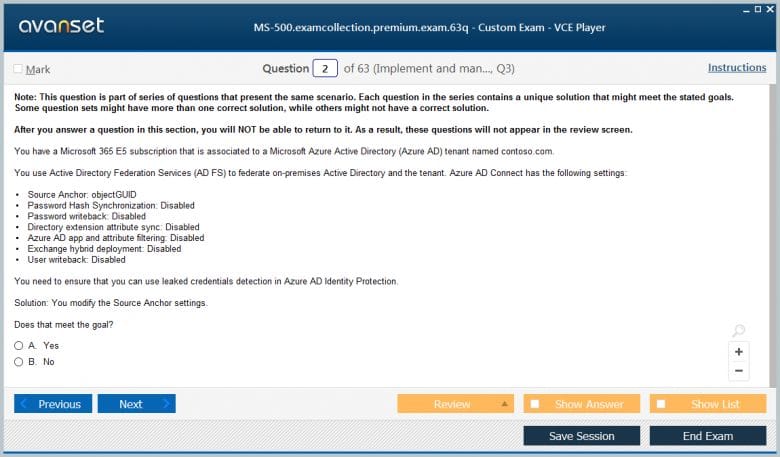
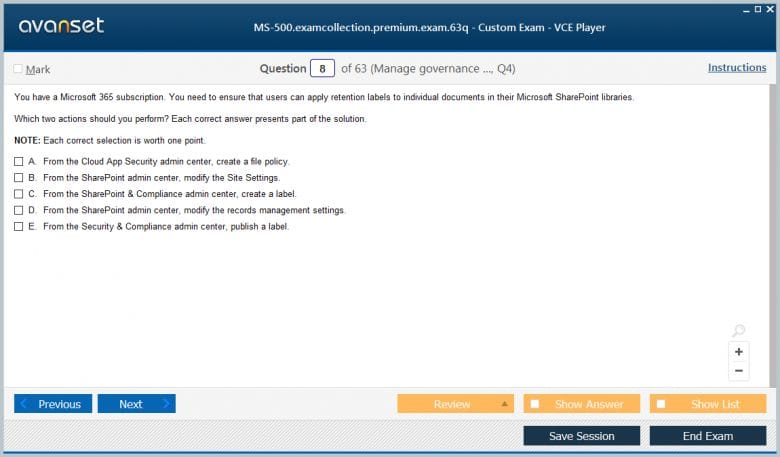
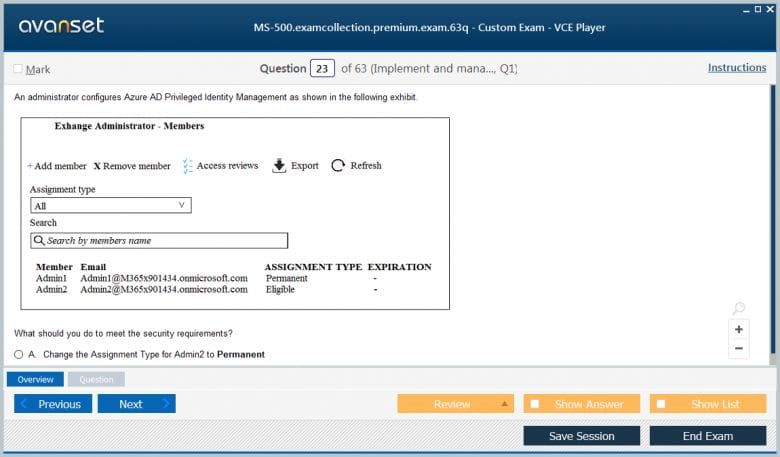
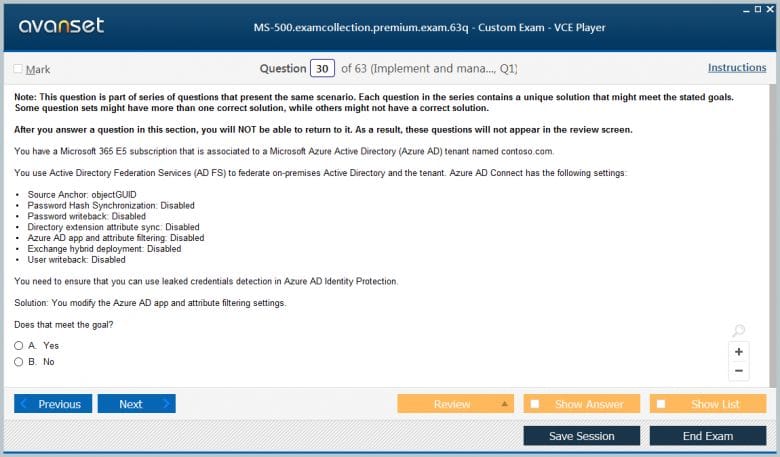
Microsoft 365 MS-500 Practice Test Questions in VCE Format
Microsoft 365 MS-500 Practice Test Questions, Exam Dumps
Microsoft MS-500 (Microsoft 365 Security Administration) exam dumps vce, practice test questions, study guide & video training course to study and pass quickly and easily. Microsoft MS-500 Microsoft 365 Security Administration exam dumps & practice test questions and answers. You need avanset vce exam simulator in order to study the Microsoft 365 MS-500 certification exam dumps & Microsoft 365 MS-500 practice test questions in vce format.
The Microsoft MS-500 certification, officially titled Microsoft 365 Security Administration, is a role-based credential that validates your ability to implement, manage, and monitor security and compliance solutions within the Microsoft 365 ecosystem. It is designed for security administrators who protect Microsoft 365 enterprise environments by implementing security controls, responding to threats, and enforcing data governance policies across the organization. This certification sits at the associate level within the Microsoft certification framework and requires a solid working knowledge of Microsoft 365 services, identity management, and cloud security principles.
Earning the MS-500 certification signals to employers that you possess verified expertise in one of the most critical areas of modern enterprise IT, which is securing cloud-based productivity environments. As organizations worldwide continue migrating their operations to Microsoft 365, the demand for professionals who can configure and maintain its security capabilities has grown dramatically. The MS-500 credential positions you as someone who can protect sensitive organizational data, prevent unauthorized access, detect threats in real time, and ensure that the organization meets its regulatory compliance obligations across its entire Microsoft 365 deployment.
The Microsoft 365 security landscape is a comprehensive ecosystem of integrated security tools and services that work together to protect users, devices, applications, and data across the entire productivity platform. Unlike traditional on-premises security models where perimeter defenses were the primary protection mechanism, Microsoft 365 security operates on a zero-trust philosophy that assumes breach, verifies explicitly, and enforces least-privilege access at every layer of the environment. This fundamental shift in security philosophy requires administrators to think differently about how they configure and monitor security controls.
Microsoft organizes its Microsoft 365 security capabilities into several major categories that reflect the different attack surfaces that must be protected in a modern cloud environment. Identity security protects user accounts and authentication processes from compromise. Device security ensures that endpoints connecting to organizational resources meet minimum security standards. Information protection prevents sensitive data from being accessed or leaked by unauthorized parties. Threat protection detects and responds to malicious activity across email, collaboration tools, and endpoints. Each of these categories contains multiple specific tools and services that MS-500 candidates must know how to configure, operate, and troubleshoot in real enterprise scenarios.
Identity is widely regarded as the new security perimeter in cloud environments, and protecting user identities is therefore one of the most critical responsibilities of a Microsoft 365 security administrator. Azure Active Directory serves as the identity foundation for Microsoft 365, managing user accounts, authentication, and authorization across the entire platform. MS-500 candidates must know how to configure and manage Azure AD features including multi-factor authentication, conditional access policies, identity protection, and privileged identity management to build a robust identity security posture.
Conditional access is one of the most powerful and flexible identity security tools available in Microsoft 365. It allows administrators to define policies that evaluate signals such as user identity, device compliance status, location, and application being accessed to determine whether to grant access, require additional verification, or block the request entirely. Identity Protection uses machine learning to detect risky sign-in behaviors and compromised accounts, generating risk signals that can be fed into conditional access policies to automatically enforce additional controls when suspicious activity is detected. Privileged Identity Management provides just-in-time privileged access to sensitive administrative roles, requiring administrators to explicitly activate their elevated permissions for limited time windows and generating audit records of all privileged actions taken during those sessions.
Microsoft Defender is a family of integrated security products that provide threat protection across the different components of the Microsoft 365 environment. Microsoft Defender for Office 365 protects email and collaboration tools from phishing attacks, malicious attachments, unsafe links, and business email compromise attempts. It includes Safe Attachments, which detonates email attachments in a sandbox environment before delivering them to recipients, and Safe Links, which rewrites URLs in emails and documents to route them through a real-time reputation check before allowing access. These capabilities are essential for protecting organizations from the email-based threats that remain the most common initial attack vector in enterprise environments.
Microsoft Defender for Endpoint provides advanced threat protection for Windows, macOS, Linux, iOS, and Android devices connected to the organizational environment. It uses behavioral sensors, cloud-based security intelligence, and machine learning to detect sophisticated attacks including fileless malware, ransomware, and advanced persistent threats that evade traditional signature-based detection. Microsoft Defender for Identity monitors on-premises Active Directory and Azure Active Directory for suspicious identity-related behaviors such as lateral movement, privilege escalation, and credential harvesting. Microsoft Defender for Cloud Apps provides visibility and control over cloud application usage, detecting shadow IT, enforcing access policies, and monitoring for anomalous behavior within sanctioned cloud services.
Information protection is the practice of classifying, labeling, and protecting sensitive data to prevent unauthorized access, leakage, or misuse. Microsoft Purview Information Protection, formerly known as Azure Information Protection, provides the tools needed to implement a comprehensive data protection strategy across Microsoft 365. Sensitivity labels are the primary mechanism for classifying and protecting content, allowing administrators to define labels that apply encryption, access restrictions, visual markings, and retention policies to documents and emails based on their sensitivity level.
Data Loss Prevention policies prevent sensitive information from being shared inappropriately, either accidentally or intentionally. DLP policies scan content across Exchange, SharePoint, OneDrive, Teams, and endpoint devices for sensitive information types such as credit card numbers, social security numbers, health records, and custom patterns defined by the organization. When a policy match is detected, DLP can block the sharing action, notify the user with a policy tip, generate an alert for administrators, or all of the above depending on the severity of the violation. Microsoft Purview Compliance Portal provides a centralized interface for managing information protection policies, reviewing DLP alerts, and assessing the organization's overall compliance posture against regulatory standards and internal governance requirements.
Effective threat detection requires both the ability to identify known threats quickly and the capability to discover novel attacks that do not match any previously seen pattern. Microsoft 365 Defender provides a unified threat detection and response experience that correlates signals from across the entire Microsoft security stack into a coherent picture of attack activity. It automatically investigates alerts, determines their scope and impact, and in many cases initiates automated remediation actions without requiring manual intervention from security analysts. This automation significantly reduces the mean time to respond to threats and frees security teams to focus on the most complex and high-priority incidents.
Microsoft Sentinel is a cloud-native security information and event management platform and security orchestration, automation, and response solution that ingests security signals from Microsoft 365 Defender, Azure services, and third-party sources to provide a comprehensive view of the threat landscape across the entire IT environment. Sentinel uses built-in analytics rules and machine learning models to detect threats that span multiple data sources and time periods, which is essential for identifying sophisticated multi-stage attacks. Threat hunting capabilities allow skilled security analysts to proactively search for indicators of compromise and attacker behaviors that automated detection may have missed, using powerful query languages and pre-built hunting queries developed by Microsoft security researchers.
Endpoint security is a critical component of the MS-500 exam and real-world Microsoft 365 security administration. Microsoft Intune is the primary tool for managing and securing endpoints in a Microsoft 365 environment, providing mobile device management and mobile application management capabilities for Windows, macOS, iOS, and Android devices. Through Intune, administrators can enforce device configuration policies, deploy security baselines, manage software updates, and remotely wipe or lock devices that are lost, stolen, or compromised. Device compliance policies define the minimum security requirements that devices must meet before being granted access to organizational resources.
Windows Autopilot simplifies the deployment and configuration of new Windows devices by allowing them to be shipped directly to end users and automatically configured to organizational standards when first powered on and connected to the internet. Microsoft Endpoint Analytics provides insights into device health, application reliability, and startup performance that help administrators proactively identify and address issues before they impact productivity. Security baselines in Intune provide pre-configured groups of Windows settings that implement Microsoft's recommended security configurations for different device roles, allowing administrators to quickly deploy consistent, hardened configurations across large device fleets without manually configuring each setting individually.
Email remains the most heavily exploited attack vector in enterprise environments, making email security configuration one of the most practically important skills tested in the MS-500 exam. Exchange Online Protection is the foundational email security layer included with all Microsoft 365 subscriptions, providing anti-spam, anti-malware, and connection filtering for all mail flowing into and out of the organization. EOP uses a combination of reputation filtering, content analysis, and machine learning to identify and block malicious messages before they reach user inboxes, and it processes hundreds of billions of messages daily across the Microsoft cloud.
Advanced email authentication configuration is essential for protecting organizational domains from spoofing and impersonation attacks. Sender Policy Framework records specify which mail servers are authorized to send email on behalf of the organization's domain. DomainKeys Identified Mail adds a cryptographic signature to outgoing messages that receiving servers can verify to confirm the message has not been tampered with in transit. Domain-based Message Authentication Reporting and Conformance ties SPF and DKIM together and tells receiving servers what to do with messages that fail authentication checks, either monitoring, quarantining, or rejecting them based on the organization's policy. Configuring these authentication protocols correctly is a foundational email security task that MS-500 candidates must thoroughly understand.
Regulatory compliance is a major driver of security investment for organizations in virtually every industry, and Microsoft 365 provides extensive tools to help organizations meet their compliance obligations. Microsoft Purview Compliance Manager is a risk assessment tool that helps organizations evaluate their compliance posture against a wide range of regulatory frameworks including GDPR, HIPAA, ISO 27001, NIST, and many others. It provides a compliance score that reflects the organization's current state of implementation, along with detailed action items that guide administrators through the steps needed to improve their score and reduce compliance risk.
eDiscovery and audit capabilities are essential for organizations that need to respond to legal investigations, regulatory inquiries, or internal misconduct cases. Microsoft Purview eDiscovery allows administrators to search for and preserve content across Exchange, SharePoint, OneDrive, and Teams that is relevant to a legal matter. Content Search enables broad searches across the entire Microsoft 365 environment without placing content on legal hold. Audit logs record user and administrator activities across Microsoft 365 services, providing a detailed record of who did what, when, and from where. Retention policies and retention labels ensure that content is kept for the required period and then deleted according to the organization's records management schedule.
Zero trust is a security philosophy and framework that has become the dominant approach to securing modern cloud environments, and it is deeply embedded throughout the Microsoft 365 security architecture. The core principles of zero trust are to verify explicitly by always authenticating and authorizing based on all available data points, to use least-privilege access by limiting user access with just-in-time and just-enough-access policies, and to assume breach by minimizing blast radius and segmenting access to limit the damage an attacker can do after compromising a credential or device. Microsoft 365 security tools are designed to implement all three of these principles simultaneously across the entire productivity environment.
Implementing zero trust in Microsoft 365 requires a coordinated approach that spans identity, devices, applications, data, infrastructure, and networks. Strong identity verification through multi-factor authentication and conditional access ensures that only authenticated, authorized users can access resources. Device compliance requirements ensure that only healthy, managed devices can connect to sensitive applications and data. Application access controls implemented through Microsoft Defender for Cloud Apps provide visibility and control over how users interact with both Microsoft and third-party cloud applications. Data protection through sensitivity labels and DLP policies ensures that sensitive information is protected regardless of where it travels. Together, these controls implement a coherent zero trust architecture that significantly raises the cost and difficulty of successful attacks.
Continuous security monitoring is essential for detecting threats quickly, measuring the effectiveness of security controls, and demonstrating compliance to internal and external stakeholders. The Microsoft 365 Defender portal provides a unified security operations interface that aggregates alerts, incidents, and threat intelligence from across the Microsoft security stack into a single dashboard. Security operations teams use this portal as their primary workspace for triaging alerts, investigating incidents, and initiating response actions. The portal's incident queue automatically correlates related alerts into coherent incident narratives that show the full scope and timeline of an attack, significantly reducing the time analysts spend manually piecing together attack sequences.
Secure Score is a measurement tool within the Microsoft 365 Defender portal that quantifies the organization's security posture as a numerical score based on the security controls that have been implemented. Each recommended security action contributes a certain number of points to the score, allowing administrators to prioritize improvements based on their impact and implementation effort. Secure Score also allows comparison with similar organizations and tracks progress over time, providing motivation and accountability for security improvement initiatives. Regular review of Secure Score recommendations is a practical habit that helps security administrators stay current with Microsoft's evolving best practice guidance and continuously improve the organization's defenses against emerging threats.
Managing privileged access is one of the most sensitive responsibilities in Microsoft 365 security administration. Privileged accounts that have administrative access to security configurations, user data, or system settings are high-value targets for attackers because compromising them can give an adversary broad access to the entire environment. Privileged Identity Management in Azure Active Directory addresses this risk by implementing just-in-time privileged access, where administrators must explicitly request and justify elevated permissions for a specific time window rather than holding permanent administrative roles that can be abused at any time.
Privileged Access Workstations are dedicated, hardened computing devices used exclusively for administrative tasks, isolated from general internet browsing, email, and other activities that could expose them to malware. While the configuration of PAWs goes beyond what is tested directly in the MS-500 exam, understanding the concept and rationale behind privileged access hardening is important for demonstrating security depth. Access reviews in Azure AD allow organizations to periodically audit who holds sensitive role assignments and require justification for continued access, automatically removing permissions that are no longer needed. This combination of just-in-time access, time-limited activation, and periodic review creates a robust framework for managing the most sensitive access rights in the Microsoft 365 environment.
Many organizations operate hybrid identity environments where on-premises Active Directory coexists with Azure Active Directory, with identities synchronized between the two directories using Azure AD Connect. Securing hybrid identity environments requires attention to both the cloud and on-premises components of the identity infrastructure, as attackers who compromise on-premises systems can potentially leverage that foothold to access cloud resources if the synchronization is not properly secured. MS-500 candidates need to understand how Azure AD Connect works, how to configure it securely, and what monitoring is needed to detect tampering or compromise.
Password hash synchronization, pass-through authentication, and Active Directory Federation Services are the three main authentication methods available in hybrid identity scenarios, each with different security implications and operational requirements. Password hash synchronization copies a hash of each user's password from on-premises AD to Azure AD, allowing cloud-based authentication without requiring on-premises infrastructure to be reachable during authentication. Pass-through authentication validates credentials directly against on-premises AD in real time, which keeps passwords from ever leaving the on-premises environment but requires on-premises authentication agents to be available. Federation with ADFS provides the most flexibility and control but introduces significant infrastructure complexity and additional attack surface that must be carefully secured and monitored.
Having a well-defined incident response process is essential for minimizing the damage caused by security breaches and recovering quickly to normal operations. Microsoft 365 provides several tools that support each phase of the incident response lifecycle from preparation and detection through containment, eradication, recovery, and post-incident review. The Microsoft 365 Defender portal's automated investigation and response capabilities can initiate containment actions automatically when certain threat patterns are detected, such as isolating a compromised device from the network or disabling a user account that shows signs of compromise, without waiting for manual analyst intervention.
Security administrators should have documented runbooks for common incident scenarios such as compromised user accounts, malware infections, phishing campaigns, and data exfiltration attempts. These runbooks define the specific steps to take in each scenario, the tools to use, and the stakeholders to notify, reducing the confusion and decision fatigue that can slow response during a high-pressure security incident. Microsoft Sentinel's playbooks, built on Azure Logic Apps, can automate common response actions based on alert triggers, such as sending notifications to the security team, blocking a suspicious IP address, or revoking a user's active sessions across all Microsoft 365 services. Regular tabletop exercises that simulate realistic attack scenarios help security teams practice their response procedures and identify gaps before a real incident occurs.
Preparing for the MS-500 exam requires a balanced approach that combines conceptual learning with hands-on practice in a real Microsoft 365 environment. Microsoft Learn provides an official free learning path for the MS-500 that covers all exam objectives through structured modules, interactive exercises, and knowledge checks. Working through this official learning path ensures your study material is aligned with the current exam content and reflects Microsoft's latest guidance on security configuration best practices. The learning path is regularly updated to reflect changes to the exam objectives and the evolving Microsoft 365 security feature set.
Hands-on practice in a Microsoft 365 trial tenant is essential for building the practical familiarity with security tools that the exam scenario-based questions require. Microsoft offers free ninety-day trial subscriptions to Microsoft 365 E5, which includes the full suite of security features covered in the MS-500 exam. Use your trial tenant to configure conditional access policies, set up sensitivity labels, create DLP policies, enable Microsoft Defender for Office 365 features, and explore the Microsoft 365 Defender portal. Supplement your hands-on practice with MS-500 practice exams from reputable providers to identify knowledge gaps and build comfort with the exam question format before sitting for the actual certification test.
Earning the MS-500 certification opens a wide range of career opportunities in the growing field of cloud security. Security administrators who hold this credential are qualified for roles including Microsoft 365 Security Administrator, Cloud Security Engineer, Information Security Analyst, and Compliance Administrator in organizations of all sizes across every industry. These roles command competitive salaries that reflect the critical nature of the responsibilities involved and the specialized knowledge required to perform them effectively. The combination of strong job demand and limited supply of qualified professionals means that MS-500 certified individuals typically enjoy excellent employment prospects and strong negotiating positions.
The MS-500 also serves as a strong foundation for pursuing more advanced security certifications. Microsoft's SC-200 Security Operations Analyst certification builds directly on MS-500 knowledge by focusing on threat hunting, incident investigation, and security operations center workflows using Microsoft Sentinel and Microsoft 365 Defender. The SC-300 Identity and Access Administrator certification deepens expertise in Azure Active Directory and identity governance. For those interested in broader cloud security beyond Microsoft 365, the SC-100 Microsoft Cybersecurity Architect certification validates the ability to design enterprise-wide zero trust security architectures that span Microsoft 365, Azure, and hybrid on-premises environments. Each of these advanced credentials builds meaningfully on the foundation established by the MS-500 certification.
Implementing security best practices in Microsoft 365 requires a systematic approach that addresses all the major risk areas in a coordinated and consistent way. Starting with identity security by enforcing multi-factor authentication for all users, especially administrators, eliminates the most common initial access technique used by attackers. Configuring conditional access policies that require compliant devices and block legacy authentication protocols removes significant attack surface with relatively low implementation effort. Enabling Microsoft Defender for Office 365 and configuring Safe Attachments and Safe Links policies provides immediate protection against the phishing and malware threats that target users through email every day.
Beyond the initial configuration of security controls, maintaining a strong security posture requires continuous attention and regular review. Security configurations drift over time as new users are added, roles change, exceptions are granted, and new features are released. Regularly reviewing Secure Score recommendations, auditing privileged role assignments, reviewing conditional access policy effectiveness, and monitoring DLP policy matches keeps the security posture aligned with both organizational requirements and the evolving threat landscape. Security awareness training for end users complements technical controls by reducing the likelihood that users will fall for phishing attacks or make poor security decisions that technical controls alone cannot prevent. The combination of well-configured technical controls and an informed user base creates a layered defense that significantly raises the difficulty of successful attacks against the Microsoft 365 environment.
The MS-500 Microsoft 365 Security Administration certification represents a meaningful and strategically valuable investment for any IT professional who wants to build a career in cloud security. Throughout this guide, we have covered the complete landscape of knowledge that this certification tests, spanning identity and access protection, the Microsoft Defender security suite, information protection and governance, threat intelligence and detection, endpoint security management, email security configuration, compliance and regulatory requirements, zero trust implementation, security monitoring, privileged access management, hybrid identity security, incident response, and career development opportunities.
What makes the MS-500 particularly compelling as a career foundation is the direct relevance of its content to the real security challenges that organizations face every day. Every topic covered in the exam reflects an actual attack vector, compliance requirement, or operational responsibility that Microsoft 365 security administrators encounter in their work. This tight alignment between certification content and real-world practice means that your exam preparation does not just help you earn a credential. It genuinely makes you more capable and effective at protecting the organizations and users you serve.
The Microsoft 365 platform continues to evolve rapidly, with Microsoft regularly adding new security capabilities, updating existing features, and expanding integrations across its security product portfolio. This constant evolution makes the MS-500 certification even more valuable because staying current with the certification requires keeping pace with the platform itself. Security administrators who maintain their MS-500 knowledge through continuous learning are well positioned to leverage new Microsoft security capabilities as they become available, providing their organizations with the most current and effective protections against an equally evolving threat landscape.
From a broader career perspective, the MS-500 sits at the intersection of two of the most high-demand skill areas in enterprise IT today, which are Microsoft 365 administration and cybersecurity. Organizations that have invested heavily in Microsoft 365 need professionals who understand both the productivity platform and the security tools built into it, and candidates who can demonstrate verified expertise in both areas through the MS-500 credential are genuinely rare and highly sought after. The combination of strong job demand, competitive compensation, meaningful work, and clear paths to further advancement makes the MS-500 one of the most strategically rewarding certifications available to cloud security professionals at the associate level.
Commit to the preparation process with consistency and discipline, build real hands-on experience in a Microsoft 365 environment, engage with the security community to stay current with emerging threats and best practices, and approach the exam with the confidence that comes from thorough, practical preparation. The MS-500 certification is your foundation for a long, rewarding, and impactful career in Microsoft 365 security administration.
Go to testing centre with ease on our mind when you use Microsoft 365 MS-500 vce exam dumps, practice test questions and answers. Microsoft MS-500 Microsoft 365 Security Administration certification practice test questions and answers, study guide, exam dumps and video training course in vce format to help you study with ease. Prepare with confidence and study using Microsoft 365 MS-500 exam dumps & practice test questions and answers vce from ExamCollection.
Purchase Individually

Microsoft MS-500 Video Course

Top Microsoft Certifications





















Top Microsoft Certification Exams
Site Search:

SPECIAL OFFER: GET 10% OFF


Pass your Exam with ExamCollection's PREMIUM files!
SPECIAL OFFER: GET 10% OFF
Use Discount Code:
MIN10OFF
A confirmation link was sent to your e-mail.
Please check your mailbox for a message from support@examcollection.com and follow the directions.

Download Free Demo of VCE Exam Simulator
Experience Avanset VCE Exam Simulator for yourself.
Simply submit your e-mail address below to get started with our interactive software demo of your free trial.
Hey guys, anyone took the exam lately and checked dump if is valid;
Seems exam changed on 10 May.
This dump still valid ?
premium dumps are valid, passed with score 870 at 26Jan. almost10 new questions out of 65.
loc:Qatar
premiun dumps is valid, just passed a few days ago
Great prep material. Passed yesterday with 800+. 48 Questions No Lab. about 3 new questions.
Passed today. Premium dump is still valid. 2-3 new questions. No labs.
Thank you, ExamCollection, I passed my test today with 735 points. I think that this is the solid evidence of the fact that the premium dump is valid. My lab was with the following 10 tasks - AIP, Intune device configuration profiles, Cloud App Security session policy, AAD Connect, Azure ATP, eDiscovery, Azure role assignment, PIM, Office ATP, and Defender ATP.
Still valid
No labs
3 or 4 new questions
In my test, there were about 5 or 6 new questions, if I’m not mistaken. The labs were the toughest part. Here are a few of the lab questions that I remembered:
-Prevent user1 from deleting files that contain the word “budget”;
-Search for all files/emails with the word “merger”;
-Enforce users to change password every 100 days;
-Unmanaged devices that try to access Exchange Online must be quarantined;
-Create and assign AIP lables/policies.
I hope this helps anyone.
Dumps still valid, Passed with 755 Score today. Total 48 No simulation, But May be some dumps answer are wrong. Please verified the dumps answer before attempt.
ExamCollection has valid dumps as always. This is not my first time passing certification exams with the help of this site, so I just bought the premium bundle and started my preparation. I used the previous version of the practice questions, which has 168 items in it and passed the MS-500 exam with 855 score today. There were a total of 47 questions with 2 testlet and about 3 or 4 new questions. No simulation.
Dump still valid no labs, 2 new questions
Still the dump is valid. Passed today with 810 score. 3 new questions. No labs.
Passed today 7xx. Premium dump is valid although there were 8 new questions. My lab was vastly different to that in the comments. 10 tasks - AIP, Intune device configuration profiles, Cloud App Security session policy, AAD Connect, Azure ATP, eDiscovery, azure role assignment, PIM, Office ATP and Defender ATP.
Premium dumps is valid..11 lab questions.. covering MFA, ediscovery search, retention policy, labels and AIP