



Premium File
41 Q&A
$76.99$69.99
Microsoft MCE 62-193 Exam Questions & Answers, Accurate & Verified By IT Experts
Instant Download, Free Fast Updates, 99.6% Pass Rate

62-193 Premium File: 41 Questions & Answers
Last Update: Oct 12, 2026
62-193 Training Course: 45 Video Lectures
$74.99
Microsoft MCE 62-193 Exam Screenshots
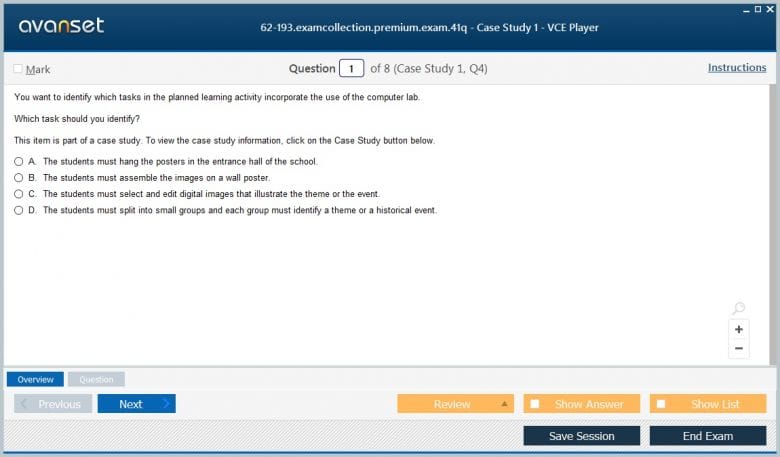
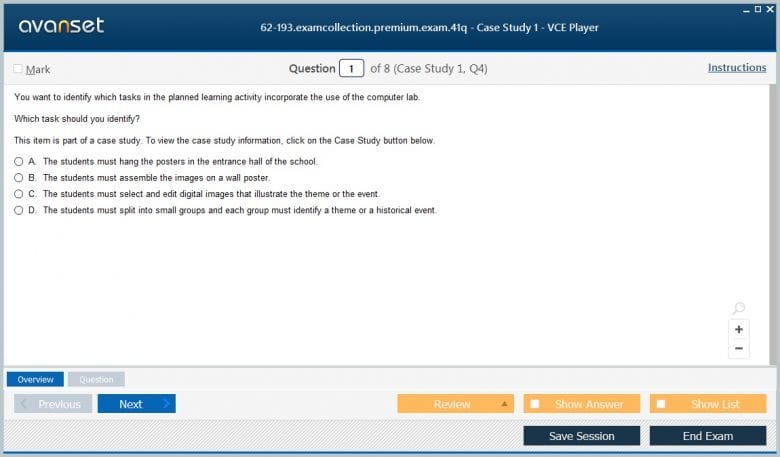
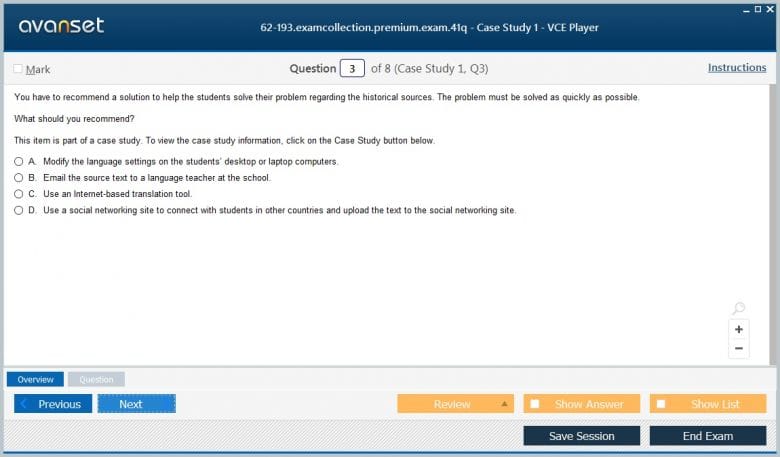
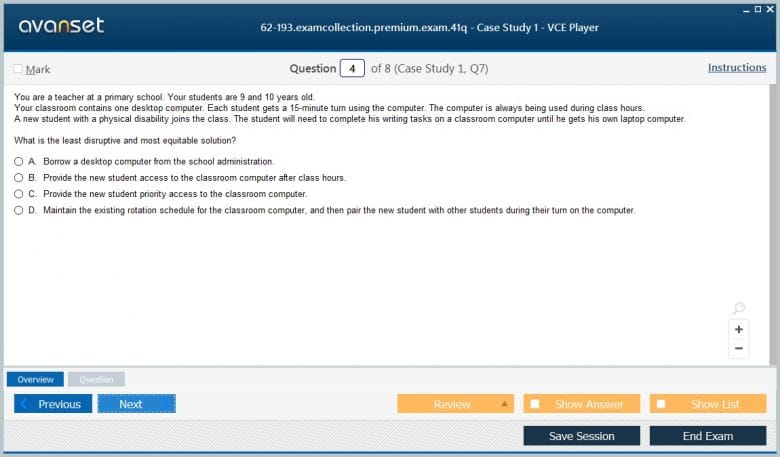
Microsoft MCE 62-193 Practice Test Questions in VCE Format
| File | Votes | Size | Date |
|---|---|---|---|
File Microsoft.realtests.62-193.v2026-09-12.by.amina.15q.vce |
Votes 1 |
Size 167.11 KB |
Date Sep 11, 2026 |
File Microsoft.Pass4sureexam.62-193.v2019-03-09.by.Travis.24q.vce |
Votes 3 |
Size 61.42 KB |
Date Mar 12, 2019 |
Microsoft MCE 62-193 Practice Test Questions, Exam Dumps
Microsoft 62-193 (Technology Literacy for Educators) exam dumps vce, practice test questions, study guide & video training course to study and pass quickly and easily. Microsoft 62-193 Technology Literacy for Educators exam dumps & practice test questions and answers. You need avanset vce exam simulator in order to study the Microsoft MCE 62-193 certification exam dumps & Microsoft MCE 62-193 practice test questions in vce format.
Exam 62-193, Technology Literacy for Educators, is the assessment behind the Microsoft Certified Educator credential. Unlike an application exam that asks candidates to prove command of a particular product, this exam evaluates whether an educator understands how technology can support richer learning design. Microsoft describes the credential around global educator technology-literacy competencies and positions it for educators in training, teacher-education faculty, and working teachers.
That makes the 62-193 Technology Literacy for Educators exam unusual inside Microsoft’s broader certification portfolio. The emphasis is not on memorizing menus in Word, Excel, Teams, or another product. Microsoft explicitly frames the assessment around applying technology within learning experiences. A candidate can therefore be comfortable with software and still be underprepared if the instructional design behind that software use is weak.
As of October 2026, 62-193 remains a current Microsoft Certified Educator exam and Microsoft directs students and educators to schedule it through Certiport. That current status matters because many neighboring Office exam codes are now historical. Preparation should use the live Microsoft Certified Educator objectives rather than treating 62-193 as another retired desktop-software credential.
Microsoft’s six assessed areas all describe what learners do: collaborate, communicate, regulate their own work, solve authentic problems, use information and communication technologies, and learn in environments where the educator also uses ICT effectively. This shifts the candidate’s attention from ‘Which button performs this task?’ to ‘What learning behavior does this activity actually enable?’ That distinction is the center of the exam.
A useful preparation habit is to take any classroom technology example and identify the instructional purpose before naming the tool. A shared document might support simultaneous co-authoring, peer review, evidence collection, or simply file distribution. Only the first three meaningfully change the learning task. The broader technology literacy discussion is useful here because functional tool use and purposeful technology use are related but not identical competencies.
This framing also changes how candidates should read classroom scenarios. A scenario can mention laptops, tablets, cloud storage, or video meetings and still be mostly about pedagogy. Strip away the product names and ask what students must actually do. If the learning design would be unchanged without the technology, the ICT element may be incidental rather than transformational.
One assessed domain is facilitating student collaboration. In strong collaborative work, learners depend on one another, make substantive decisions together, and contribute to a shared outcome. Dividing a worksheet into four independent pieces and combining the answers at the end is group work, but it may not require meaningful collaboration. Technology becomes valuable when it makes interdependence, visibility, and revision easier.
For exam preparation, compare activities by asking who owns the decisions, whether each student’s contribution affects the shared product, and whether participants must coordinate. A collaborative document, discussion space, or planning board can support those behaviors, but the platform alone does not create them. This is why blended learning works best when face-to-face and digital activities are designed as one learning sequence rather than two disconnected channels.
A useful distinction is between coordination and collaboration. Technology can make it easy to assign tasks and collect separate answers, but meaningful collaboration normally requires shared decisions, negotiation, or a product that depends on combined contributions. Candidates should look for evidence of interdependence instead of assuming that any group activity satisfies the objective.
The communication domain goes beyond producing grammatically correct text. Students should be able to develop an idea, support it, choose an appropriate medium, and adapt the communication to an audience. A presentation, video, report, infographic, discussion post, and live explanation place different demands on the learner even when they address the same subject.
Candidates should practice judging whether an activity asks for extended communication and whether students must use evidence or design choices purposefully. The same logic applies outside school: effective workplace communication depends on clarity, context, and audience rather than volume. In an exam scenario, the strongest technology choice is normally the one that improves the quality or reach of the communication task, not the one with the most features.
Communication can also be assessed by the revision cycle. If learners receive feedback, reconsider evidence, and improve a message before it reaches its audience, technology is supporting more than transmission. Shared review, comments, rehearsal recordings, and version history can all strengthen communication when they are connected to clear quality criteria.
Facilitating self-regulation means giving learners meaningful responsibility for goals, schedules, quality criteria, progress, and revision. Technology can make those elements visible through calendars, shared plans, feedback histories, checklists, version records, or learning platforms. But a teacher-controlled sequence in which every step and deadline is fixed can leave little room for genuine self-management.
Study scenarios by identifying where decisions sit. Do students decide how to organize work? Can they track progress against criteria? Is feedback available early enough to change the result? Does the activity extend long enough for planning and revision to matter? These questions help distinguish self-regulation from simple compliance. The exam rewards understanding of learning design, so the candidate should be able to explain why a digital workflow gives students more ownership rather than merely saying that it is convenient.
Self-regulation is easiest to see when a task lasts long enough for planning decisions to matter. A one-minute activity with every step specified offers little room for ownership. A multi-stage project with milestones, progress evidence, peer or teacher feedback, and a final reflection gives students opportunities to monitor and adjust their work over time.
Another domain evaluates real-world problem solving and innovation. Authentic problems are rarely solved by recalling one fact or following a fully specified recipe. Learners may need to define part of the problem, evaluate information, choose constraints, test a solution, or create something that has value beyond the classroom. Technology can expand the data, people, simulations, and publishing channels available to them.
A good practice method is to rewrite conventional assignments. Instead of asking students to reproduce a chart, ask them to investigate a local data set and justify which visualization communicates the finding. Instead of summarizing a topic, ask them to propose and defend a solution for a real audience. The technology is supporting inquiry and creation. That is a stronger fit to the objective than using a device to deliver the same closed task that could have been completed on paper.
Real-world problems also tend to have constraints. Budget, time, audience needs, available evidence, or competing goals force learners to evaluate alternatives. A digital simulation or data set is valuable when it lets students explore those trade-offs and justify a choice, not simply when it makes the activity more visually engaging.
Microsoft separately assesses whether students use information and communication technologies in ways that support knowledge construction. The important point is the student’s use of the technology. A teacher can deliver a polished digital lecture while students remain passive. Conversely, a relatively simple tool can support sophisticated learning if students use it to analyze information, model relationships, collaborate, create, or receive iterative feedback.
Candidates should therefore evaluate the cognitive work behind the screen. Does the tool help students organize complex information, test alternatives, communicate with an authentic audience, or produce something that would be difficult without technology? This perspective aligns with the broader shift toward online learning as an environment for interaction and practice rather than a digital container for static material.
ICT use should therefore be evaluated at the level of learning outcome. Searching, copying, and pasting information is technically digital but may require little knowledge construction. Comparing sources, synthesizing evidence, building a model, or creating a product for an authentic audience places greater intellectual demands on the learner and better matches the exam’s intent.
The educator-use domain looks at how technology supports the teacher’s professional work and the learning environment. That can include organizing resources, differentiating instruction, communicating, gathering evidence of learning, providing feedback, or enabling access for learners who need different pathways. Effective use is therefore managerial and pedagogical as well as technical.
Scenario questions may present several plausible tools. The best choice depends on the instructional need, learner access, privacy or safety considerations, and what information the teacher needs in order to respond. A tool that produces attractive outputs but creates barriers for students may be a poor fit. Similarly, collecting large amounts of data is not valuable unless the educator can interpret it and adjust instruction. The exam rewards that kind of proportional judgment.
Educator judgment also includes knowing when not to use technology. A digital tool can introduce account, access, distraction, privacy, or reliability costs that outweigh its benefit for a short activity. The strongest scenario answer is the option that fits the learning goal and context, not the option that uses the newest or most elaborate platform.
Because 62-193 is a conceptual educator exam, preparation should not become a list of software tutorials. Build a bank of teaching scenarios and analyze each one against the six domains. Identify the learning goal, the student decisions, the collaboration structure, the communication demand, the evidence of self-regulation, the authenticity of the problem, and the exact role of ICT. Then change one condition and ask whether your judgment changes.
Keep the certification in context with the broader Microsoft certification ecosystem. Most Microsoft credentials measure a product, platform, or job-role skill set. Microsoft Certified Educator measures how technology is used to design learning. That is why hands-on technology experience is helpful but insufficient by itself: the candidate must be able to reason about pedagogy, learner agency, and the purpose behind the digital activity.
For practice, write short rationales for your choices. Do not stop at ‘this supports collaboration.’ Explain what students share, which decisions are collective, what evidence of learning the teacher receives, and how the technology changes the task. That habit mirrors the reasoning demanded by the objective domains and exposes vague understanding quickly.
For a current candidate, the practical target is not maximum tool knowledge. It is the ability to recognize when technology meaningfully improves collaboration, communication, self-direction, authentic problem solving, knowledge construction, or instructional practice. Once that distinction becomes habitual, the six domains stop looking like isolated objectives and become a coherent model for technology-rich teaching.
Go to testing centre with ease on our mind when you use Microsoft MCE 62-193 vce exam dumps, practice test questions and answers. Microsoft 62-193 Technology Literacy for Educators certification practice test questions and answers, study guide, exam dumps and video training course in vce format to help you study with ease. Prepare with confidence and study using Microsoft MCE 62-193 exam dumps & practice test questions and answers vce from ExamCollection.
Purchase Individually

Microsoft 62-193 Video Course

Top Microsoft Certifications


















































Top Microsoft Certification Exams
Site Search:

SPECIAL OFFER: GET 10% OFF

Pass your Exam with ExamCollection's PREMIUM files!
SPECIAL OFFER: GET 10% OFF
Use Discount Code:
MIN10OFF
A confirmation link was sent to your e-mail.
Please check your mailbox for a message from support@examcollection.com and follow the directions.

Download Free Demo of VCE Exam Simulator
Experience Avanset VCE Exam Simulator for yourself.
Simply submit your e-mail address below to get started with our interactive software demo of your free trial.