



Premium File
50 Q&A
$76.99$69.99
Microsoft Excel Expert 77-888 Exam Questions & Answers, Accurate & Verified By IT Experts
Instant Download, Free Fast Updates, 99.6% Pass Rate
50 Questions & Answers
Last Update: Aug 22, 2026
$69.99
Microsoft Excel Expert 77-888 Exam Screenshots
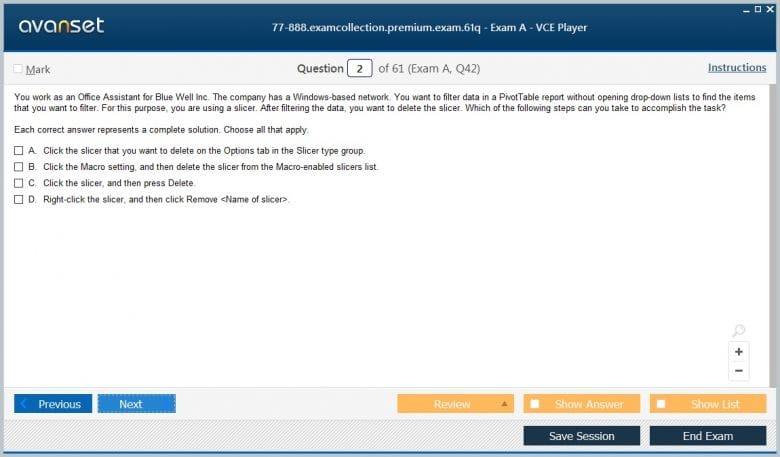
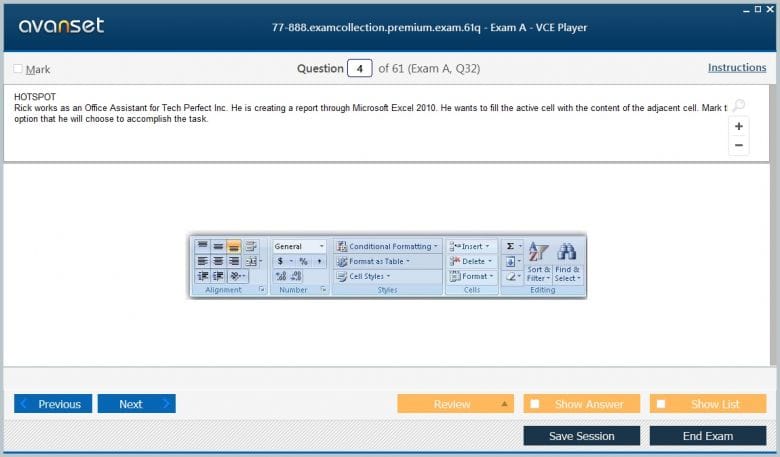
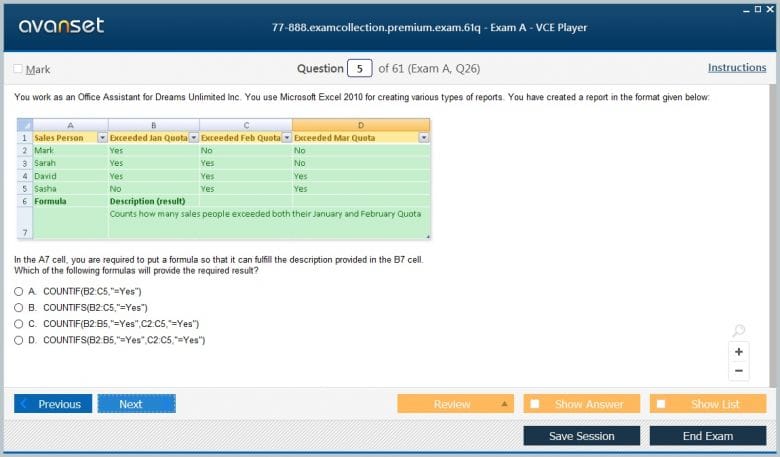
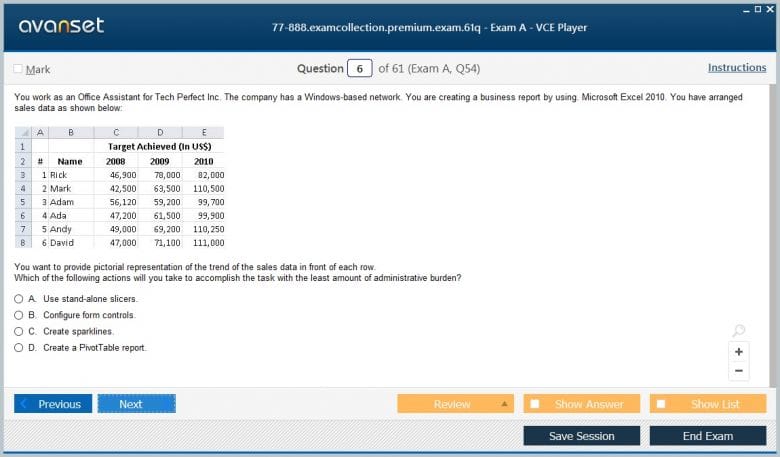
Microsoft Excel Expert 77-888 Practice Test Questions in VCE Format
| File | Votes | Size | Date |
|---|---|---|---|
File Microsoft.examdumps.77-888.v2026-08-24.by.evelyn.25q.vce |
Votes 1 |
Size 782.74 KB |
Date Aug 24, 2026 |
File Microsoft.Certkiller.77-888.v2019-03-14.by.Abrielle.30q.vce |
Votes 3 |
Size 1.18 MB |
Date Mar 18, 2019 |
Microsoft Excel Expert 77-888 Practice Test Questions, Exam Dumps
Microsoft 77-888 (Excel 2010 Expert) exam dumps vce, practice test questions, study guide & video training course to study and pass quickly and easily. Microsoft 77-888 Excel 2010 Expert exam dumps & practice test questions and answers. You need avanset vce exam simulator in order to study the Microsoft Excel Expert 77-888 certification exam dumps & Microsoft Excel Expert 77-888 practice test questions in vce format.
Exam 77-888 was the Microsoft Office Specialist Expert assessment for Excel 2010. The expert-level scope went beyond ordinary formulas and formatting into maintaining and sharing sophisticated workbooks, advanced functions, data analysis and visual presentation, PivotTables and PivotCharts, macros, forms, validation, protection, and other features used in complex business spreadsheets.
The 77-888 Excel 2010 Expert exam is retired and Office 2010 has been unsupported since 2020. The historical context does not make the material useless. It changes the purpose: instead of preparing for an old appointment, learners can use the objectives to evaluate whether their spreadsheet practice has advanced from “can build a workbook” to “can design, audit, automate, and distribute a workbook responsibly.”
Expert Excel work is less about feature count than control. A workbook may contain impressive formulas and still be dangerous if assumptions are hidden, macros are unreviewed, or users cannot distinguish inputs from calculated outputs. The most durable lesson of an expert certification is that complexity must be managed deliberately.
Advanced users need to understand workbook options, calculation behavior, protection, shared usage, file formats, versions, and distribution choices. These controls affect not just appearance but trust. A workbook saved with manual calculation, for example, can display stale results even when formulas are technically correct.
Practice with a model that has several worksheets and dependent formulas. Switch calculation modes deliberately, protect only the cells that need protection, test editable ranges, and save a distribution copy. Document the assumptions another user needs. The exercise demonstrates that workbook governance is a technical skill: the file must behave predictably after it leaves the author’s hands.
Distribution also includes external links, named connections, and hidden dependencies. A workbook may look self-contained while pulling values from another file, data source, or add-in. Before sharing it, inspect links and connections and decide whether recipients will have access. Expert users make dependencies visible instead of allowing formulas to break silently on someone else’s computer.
Expert-level Excel uses nested logic, lookup and reference functions, text manipulation, date calculations, statistical functions, and more complex combinations. The challenge is not merely getting a result. The formula should be understandable, testable, and stable across expected inputs.
Build a calculation with several business rules, then create test cases for boundary values and missing data. If the expression becomes opaque, split it into named helper calculations. A shorter formula is not always better, and a long formula is not automatically expert. Expert work makes logic inspectable so errors can be found before they affect a decision.
Formula auditing should include independent reasonableness checks. If a model reports a 400 percent margin or a date thirty years in the future, the fact that the formula evaluates without an error code is not enough. Compare outputs with expected ranges, reconcile subtotals to source data, and use small hand-calculated samples. Spreadsheet correctness requires both syntactic and business validation.
Lookups are often treated as syntax exercises, but they are really data-model operations. A lookup needs a reliable key, a defined match behavior, and a plan for missing or duplicate values. Excel 2010 relied on the lookup functions available at the time, so historical practice often used combinations that modern Excel can express differently.
Create a product table with unique identifiers and a transaction table that references those identifiers. Test valid keys, missing keys, and duplicates. Then inspect what the formula returns in each case. The transferable skill is not memorizing one legacy lookup function; it is designing a relationship between tables that fails visibly instead of returning a plausible but incorrect value.
PivotTables and PivotCharts let users summarize large datasets quickly by dimensions and measures. Expert work requires understanding the source data, refresh behavior, grouping, calculated fields or items where applicable, filters, and the difference between the underlying records and the displayed aggregation.
Build a PivotTable from clean transaction data, then intentionally add a duplicate record or inconsistent category label and refresh. Observe the effect on totals. This exercise reinforces a critical analytical rule: powerful summarization cannot compensate for bad source data. The pivot is only as trustworthy as the records and field definitions behind it.
Pivot analysis also benefits from separating dimensions and measures. Dates, regions, products, and owners describe how records can be grouped; revenue, quantity, or duration are measures to aggregate. Mixing those roles carelessly can produce meaningless summaries. Thinking in these terms prepares the learner for modern analytics tools because the same conceptual model appears far beyond Excel.
Expert spreadsheet users can build more complex visualizations, combine series, use secondary axes when justified, apply sophisticated conditional formatting, and connect charts to summarized data. The risk is visual sophistication without analytical clarity.
Take a management metric with actual, target, and prior-period values. Design a chart that communicates the comparison without unnecessary decoration, then add conditional formatting to the supporting table. Ask whether a viewer can identify the exception or trend in seconds. If not, simplify. Expert visualization is the ability to direct attention accurately, not the ability to use every chart option.
Secondary axes and combination charts should be used only when scales truly differ and the comparison remains honest. They can reveal relationships, but they can also exaggerate correlation if the axes are chosen manipulatively. Expert charting includes ethical presentation: scales, labels, and baselines should help a reader interpret the data rather than steer them toward a predetermined impression.
Excel 2010 Expert objectives included macros and form controls. Automation can reduce repetitive work, standardize sequences, and build interactive tools, but it also creates maintenance and security concerns. Recorded macros may capture accidental selections or hard-coded paths; unsigned or unknown macros can be dangerous.
Record a simple macro, inspect what it does, and then test it on a copy of the workbook with a different row count or worksheet position. Add a button only after the macro is reliable. Document the expected inputs and output. The lesson is broader than VBA syntax: any automation should be deterministic, reviewable, and safe to run more than once.
Macro security is part of automation design. Users should understand why organizations restrict unsigned macros and why code from an unknown workbook should not simply be enabled to make a warning disappear. In a learning environment, store automation in trusted test files, review the code or recorded actions, and separate experimentation from production data. Productivity never justifies bypassing security controls blindly.
Data validation, protected ranges, workbook protection, and controlled input areas can reduce accidental damage. These features are most effective when the user understands what is editable and receives a clear message when an input is invalid. Excessive locking can make a workbook difficult to maintain and tempt users to bypass controls.
Design an input sheet with constrained categories, date rules, and unlocked entry cells while formulas remain protected. Try invalid values and check the user experience. Then inspect whether protection affects legitimate tasks such as filtering or expanding tables. Expert spreadsheet design balances safety with usability instead of treating security as a single password setting.
The core 77-882 Excel 2010 exam provides the historical foundation beneath 77-888. Later expert paths included 77-728 Excel 2016 Expert and MO-201 Excel Expert for Office 2019. For the current Microsoft 365 Apps generation, MO-211 Excel Expert is the current expert-level exam.
The Microsoft Excel certification track places these exams in context. Modern Excel adds dynamic arrays, newer lookup functions, richer collaboration, and other capabilities that 77-888 could not test. The durable expert behaviors remain: design transparent logic, control inputs, validate outputs, automate carefully, and communicate analytical results clearly.
Modern Excel Expert practice should also include features that did not exist in 2010, but legacy foundations make them easier to learn. Dynamic arrays, newer lookup functions, Power Query, and richer collaboration all reward the same discipline around clean data, explicit assumptions, and reproducible transformations. Historical study is useful when it becomes a launch point, not a ceiling.
A serious capstone should begin with raw data and end with a distributable analytical workbook. Import or paste clean source records, build calculations, create a PivotTable, present one chart, add controlled inputs, protect fragile formulas, and automate one repetitive task. Then hand the workbook to another user and ask them to update it without instructions. Their mistakes reveal where the design is unclear.
What-if analysis is another expert habit even when a specific tool is not required. Separate assumptions from results, change one driver at a time, and record how outputs respond. Goal Seek, scenarios, data tables, or carefully designed input cells can all support this reasoning. The key is to avoid editing formulas directly to test possibilities. A model becomes easier to audit when assumptions are explicit and reversible, which is especially important when several people use the same workbook for planning decisions.
77-888 is valuable as a historical benchmark because it asks a deeper question than whether someone knows Excel commands. Can the person create a complex workbook that remains understandable, correct, and maintainable? Modern features change the implementation, but that standard of responsibility is still what separates advanced spreadsheet work from impressive-looking fragility.
Go to testing centre with ease on our mind when you use Microsoft Excel Expert 77-888 vce exam dumps, practice test questions and answers. Microsoft 77-888 Excel 2010 Expert certification practice test questions and answers, study guide, exam dumps and video training course in vce format to help you study with ease. Prepare with confidence and study using Microsoft Excel Expert 77-888 exam dumps & practice test questions and answers vce from ExamCollection.
Purchase Individually
Top Microsoft Certifications





















































Top Microsoft Certification Exams
Site Search:

SPECIAL OFFER: GET 10% OFF

Pass your Exam with ExamCollection's PREMIUM files!
SPECIAL OFFER: GET 10% OFF
Use Discount Code:
MIN10OFF
A confirmation link was sent to your e-mail.
Please check your mailbox for a message from support@examcollection.com and follow the directions.

Download Free Demo of VCE Exam Simulator
Experience Avanset VCE Exam Simulator for yourself.
Simply submit your e-mail address below to get started with our interactive software demo of your free trial.