
Pass Your Microsoft Windows 10 MD-100 Exam Easy!
Microsoft Windows 10 MD-100 Exam Questions & Answers, Accurate & Verified By IT Experts
Instant Download, Free Fast Updates, 99.6% Pass Rate
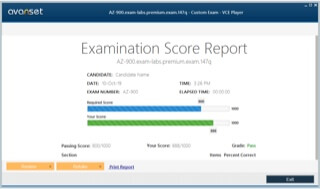
Microsoft Windows 10 MD-100 Exam Screenshots
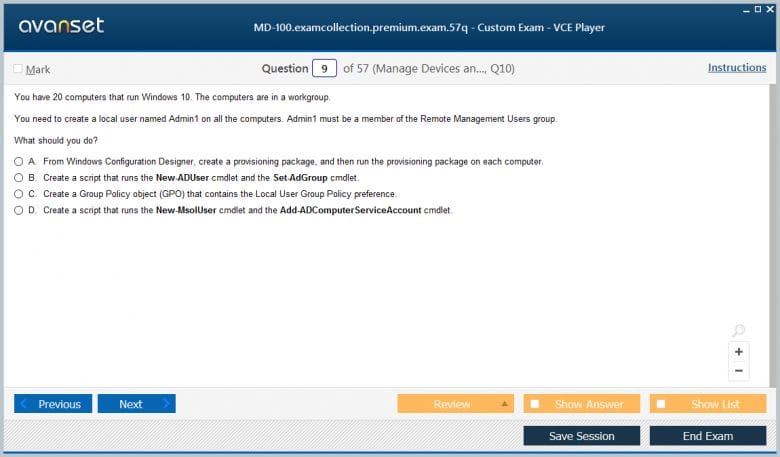
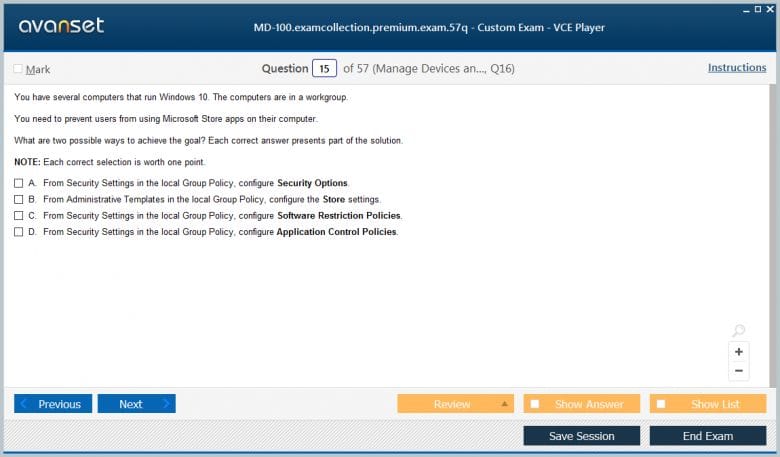
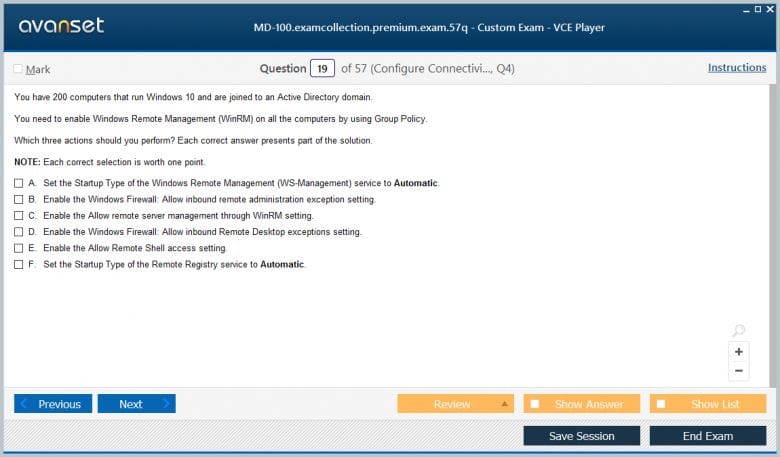
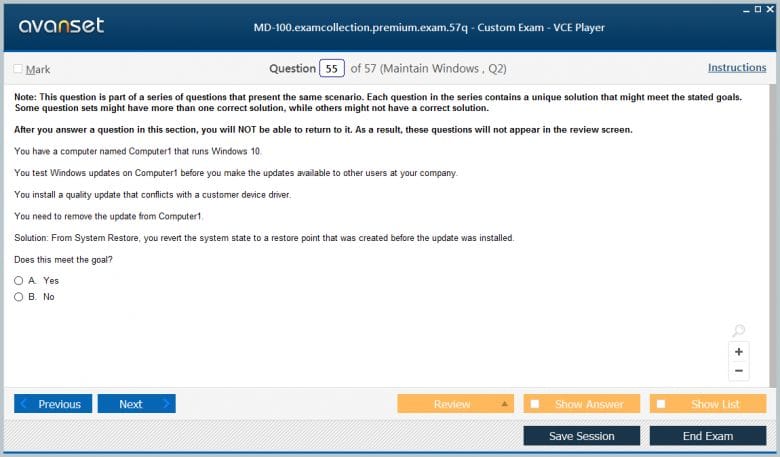
Microsoft Windows 10 MD-100 Practice Test Questions in VCE Format
Microsoft Windows 10 MD-100 Practice Test Questions, Exam Dumps
Microsoft MD-100 (Windows 10) exam dumps vce, practice test questions, study guide & video training course to study and pass quickly and easily. Microsoft MD-100 Windows 10 exam dumps & practice test questions and answers. You need avanset vce exam simulator in order to study the Microsoft Windows 10 MD-100 certification exam dumps & Microsoft Windows 10 MD-100 practice test questions in vce format.
Your Foundation for the Microsoft Windows 10 (MD-100) Exam
The MD-100 Microsoft Windows 10 exam is a role-based certification assessment designed by Microsoft to validate the skills and knowledge of IT professionals who deploy, configure, secure, manage, and monitor Windows 10 devices and client applications within enterprise and professional environments. This exam serves as one of the two required components for earning the Microsoft 365 Certified Modern Desktop Administrator Associate certification, with the other component being the MD-101 Managing Modern Desktops exam. Together these two exams confirm that a candidate has the comprehensive skill set needed to manage modern desktop environments using both traditional and cloud-based tools and technologies.
The exam targets professionals who work in roles such as desktop support technicians, systems administrators, help desk engineers, and endpoint management specialists who are responsible for maintaining Windows 10 devices in organizational settings. Candidates are expected to have at least one year of hands-on experience with Windows 10 in a professional environment before attempting the exam, as the questions are scenario-based and require practical familiarity with the operating system rather than purely theoretical knowledge. Understanding what the exam covers and how it is structured before beginning preparation helps candidates build a more focused and efficient study plan that addresses every required competency area.
Windows 10 Installation Methods
Installing Windows 10 is one of the foundational skills tested in the MD-100 exam, and administrators must know how to perform clean installations, upgrades, and migrations using several different methods depending on the organizational context and the scale of the deployment. A clean installation involves wiping an existing system and installing a fresh copy of Windows 10, which is appropriate when migrating from an older operating system or when a device needs to be completely rebuilt. An in-place upgrade preserves user data, applications, and settings while upgrading the operating system version, making it a preferred method when minimizing disruption to end users is a priority.
Large-scale deployments in enterprise environments require automated installation methods that eliminate the need for manual configuration on each individual device. Windows Deployment Services allows administrators to deploy Windows 10 images over the network to multiple devices simultaneously, while the Microsoft Deployment Toolkit provides a more feature-rich deployment platform that supports task sequences, driver injection, and application installation as part of the deployment process. Understanding the Windows Assessment and Deployment Kit and how it integrates with these deployment tools is also important, as it provides the core components used for image creation, customization, and deployment automation that underpin most enterprise Windows 10 deployment workflows.
Post Installation Configuration Tasks
After a successful Windows 10 installation, administrators must perform a range of post-installation configuration tasks to ensure the device is properly set up for use in an organizational environment. Configuring regional settings, language preferences, time zones, and keyboard layouts ensures that the device is appropriately localized for the user who will operate it. Setting up user accounts, configuring account types, and joining the device to an Active Directory domain or Azure Active Directory are among the most critical post-installation steps, as they determine how the device integrates with the broader organizational infrastructure and what access the user will have to organizational resources.
Device drivers must be installed and verified after the operating system installation to ensure that all hardware components function correctly, including display adapters, network adapters, audio devices, and any specialized peripherals used in the specific work environment. Windows Update should be configured and run immediately after installation to ensure the device receives all available security patches and feature updates before it enters active use. Configuring Windows Defender Antivirus, enabling the Windows Firewall, and verifying that BitLocker drive encryption is active are security-focused post-installation tasks that establish the device security baseline required by most organizational security policies and that are regularly tested in MD-100 exam scenarios.
Managing Devices and Data
Device and data management is a core competency area in the MD-100 exam, covering the tools and techniques administrators use to manage Windows 10 devices and the data stored on them throughout their operational lifecycle. Microsoft Endpoint Configuration Manager, formerly known as System Center Configuration Manager or SCCM, is the primary on-premises tool for managing Windows 10 devices at enterprise scale, providing capabilities for software deployment, patch management, inventory collection, compliance reporting, and operating system deployment. Administrators must know how to use this tool effectively alongside Microsoft Intune, the cloud-based mobile device management solution that is increasingly used as organizations shift toward modern management approaches.
Data management on Windows 10 devices involves configuring storage settings, managing disk partitions using tools like Disk Management and Diskpart, and implementing data protection mechanisms such as BitLocker encryption for full disk protection and Encrypting File System for file-level encryption. Understanding how to configure OneDrive for Business to sync organizational data to the cloud, set folder redirection policies through Group Policy, and manage storage spaces for resilient local storage configurations are all practical skills that fall within the device and data management domain. The exam tests these skills through scenarios that require candidates to select the most appropriate tool or configuration approach for a given organizational context, making hands-on practice with each of these tools essential preparation.
Configuring Connectivity Options
Connectivity configuration is a significant topic in the MD-100 exam, covering the full range of networking capabilities that Windows 10 devices must be configured to use in modern organizational environments. Configuring wired and wireless network connections, setting static IP addresses, configuring DNS and proxy settings, and troubleshooting common network connectivity issues are all skills that desktop administrators perform regularly and that the exam tests directly. Candidates must know how to use both the graphical Settings interface and command-line tools such as ipconfig, netsh, and ping to diagnose and resolve network configuration problems efficiently.
Virtual Private Network configuration is another important connectivity topic, as many organizations require remote workers to connect to organizational resources through VPN connections that encrypt traffic and provide secure access to internal network resources. Windows 10 supports several VPN protocols including IKEv2, L2TP with IPsec, SSTP, and PPTP, and administrators must know how to configure VPN connections using both the Settings interface and PowerShell scripting. Remote Desktop configuration, including setting up Remote Desktop Protocol connections, configuring firewall rules to allow remote access, and managing Remote Desktop users and permissions, is also covered in the connectivity section and represents a practical skill used frequently in real desktop administration environments.
Maintaining Windows 10 Devices
Maintaining Windows 10 devices in a healthy and secure state over time requires a systematic approach to updates, performance monitoring, troubleshooting, and preventive maintenance that the MD-100 exam tests across several question types. Windows Update for Business is the primary mechanism through which organizations manage the deployment of Windows updates to their devices, and administrators must know how to configure update rings, deferral policies, and maintenance windows to control when updates are applied without leaving devices unpatched for extended periods. Group Policy and Microsoft Intune can both be used to manage Windows Update for Business settings, and knowing how to configure update management through each of these tools is important for the exam.
Performance monitoring and troubleshooting skills are tested through scenarios where administrators must identify the cause of device performance issues and select appropriate remediation steps. Task Manager, Resource Monitor, Performance Monitor, and Event Viewer are the primary built-in tools for diagnosing performance and reliability issues, and candidates must know how to use each of these tools to collect and interpret diagnostic data. Reliability Monitor provides a historical view of system stability that is particularly useful for identifying when problems began and correlating them with software installations or system changes. The ability to use these tools confidently and interpret their output accurately is a practical skill that separates effective desktop administrators from those who can only perform routine configuration tasks.
Configuring Storage on Devices
Storage configuration is a topic that the MD-100 exam addresses in both basic and advanced scenarios, covering everything from simple disk management tasks to more sophisticated storage solutions used in enterprise environments. Basic disk management tasks include initializing new disks, creating and formatting partitions, assigning drive letters, and converting between basic and dynamic disk types using the Disk Management console or Diskpart command-line utility. Candidates must know the difference between MBR and GPT partition styles, understand when each is appropriate, and know how to convert between them without data loss in scenarios where the partition style needs to change.
Storage Spaces is a Windows 10 feature that allows administrators to group multiple physical drives into a storage pool and create virtual drives from that pool with built-in resiliency through mirroring or parity configurations. Understanding how to create and manage Storage Spaces, configure resiliency options, and add drives to an existing storage pool is tested in the exam and represents a genuinely useful skill for administrators who manage devices with high storage reliability requirements. File system management including NTFS permissions, quota management, and disk cleanup procedures are also covered, as these are routine maintenance tasks that desktop administrators perform to keep devices running efficiently and securely throughout their operational lifespan.
Windows Security Configuration
Security configuration is one of the most heavily weighted topics in the MD-100 exam, reflecting the critical importance of endpoint security in modern organizational environments where devices are targeted by an increasingly sophisticated range of cyber threats. Windows Defender Antivirus is the built-in malware protection solution for Windows 10, and administrators must know how to configure its scanning schedules, exclusion lists, real-time protection settings, and cloud-delivered protection features using both the Windows Security interface and Group Policy. Windows Defender Firewall with Advanced Security provides granular control over inbound and outbound network traffic, and configuring firewall rules for specific applications and ports is a frequently tested skill.
User Account Control is a security feature that limits the potential damage from malware and unauthorized changes by requiring explicit approval for actions that require administrative privileges, and administrators must understand how to configure UAC settings appropriately for different organizational security requirements. Windows Hello for Business provides modern, passwordless authentication through PIN, fingerprint, or facial recognition and must be configured and managed by administrators in organizations that have adopted modern authentication approaches. Credential Guard, Device Guard, and Windows Defender Application Control are advanced security features that restrict what code can run on a device and how credentials are protected, and understanding their purpose, requirements, and configuration methods is important for candidates aiming for strong performance in the security section of the exam.
Troubleshooting Windows 10 Issues
Troubleshooting is a skill that runs through every domain of the MD-100 exam because desktop administrators spend a significant portion of their working time diagnosing and resolving issues that affect device functionality, performance, and user productivity. A systematic troubleshooting methodology that begins with information gathering, proceeds through hypothesis formation and testing, and concludes with resolution and documentation is more effective than random trial and error, and developing this kind of structured approach is as important as knowing the specific tools and techniques used to investigate specific problem types. The exam presents troubleshooting scenarios that require candidates to identify the most efficient and appropriate diagnostic step given the symptoms and context described.
Boot problems are among the most critical Windows 10 issues administrators encounter, and the exam tests knowledge of the Windows Recovery Environment tools used to address them including Startup Repair, System Restore, Command Prompt, and the ability to rebuild the boot configuration data store using the bootrec command. Application compatibility issues, driver conflicts, and update-related problems are other common categories of Windows 10 issues that require specific diagnostic approaches. The Windows Event Log is an invaluable resource for troubleshooting because it records detailed information about system events, errors, and warnings that provide the evidence needed to identify root causes and implement effective solutions, making proficiency with Event Viewer a core troubleshooting competency for any MD-100 candidate.
Local Group Policy Management
Group Policy is one of the most powerful and widely used tools for managing Windows 10 device configurations in domain-joined environments, and the MD-100 exam tests candidates on both the concepts underlying Group Policy and the practical skills needed to configure and troubleshoot Group Policy settings. The Local Group Policy Editor allows administrators to configure policy settings on individual devices that are not joined to a domain, controlling a wide range of operating system behaviors including security settings, user interface restrictions, software installation, and script execution. Understanding the difference between computer configuration settings and user configuration settings and knowing when each type of setting is appropriate is fundamental Group Policy knowledge tested in the exam.
Group Policy processing follows a specific order of precedence known as LSDOU, which stands for Local, Site, Domain, and Organizational Unit, and understanding how this processing order affects which settings are ultimately applied when multiple policies are in conflict is important for both the exam and real administrative work. The gpresult command and the Resultant Set of Policy tool allow administrators to determine which Group Policy settings are actually applied to a specific computer or user, making them essential troubleshooting tools when policy settings are not producing the expected behavior. Configuring common Group Policy settings for security, desktop management, and application control through hands-on lab practice is the most effective way to build the familiarity with Group Policy that the MD-100 exam requires.
User and Profile Management
Managing user accounts and profiles is a daily responsibility for desktop administrators, and the MD-100 exam covers this topic from both the local device perspective and the broader organizational identity management perspective. Local user account management involves creating, modifying, and deleting user accounts using Computer Management, the Settings application, and command-line tools such as net user and PowerShell cmdlets. Configuring account properties including password policies, account expiration, group memberships, and logon hours are all tasks that administrators must know how to perform efficiently and that the exam tests in practical scenario-based questions.
User profiles store personal settings, desktop configurations, application data, and documents that define each user's individual computing environment, and administrators must know how to manage them effectively to support user productivity and resolve profile-related issues. Roaming profiles allow users to access their personal settings from any domain-joined device, while mandatory profiles provide a fixed environment that resets to a predefined state after each logon, which is useful in kiosk or shared workstation scenarios. Profile corruption is a common issue in Windows 10 environments, and knowing how to diagnose profile problems, copy profiles between accounts, and rebuild corrupted profiles are practical troubleshooting skills that appear regularly in both real administrative work and MD-100 exam scenarios.
Remote Management Capabilities
Remote management capabilities are increasingly important in modern IT environments where administrators must support devices that may be geographically dispersed across multiple office locations or used by remote workers from home, and the MD-100 exam tests knowledge of the tools and protocols used to manage Windows 10 devices remotely. Windows Remote Management, built on the WS-Management protocol, allows administrators to execute commands and scripts on remote devices using PowerShell remoting, which is one of the most powerful and flexible remote management capabilities available in the Windows ecosystem. Configuring PowerShell remoting, managing trusted hosts, and executing remote commands and scripts using Enter-PSSession and Invoke-Command are skills tested in the exam.
Remote Assistance and Quick Assist are tools that allow support personnel to view and control a user's desktop remotely to provide hands-on technical help, and knowing how to configure, initiate, and use these tools is part of the remote management competency area. Windows Admin Center is a modern browser-based management tool that provides a unified interface for managing Windows 10 devices, Windows Server systems, and Azure resources, and familiarity with its capabilities and how it integrates with existing management infrastructure is becoming increasingly relevant as organizations adopt it as part of their remote management strategy. The ability to manage devices effectively without physical access is a skill that the COVID-19 era made universally recognized as essential, and it remains a core competency for any desktop administrator working in a distributed organizational environment.
Exam Readiness Assessment
Assessing your readiness for the MD-100 exam before your scheduled test date is an important step that helps you avoid the cost and delay of an unsuccessful attempt and ensures that you sit the exam with genuine confidence in your preparation. The most reliable way to assess your readiness is through full-length timed practice exams that simulate the real testing experience as closely as possible, using questions that reflect the current exam objectives and the scenario-based format that Microsoft uses. Scoring consistently above 75 percent on multiple different practice exams from reputable providers gives you a reasonable indication that your knowledge is at the level needed to pass the actual exam, though you should aim for scores well above this threshold to provide a comfortable buffer.
Beyond practice exam scores, honest self-assessment of your hands-on skills is equally important because the MD-100 exam tests practical ability through scenarios that require applied knowledge rather than pure memorization. Walk through the official Microsoft exam skills outline and evaluate your confidence level for each listed skill, identifying areas where you can describe the concept but have not actually performed the configuration in a real environment. Schedule targeted lab sessions to address these gaps before your exam date, as hands-on practice in these specific areas is far more effective than additional reading or video watching at the late stage of preparation. Combining strong practice exam scores with genuine hands-on proficiency across all exam objective areas is the combination that gives you the highest probability of success on test day.
Conclusion
The MD-100 Microsoft Windows 10 exam is a comprehensive and professionally valuable certification that validates the full range of skills needed to deploy, configure, maintain, and secure Windows 10 devices in modern organizational environments. Throughout this article, we have covered the key competency areas that the exam tests including installation methods, post-installation configuration, device and data management, connectivity, maintenance, storage, security, troubleshooting, Group Policy, user management, and remote management. Each of these areas reflects real responsibilities that desktop administrators handle in their daily work, which means that preparing thoroughly for this exam also makes you more capable and effective in your current role.
The most important principle to carry through your entire MD-100 preparation journey is that hands-on practice in real Windows 10 environments is irreplaceable. Reading about how to configure BitLocker or troubleshoot a boot failure gives you conceptual awareness, but actually performing these tasks on a real or virtual Windows 10 device builds the deep intuitive understanding that scenario-based exam questions demand. Set up a lab environment using virtual machines on your personal computer, work through every major exam objective with genuine configuration exercises, and treat each error you encounter as a learning opportunity rather than a frustration. The troubleshooting experience you gain from resolving real lab issues is some of the most valuable preparation you can do.
Practice exams from reputable providers should be used strategically throughout your preparation rather than saved exclusively for the final days before your exam date. Using them early identifies your weakest areas so you can address them while you still have time for substantial study, and using them regularly throughout your preparation tracks your improvement and builds familiarity with the question format and style. Review every question you answer incorrectly with genuine curiosity about why the correct answer is right and why your chosen answer was wrong, as this analytical review process develops the critical thinking skills that make the difference between marginal and strong exam performance.
As you earn the MD-100 certification and continue toward the full Microsoft 365 Certified Modern Desktop Administrator Associate designation by completing the MD-101 exam, remember that these credentials represent more than exam scores. They represent a commitment to professional excellence in a role that directly affects the productivity, security, and satisfaction of every person in your organization who depends on their Windows device to do their work. The knowledge and skills you develop through this certification journey will serve you, your colleagues, and your organization for years to come, making the investment of time and effort in thorough preparation one of the most rewarding professional decisions you can make in your IT career.
Go to testing centre with ease on our mind when you use Microsoft Windows 10 MD-100 vce exam dumps, practice test questions and answers. Microsoft MD-100 Windows 10 certification practice test questions and answers, study guide, exam dumps and video training course in vce format to help you study with ease. Prepare with confidence and study using Microsoft Windows 10 MD-100 exam dumps & practice test questions and answers vce from ExamCollection.


Top Microsoft Certifications










Top Microsoft Certification Exams
- AZ-104
- AI-103
- AB-100
- AI-901
- SC-500
- DP-700
- SC-300
- AZ-305
- GH-300
- AB-900
- AB-620
- MD-102
- SC-200
- SC-401
- PL-300
- DP-600
- AZ-900
- MS-102
- SC-100
- AB-731
- DP-800
- AI-200
- AB-730
- AZ-700
- AB-410
- AZ-801
- AZ-400
- SC-900
- PL-400
- DP-750
- AZ-140
- DP-300
- MS-700
- AI-300
- AZ-500
- PL-900
- MB-800
- AZ-802
- DP-900
- MB-310
- MB-330
- GH-600
- AZ-800
- PL-200
- MB-820
- AI-500
- MB-230
- AB-650
- AI-900
- GH-900
- GH-200
- AB-250
- MS-721
- GH-100
- AB-210
- MB-500
- DP-420
- AZ-120
- SC-400
- GH-500
- AZ-204
- AI-102
- MS-900
- MB-700
- PL-600
- MB-280
Site Search:




Passed the exam with 800 points. There are few questions that are not in the premium version.
Anyone have taken the exam yet using the premium?
Anyone have taken this so far?
Are these dumps still valid?
These dumps are still valid. I just passed the exam with 800 points 3 days ago.
I took the exam today and passed right away. I had 4 different stages on the exam. The first stage was questions on a same scenario, but with different solutions, and you need to answer if it is right or not. The second stage was with the multiple-choice questions and a few hotspot questions. The third stage was a case study, and the fourth one was the virtual lab. Make sure that you are happy with your answers to the questions at the end of each stage as you cannot go back to them once you are moved onto the next stage. The good thing is that the majority of the questions are from the premium dump.
Passed the test recently with 850 score. The exam had four stages with the total of 56 questions, which were fairly easy to answer. I had 3 clients with 1 Domain controller, and most of the lab requirements are done at client 1. Eventually, I passed the test successfully.
I passed MD-100, and had 44 questions without a practical (lab) section. The premium dump is valid. There were 5 entirely new questions (from 1 case study) related to Windows 10 deployment (e.g. upgrade from Win 8.1 to Win 10). Key requirement for all the 5 questions is to keep the applications and the settings from the previous version Win 8.1. You have to choose between WDS, WDT, Autopilot, Microsoft Endpoint Configuration Manager, Intune for most of these 5 questions. It seems that this new section is from MD-101. Good luck!
These dumps are still valid, I passed the MD-100 test with their help about a couple of weeks ago with over 800 points. There were some new questions but the majority are in the dump. There are some duplicates in some free files, but there are some valuable labs in there. The premium file is even better. It had all the questions that I then had during my exam.
Premium is valid, 6-8 new questions! Study well!
Passed the test recently with 850 score. the exam had four stages with total 56 questions. Questions are fairly easy to answer. You will get 3 clients with 1 Domain controller , and most of the lab requirements are done at client 1. Good Luck everyone.
Latest dump is valid. Passed with a score of 830.
Labs are relatively easy. You need to know how to run a gpresult (gpresult) /user /[domainname\user] /H c:\[folder\report.html (elevated)
Configure file history
Firewall rules
forwarding events
Adding domain users to group
run a scheduled task on logoff