
Pass Your CompTIA A+ 220-901 Exam Easy!
CompTIA A+ 220-901 Exam Questions & Answers, Accurate & Verified By IT Experts
Instant Download, Free Fast Updates, 99.6% Pass Rate
This exam was replaced by CompTIA with 220-1001 exam
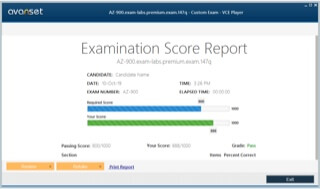
CompTIA A+ 220-901 Exam Screenshots
CompTIA A+ 220-901 Practice Test Questions in VCE Format
| File | Votes | Size | Date |
|---|---|---|---|
File CompTIA.Testking.220-901.v2018-11-11.by.Scott.255q.vce |
Votes 24 |
Size 2.3 MB |
Date Nov 16, 2018 |
File CompTIA.BrainDumps.220-901.v2016-09-07.by.Mira.160q.vce |
Votes 20 |
Size 144.23 KB |
Date Sep 07, 2016 |
File CompTIA.ActualTests.220-901.v2016-03-01.by.Egor.156q.vce |
Votes 41 |
Size 139.23 KB |
Date Mar 01, 2016 |
File CompTIA.BrainDumps.220-901.v2016-03-01.by.Safiye.147q.vce |
Votes 138 |
Size 132.56 KB |
Date Mar 01, 2016 |
CompTIA A+ 220-901 Practice Test Questions, Exam Dumps
CompTIA 220-901 (CompTIA A+ (220-901)) exam dumps vce, practice test questions, study guide & video training course to study and pass quickly and easily. CompTIA 220-901 CompTIA A+ (220-901) exam dumps & practice test questions and answers. You need avanset vce exam simulator in order to study the CompTIA A+ 220-901 certification exam dumps & CompTIA A+ 220-901 practice test questions in vce format.
Cracking the CompTIA 220-901 Exam: The Foundation
Information technology support remains one of the most consistently in-demand entry points into the broader technology profession. Organizations of every size and type depend on capable technical support professionals who can diagnose hardware problems, configure software environments, support mobile devices, and maintain the networking infrastructure that keeps business operations running. For individuals who want to enter this field with a credential that demonstrates verified foundational competency, the CompTIA A+ certification has long been the industry standard starting point. The 220-901 exam represents one of two required components of the CompTIA A+ certification, and passing it requires a thorough and well-organized command of hardware, networking, mobile devices, and hardware and network troubleshooting fundamentals.
The 220-901 is not a simple exam that can be passed through casual familiarity with computers. It demands precise knowledge of hardware components and their specifications, detailed understanding of networking protocols and connectivity standards, practical awareness of mobile device platforms and their management considerations, and the systematic troubleshooting methodology that distinguishes effective technical support professionals from those who rely on guesswork. This article examines the core content domains of the 220-901 exam, the preparation strategies that produce results, and why the foundational knowledge it validates continues to deliver genuine professional value across a wide range of technical support and IT generalist roles.
Understanding the Role of the 220-901 Within the A+ Certification
The CompTIA A+ certification requires passing two separate exams — the 220-901 and the 220-902 — both of which must be passed within a defined period for the full certification to be awarded. The 220-901 focuses primarily on hardware knowledge, networking fundamentals, mobile devices, and hardware troubleshooting, while the 220-902 covers operating systems, security, software troubleshooting, and operational procedures. Together these two exams validate the breadth of knowledge that entry-level IT support professionals need to function effectively in real technical support environments.
The division of content between the two exams is not arbitrary. The 220-901 content represents the physical and connectivity foundation of IT support work — the hardware components that make up computers and mobile devices, the network infrastructure that connects them, and the diagnostic skills needed to identify and resolve physical and connectivity problems. This foundation is prerequisite to everything covered in the 220-902, just as physical infrastructure is prerequisite to the software environments that run on top of it. Candidates who develop a genuinely strong command of 220-901 content find that the conceptual bridge to 220-902 material is significantly more stable than it would be without that foundation.
Hardware Component Knowledge as the Core Requirement
Hardware knowledge is the most extensively tested domain within the 220-901 exam, and it requires candidates to develop precise, detailed familiarity with the components that make up desktop and laptop computers. This is not casual consumer-level awareness of what a computer contains — it is professional-grade knowledge of component specifications, compatibility requirements, installation procedures, and the functional role of each component within the overall system. Candidates who approach this domain with the same level of rigor they would bring to a professional hardware installation will find the exam questions in this area straightforward, while those who rely on vague familiarity will struggle with the specificity that correct answers demand.
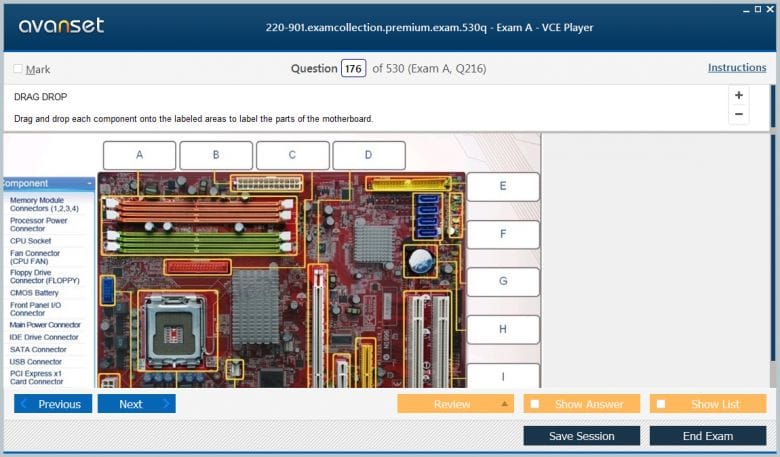
Motherboard knowledge encompasses the different form factors used in desktop and laptop systems, the socket types used for different processor generations, the expansion slot standards including PCIe and their various physical sizes and bandwidth capabilities, the memory slot configurations and the DIMM standards they support, the storage interfaces including SATA and M.2, and the connectivity ports built into the motherboard itself. Each of these areas requires specific knowledge — not just that a motherboard has memory slots but precisely what types of memory it supports, at what speeds, and in what capacity configurations. This level of specificity is what the exam tests, and it is what genuine hardware competency requires in professional practice.
Processor Architecture and Memory Technology Requirements
Processor knowledge within the 220-901 exam covers the fundamental characteristics of CPU architecture that IT support professionals need to understand when selecting, installing, or diagnosing processor-related issues. Candidates must understand the distinction between physical and logical cores, the role of cache memory at the L1, L2, and L3 levels, the significance of clock speed and thermal design power in processor selection, and the compatibility requirements that determine which processors can be installed in a given motherboard. Both Intel and AMD processor families appear in exam content, requiring candidates to be familiar with the characteristic naming conventions and socket types associated with each manufacturer's offerings.
Memory technology knowledge covers the DRAM standards used in modern computer systems, including the DDR generational progression and the specific speed ratings, voltage requirements, and capacity limitations associated with each standard. Candidates must understand the difference between DIMM and SO-DIMM form factors and when each is used, how dual-channel and quad-channel memory configurations work and what they require in terms of slot population, and the characteristics of ECC memory and the environments where it is appropriate. The practical implications of memory compatibility — why mixing different speed ratings can cause instability, why certain combinations of memory modules are not supported — are exactly the kind of applied knowledge that the exam tests through scenario-based questions that describe specific upgrade situations and ask candidates to identify the correct solution.
Storage Technologies and Their Installation Considerations
Storage technology has evolved rapidly, and the 220-901 exam reflects this evolution by covering a range of storage technologies from traditional magnetic hard drives through solid state drives and the various interfaces that connect them to the system. Candidates must understand the mechanical operation of hard disk drives well enough to explain why certain failure modes occur, the characteristics of solid state drives that make them faster and more resilient than mechanical drives, and the specific performance and form factor characteristics of the M.2 and NVMe storage options that have become increasingly prevalent in modern systems.
Interface knowledge for storage devices covers SATA and its different generational speeds, the legacy PATA interface that still appears in older systems candidates may encounter in support roles, and the connector and cable types associated with each interface standard. RAID configurations represent another important storage topic area, requiring candidates to understand the data distribution and redundancy characteristics of RAID 0, RAID 1, RAID 5, RAID 6, and RAID 10, the minimum number of drives required for each level, and the performance and fault tolerance trade-offs that make each level appropriate for different use cases. This RAID knowledge is directly applicable to server support roles where storage configuration decisions have significant implications for data availability and performance.
Display Technologies and Video Output Standards
Display technology knowledge covers the panel types used in modern monitors and laptop displays, including IPS, TN, and VA technologies and the performance characteristics that distinguish them in terms of color accuracy, response time, viewing angle, and contrast ratio. Candidates must understand the resolution standards from legacy VGA through modern 4K and beyond, the refresh rate specifications that matter for different use cases, and the connectivity standards used to connect displays to computers including VGA, DVI, HDMI, and DisplayPort. Each display connectivity standard has specific capability characteristics — maximum resolution support, audio transmission capability, cable length limitations — that candidates must know in enough detail to answer questions about specific display connectivity scenarios.
Projector technology and the considerations specific to projector selection and setup are covered alongside monitor technology in this domain, including the lumens specification that measures projector brightness, the throw ratio that determines the relationship between projector distance and image size, and the connectivity options available for different projector models. Laptop display technology receives specific treatment as well, covering the backlight technologies used in modern laptop panels, the inverter components associated with older CCFL backlighting, and the symptoms and diagnostic approaches associated with common laptop display problems including backlight failure and damaged display cables.
Networking Fundamentals and Connectivity Standards
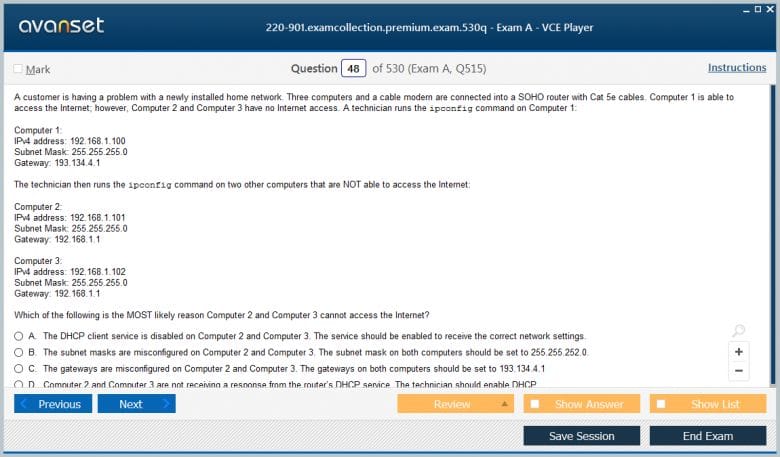
Networking knowledge within the 220-901 exam covers the foundational concepts and practical connectivity standards that IT support professionals encounter daily in hardware support roles. Candidates must understand the OSI model and TCP/IP protocol stack at a foundational level, the addressing structure of IPv4 and IPv6, common network protocols and the port numbers associated with them, and the physical networking standards that govern wired and wireless connectivity. This networking content sits at a foundational level appropriate for a hardware certification, providing the conceptual grounding that supports more advanced networking study without requiring the depth of a dedicated networking certification.
Ethernet cabling standards require detailed knowledge of the different cable categories — Cat5, Cat5e, Cat6, and Cat6a — and their respective maximum bandwidth and distance specifications, the connector types used for different Ethernet applications, and the wiring standards including T568A and T568B that govern how cables are terminated. Wireless networking standards from the 802.11 family require candidates to know the frequency bands, maximum speeds, and distinguishing characteristics of 802.11a, b, g, n, ac, and the newer standards, as well as the security protocols used to protect wireless networks and their relative strengths and weaknesses. This wireless knowledge is increasingly important as the proportion of wirelessly connected devices in typical support environments continues to grow.
Mobile Device Hardware and Connectivity Features
Mobile device coverage in the 220-901 exam reflects the central role that smartphones and tablets play in modern enterprise and consumer computing environments. Candidates must understand the hardware components specific to mobile devices — including the integrated display and digitizer assemblies, the battery technologies and charging standards, the cameras and their various orientations and capabilities, and the cellular radio hardware that provides mobile connectivity. The repair and replacement procedures for common mobile device components are testable content, requiring candidates to understand the tools, techniques, and risks associated with mobile device servicing.
Mobile connectivity standards include cellular network generations from 2G through 4G LTE and the newer 5G technology, Bluetooth versions and their respective capabilities, near-field communication and its common use cases, and the GPS technologies built into modern mobile devices. Mobile device accessories including docking stations, cases, styluses, and various peripheral connection adapters are covered alongside the primary device hardware. The exam also requires knowledge of the differences between the major mobile operating system platforms in terms of the hardware ecosystem, app distribution model, and management considerations associated with each, providing the foundational awareness that enterprise mobile device management scenarios demand.
Printers and Imaging Technologies in Detail
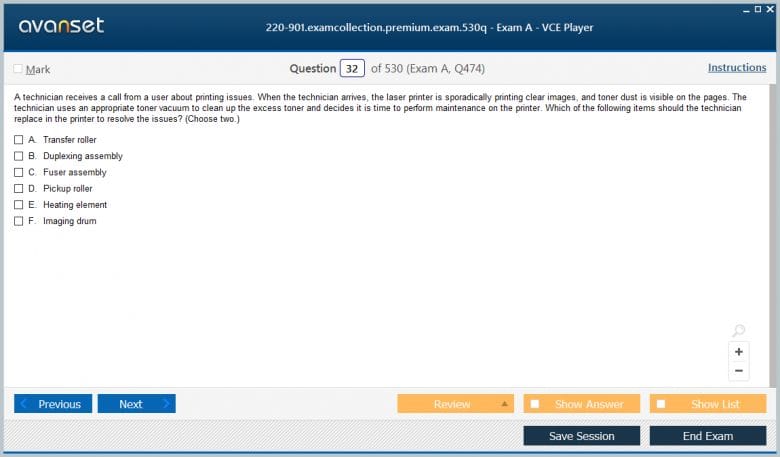
Printer technology receives extensive coverage in the 220-901 exam because printers remain ubiquitous in professional environments and because they generate a disproportionate volume of support requests relative to their complexity. Candidates must understand the operational principles of the four primary printer technologies — laser, inkjet, thermal, and impact — in enough depth to explain their respective print processes, identify the components involved in each process, and recognize the symptoms associated with component failures specific to each technology type.
Laser printer operation is the most technically complex of the four technologies and the most extensively tested. The six-step laser printing process — processing, charging, exposing, developing, transferring, and fusing — must be understood in sequence, with candidates knowing what happens at each step, which components are involved, and what symptoms result from component failures at specific steps. Inkjet printer knowledge covers the two printhead technologies, the ink delivery systems, and the calibration and maintenance procedures that keep inkjet printers producing quality output. Thermal printer technology covers both direct thermal and thermal transfer printing approaches, their respective media requirements, and their appropriate use cases. Impact printer knowledge focuses primarily on dot matrix printers, which remain in use in specific niches where multi-part forms or harsh environments make them the appropriate technology choice.
Power Supplies and Electrical Considerations
Power supply knowledge is a foundational hardware topic that supports both the selection and troubleshooting of desktop computer systems. Candidates must understand the ATX form factor specifications that govern power supply dimensions and connector configurations, the wattage and efficiency rating specifications that guide power supply selection for different system configurations, the multiple voltage rails that a power supply provides and the components that draw from each, and the connector types used to power different system components including the main 24-pin motherboard connector, the supplemental CPU power connectors, and the various storage and peripheral power connectors.
Electrical safety concepts relevant to IT support work are covered alongside power supply knowledge, including the hazards associated with capacitor charge in monitors and power supplies, the proper grounding techniques that prevent electrostatic discharge damage to sensitive components, and the safe handling procedures for devices that retain charge after being disconnected from power. Uninterruptible power supply technology and its role in protecting systems from power quality problems including outages, surges, and under-voltage conditions is another power-related topic that candidates must understand, including the distinction between online, line-interactive, and standby UPS topologies and the battery runtime and load capacity specifications that determine appropriate UPS selection for a given protection requirement.
Virtualization and Cloud Computing Fundamentals
Virtualization and cloud computing concepts appear within the 220-901 exam at an introductory level that reflects the growing importance of these technologies in IT support environments. Candidates must understand the purpose and benefits of virtualization, the distinction between Type 1 and Type 2 hypervisors, the resource requirements that host systems must meet to support virtual machine workloads, and the common use cases for virtualization in both enterprise and small business environments. This knowledge is increasingly relevant for entry-level support professionals as virtualized environments become the norm rather than the exception in organizational IT infrastructure.
Cloud computing concepts covered in this domain include the service models of Infrastructure as a Service, Platform as a Service, and Software as a Service, the deployment models of public, private, hybrid, and community cloud, and the common characteristics of cloud services including resource pooling, rapid elasticity, and measured service. Candidates do not need deep technical knowledge of cloud platform implementation at this certification level, but they do need enough conceptual clarity to correctly answer scenario-based questions that describe a situation and ask which cloud service model or deployment approach is most appropriate for the described requirements.
Systematic Troubleshooting Methodology and Diagnostic Skills
Troubleshooting methodology is the practical skill that ties together all of the hardware and networking knowledge covered in the other exam domains. The CompTIA troubleshooting methodology — identify the problem, establish a theory of probable cause, test the theory to determine the cause, establish a plan of action, implement the solution, verify functionality, and document the findings — provides a structured framework for approaching diagnostic challenges systematically rather than reactively. Candidates must understand this methodology well enough to apply it to specific scenarios described in exam questions and to recognize when a described diagnostic approach aligns with or deviates from best practice.
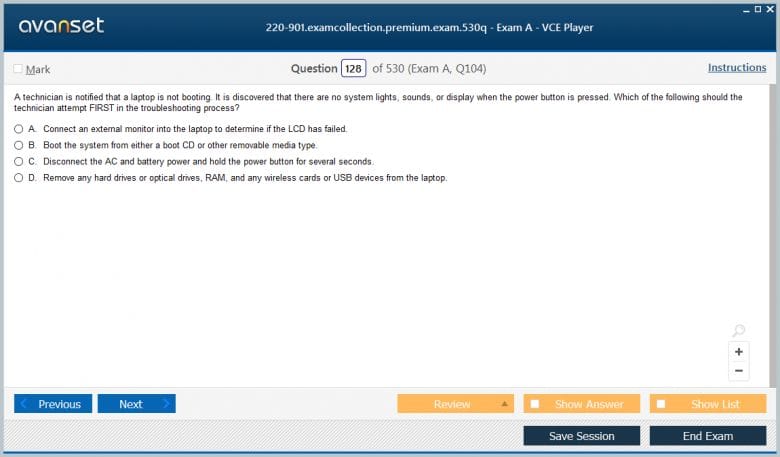
Hardware troubleshooting scenarios require candidates to connect symptom descriptions to likely component failure causes across all of the hardware domains covered in the exam. A POST beep code sequence points to a specific type of component failure. A particular display artifact suggests a specific component problem. A storage device that produces clicking sounds indicates a specific failure mode. Building this symptom-to-cause knowledge through both study and hands-on exposure to actual hardware behavior is the most effective way to develop the diagnostic instinct that hardware troubleshooting questions test.
Conclusion
The CompTIA 220-901 exam covers a body of hardware and networking knowledge that is immediately and directly applicable to the real challenges of IT support work. Every domain tested — from processor and memory specifications through printer technology, mobile devices, networking standards, and power supply selection — represents knowledge that entry-level support professionals use in actual support scenarios every day. Candidates who approach this exam with the seriousness it deserves emerge from preparation with a command of foundational IT hardware knowledge that makes them genuinely more capable support professionals from the moment they begin applying it in practice.
The preparation process itself delivers value that extends well beyond the exam. Candidates who study hardware components in detail develop the ability to recognize components on sight, understand their function within the system, and identify failure symptoms accurately. Those who study networking standards develop the connectivity vocabulary that supports continued networking education. Those who study printer technology develop the diagnostic intuition that makes printer support efficient rather than frustrating. Every hour invested in genuine preparation for this exam builds practical competency that compounds over time, making the certified professional measurably more effective at every subsequent point in their support career.
The credential that successful completion of the 220-901 and its companion 220-902 exam produces carries recognition across the IT industry as the standard entry-level IT certification. Employers who hire for help desk, desktop support, field technician, and IT generalist roles consistently list CompTIA A+ as a preferred or required qualification, and candidates who hold it receive stronger consideration than those who rely on claimed experience without formal validation. The certification is also a recognized stepping stone toward more advanced credentials in networking, security, server administration, and other specializations, making the investment in its preparation valuable not just for immediate career goals but for the entire trajectory of a technology career.
For candidates who are at the beginning of their IT careers and who are considering which certification to pursue first, the 220-901 and the complete A+ certification it contributes to represent one of the clearest and most reliable starting points available. The knowledge it requires is foundational, broadly applicable, and directly relevant to the work that entry-level IT professionals perform every day. The credential it produces is widely recognized, consistently valued by employers, and supported by a robust ecosystem of preparation resources. Those who pursue it seriously and invest genuinely in developing the hardware and networking competency it validates will find that it opens doors, builds credibility, and establishes a professional foundation that supports advancement throughout a career in one of the most dynamic and consistently rewarding fields in the modern workforce.
Go to testing centre with ease on our mind when you use CompTIA A+ 220-901 vce exam dumps, practice test questions and answers. CompTIA 220-901 CompTIA A+ (220-901) certification practice test questions and answers, study guide, exam dumps and video training course in vce format to help you study with ease. Prepare with confidence and study using CompTIA A+ 220-901 exam dumps & practice test questions and answers vce from ExamCollection.

CompTIA 220-901 Video Course

Top CompTIA Certifications



Top CompTIA Certification Exams
Site Search:




are the dumps still valid?
can anyone help with the updated dump plz am taking my exam next week
Great test questions for practice, but not all of them are on the exam.
Is there any latest 901 & 902 question bank, thank you!
Is the premium dumps are still valid?
please share 901 and 902 latest exam practice
Passed today in Israel. Used premium dump, 80 questions in the test. 70-75 from premium dump.
hi guys I need help with 901 and 902 a ± and how do I get vce open?
Hi anyone know of other dumps that are useful ...
Hi guys can someone please help me to get the valid dump
hello. please share 901 and 902 latest exam practice
is the premium valid?
Hi , I know its early but has anyone taken the exam this month if so did any of the dumps prior this month match the questions in the exam?
Hi Guys where can i get the latest VCE player
these dumps are so helpful, i can recomend!
Christian can you share with the the practice test that are 95% valid please i have taken the exam twice but i failed?
@ritchie, i av usedseveral practice tests for comptia a+ 901,,, i can confirm that 95% are valid. do nt rely only on one source.
do not open many comptia a+ 220-901 practice test at once. do one after the other….or else you might end up perceiving it as invalid.
I have just managed to pass 220-901 exam. the truth is ….220-901 questions and answers helped me. Several questions were as the ones available in the practice tests.
can sb upload the premium files tat r designed 4 comptia a+ 220-01 exam. i nid them so urgent please.
comptia a+ 220-901 dumps (free one) need to be improved. it does not cover the several important topics of the main exam.
a+ 901 practice test is good and straight to the concept, only the exam turned against the course outline. dont stop using them.
plz share valid 220-901 brain dumps if there is any.
Only several queries appeared from 220-901 practice test. i was opful tat the exam will favor me but it wz unfortunate.
hello, comrades? anyone wid a collection of 100% valid 220-901 dumps,,,,,I am tired of opening invalid dumps.
please someone to share how to pass comptia a+ 901 exam. i need the material urgently.
anyone hu has used the comptia a+ 901 practice test,,,? plz confirm if they are valid.
i value comptia a + 220-901 exam dumps for the general revision. i used it to practice and ended up with appealing results.
Premium files for a+ 901 practice test was detailed than the any other 220-901 exam dumps i av used before.