
• Home
  • VMware
  • 2V0-621 VMware Certified Professional 6 - Data Center Virtualization Dumps

Pass Your VMware VCP6-DCV 2V0-621 Exam Easy!

VMware VCP6-DCV 2V0-621 Exam Questions & Answers, Accurate & Verified By IT Experts

Instant Download, Free Fast Updates, 99.6% Pass Rate

2V0-621 Premium VCE File

VMware 2V0-621 Premium File

246 Questions & Answers

Last Update: Jan 15, 2026

$69.99

2V0-621 Bundle gives you unlimited access to "2V0-621" files. However, this does not replace the need for a .vce exam simulator. To download VCE exam simulator click here
2V0-621 Premium VCE File
VMware 2V0-621 Premium File

246 Questions & Answers

Last Update: Jan 15, 2026

$69.99

VMware VCP6-DCV 2V0-621 Exam Bundle gives you unlimited access to "2V0-621" files. However, this does not replace the need for a .vce exam simulator. To download your .vce exam simulator click here

VMware VCP6-DCV 2V0-621 Exam Screenshots
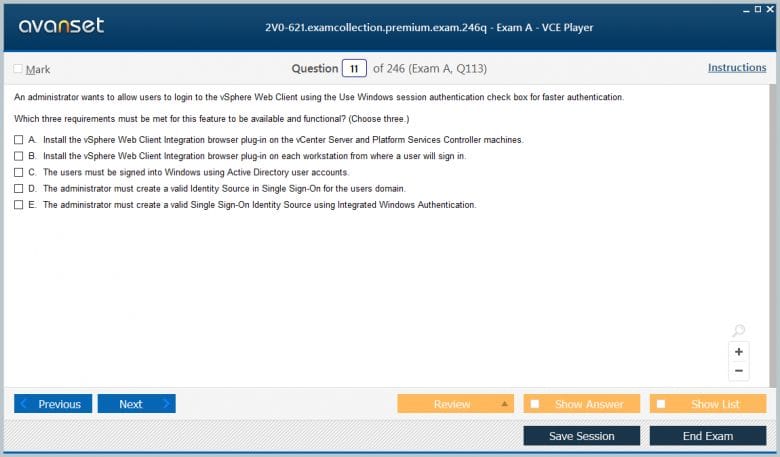
VMware VCP6-DCV 2V0-621 Practice Test Questions in VCE Format

File Votes Size Date
File
VMware.Certkiller.2V0-621.v2018-09-18.by.Emily.155q.vce
Votes
6
Size
3.46 MB
Date
Sep 25, 2018
File
VMware.Certkiller.2V0-621.v2018-06-26.by.Ben.147q.vce
Votes
8
Size
3.37 MB
Date
Jun 26, 2018
File
VMware.BrainDumps.2V0-621.v2015-10-20.by.Ray-Tube.170q.vce
Votes
48
Size
1.03 MB
Date
Oct 20, 2015
File
VMware.Testking.2V0-621.v2015-10-15.by.Toon.193q.vce
Votes
20
Size
1.2 MB
Date
Oct 15, 2015
File
VMware.Certkiller.2V0-621.v2015-05-12.by.Omer.174q.vce
Votes
690
Size
738.29 KB
Date
May 12, 2015
File
VMware.Braindumps.2V0-621.v2015-05-05.by.James.153q.vce
Votes
7
Size
643.05 KB
Date
May 05, 2015

VMware VCP6-DCV 2V0-621 Practice Test Questions, Exam Dumps

VMware 2V0-621 (VMware Certified Professional 6 - Data Center Virtualization) exam dumps vce, practice test questions, study guide & video training course to study and pass quickly and easily. VMware 2V0-621 VMware Certified Professional 6 - Data Center Virtualization exam dumps & practice test questions and answers. You need avanset vce exam simulator in order to study the VMware VCP6-DCV 2V0-621 certification exam dumps & VMware VCP6-DCV 2V0-621 practice test questions in vce format.

Your Foundation for the VMware 2V0-621 Exam

Before diving into advanced VMware topics, it’s essential to establish a strong understanding of virtualization fundamentals. Virtual machines, hypervisors, and resource allocation form the backbone of VMware environments. Administrators must grasp how these elements interact to ensure seamless operation, scalability, and efficiency in enterprise settings. Real-world application of these concepts enhances problem-solving skills for both exam preparation and operational readiness. VMware professionals often benefit from studying broader IT security practices, which highlight potential vulnerabilities that could impact virtualized infrastructures.Learning about top ten network security threats provides critical insight into common vulnerabilities in modern networks. By integrating this knowledge, candidates can proactively secure virtual machines and their communications. This approach reinforces understanding of isolation, access control, and monitoring in VMware environments. Hands-on labs simulating attack scenarios help learners apply theoretical concepts practically, bridging the gap between classroom study and enterprise implementation. Overall, combining virtualization basics with security awareness strengthens readiness for certification exams and professional VMware roles.

VMware administrators must also focus on resource management, including CPU, memory, and storage distribution. Evaluating performance metrics, optimizing workloads, and adjusting configurations are essential skills for maintaining operational efficiency. By combining security knowledge with resource management practices, professionals ensure that virtual environments remain stable, resilient, and protected against potential threats. Mastery of these core concepts forms a foundation for more advanced VMware topics, from networking to automation, while preparing candidates for scenario-based exam questions that test both theoretical knowledge and practical application.

Mastering Virtual Networking

Virtual networking is a critical component of VMware environments, enabling communication between virtual machines and external systems. Understanding virtual switches, port groups, VLANs, and VMkernel adapters is essential for efficient and secure network management. Candidates must also learn about monitoring traffic flows and troubleshooting network performance issues to maintain system reliability. VMware exam scenarios frequently include questions on network configuration, routing, and segmentation, making hands-on practice indispensable.Integrating CCNP exam study strategies into virtual networking labs improves preparation efficiency. These strategies include structured scheduling, focused exercises, and repetition of key concepts, allowing learners to retain knowledge effectively. By simulating VLAN misconfigurations, rogue DHCP issues, or packet drops in controlled environments, administrators can develop troubleshooting skills applicable to both exams and real-world deployments.

Proficiency in virtual networking also requires balancing performance, security, and operational requirements. Monitoring network latency, bandwidth utilization, and traffic isolation ensures virtual environments run optimally. Combining theory with hands-on labs reinforces conceptual understanding, preparing candidates to address exam questions and enterprise-level network challenges confidently.

Securing Virtual Environments

Ensuring security in VMware deployments is critical because virtual machines often host sensitive workloads. Administrators must understand authentication, access control, encryption, and vulnerability management. Applying these principles prevents unauthorized access, data loss, or service disruption. Security considerations in virtualization extend to the network, storage, and management layers, requiring holistic strategies for enterprise environments.Studying evil twin wireless attacks offers insights into attack methodologies that could indirectly affect virtual networks. Recognizing such threats enables VMware administrators to implement proactive security measures like strong authentication, segmentation, and monitoring. Lab simulations of attack scenarios strengthen practical understanding while reinforcing theoretical knowledge. Candidates can then confidently apply these concepts in exam scenarios focusing on VMware security best practices.

Security must be balanced with operational performance. VMware professionals should ensure encryption, network segmentation, and role-based access policies do not negatively impact workloads. Regular audits and monitoring maintain compliance while enabling efficient, secure virtual environments. Mastering security fundamentals supports both certification objectives and enterprise-level operational readiness.

Advanced VMware Deployment Strategies

Deployment strategies are vital for optimizing VMware environments. Knowledge of templates, cloning, automation, and orchestration allows administrators to manage infrastructure efficiently. Proper deployment planning ensures scalability, high availability, and minimal downtime in production environments. Candidates should practice lab exercises to reinforce deployment concepts, understanding how automated provisioning interacts with clusters, vSAN, and resource pools.Studying Cisco ENCOR exam study techniques demonstrates structured approaches to mastering complex deployments. Techniques such as methodical lab practice, scenario-based exercises, and stepwise configuration review mirror VMware exam requirements. Applying these methods enhances both exam readiness and real-world deployment proficiency, ensuring that virtual machines remain stable, resilient, and compliant with organizational policies.

Automation tools like PowerCLI and vRealize accelerate large-scale deployments and reduce human error. Candidates should simulate enterprise scenarios to practice automated provisioning, policy enforcement, and resource management. Mastering these deployment strategies prepares learners for practical exam questions and operational challenges, reinforcing their ability to manage production VMware environments efficiently.

Understanding Storage and Datastores

Storage management is fundamental to VMware performance and reliability. Administrators must understand VMFS, NFS, vSAN, and datastore configuration. Efficient allocation of storage, snapshot management, and replication strategies ensures data integrity and high availability. Hands-on practice with storage policies prepares candidates for both exam scenarios and enterprise deployments.Studying strategic foundation for storage provides guidance on structuring datastores, workflows, and replication setups. By simulating failures in lab environments, administrators learn to troubleshoot storage-related issues and optimize performance. Combining theoretical understanding with practical application prepares learners for questions regarding storage efficiency, disaster recovery, and operational continuity in VMware environments.

Integrating storage with network and security policies ensures cohesive virtual infrastructure management. Administrators must optimize data flow, access controls, and redundancy mechanisms while maintaining performance. Mastery of storage fundamentals strengthens candidates’ ability to address exam scenarios requiring knowledge of resilient, high-performing VMware environments.

Understanding Symlink Attack Threats

Virtualization administrators must be aware of how vulnerabilities in shared hosting and storage environments can impact VMware infrastructures. Symlink attacks, though subtle, can compromise data integrity and system security if left unchecked. Understanding these threats prepares candidates for practical scenarios and exam questions about maintaining secure virtual environments.The symlink attacks in hosting provides a detailed look into silent threats targeting file systems and shared directories. Administrators learn how attackers exploit symbolic links to access unauthorized files or escalate privileges. Integrating this knowledge into VMware lab exercises ensures practical awareness of potential vulnerabilities, reinforcing best practices in monitoring, patching, and access control for virtual machines.

Additionally, security considerations must align with resource allocation and system performance. Administrators should evaluate storage permissions, enforce segmentation, and audit file access regularly. These practices prevent inadvertent exposure and maintain compliance. Understanding symlink risks alongside virtualization fundamentals ensures candidates are prepared to manage both exam scenarios and real-world infrastructure effectively.

Cloud Security Frameworks

Modern VMware environments often extend into hybrid or public clouds, making security frameworks critical. Understanding how to implement cloud-specific risk controls ensures workloads remain secure and compliant across multiple platforms. Cloud security knowledge is essential for protecting data, managing access, and maintaining operational continuity.Exploring AWS risk-aware cloud frameworks provides practical insights into designing secure, compliant hybrid cloud environments. Administrators learn about NIST guidelines, risk management, and proactive security monitoring in cloud-integrated VMware setups. Applying these frameworks ensures virtual machines maintain confidentiality, integrity, and availability while preparing candidates for exam scenarios involving hybrid cloud security.

Integrating cloud frameworks with on-premises policies enhances operational efficiency. Security monitoring, automated alerts, and compliance reporting are best practices that protect against both internal and external threats. Candidates develop the ability to manage cloud workloads strategically while maintaining exam readiness.

Understanding Big Data Fundamentals

VMware administrators increasingly encounter workloads involving big data, requiring knowledge of storage, processing, and analytics pipelines. Understanding how virtual machines interact with large-scale data environments is essential for resource planning, performance optimization, and secure configuration.Studying AWS big data fundamentals offers insight into cloud-based data processing, storage strategies, and virtual resource integration. Administrators can simulate big data pipelines in VMware labs to practice load balancing, storage optimization, and data security. This practical approach reinforces exam preparedness and enterprise skills.

Combining big data knowledge with virtualization principles helps ensure that workloads remain efficient and secure. Administrators learn to manage storage, compute, and network resources effectively while applying security best practices for sensitive datasets.

Virtual Workspaces Management

Managing virtual desktops and applications in VMware environments requires understanding provisioning, monitoring, and secure access strategies. Administrators must ensure efficient resource utilization and support enterprise workforce needs without compromising security.Exploring Amazon Workspaces IT infrastructure demonstrates practical methods for deploying virtual desktops, managing user access, and scaling environments efficiently. Hands-on lab practice strengthens understanding of VMware integration with cloud-based workspace solutions, ensuring readiness for certification scenarios focused on hybrid deployments.

Administrators should also implement monitoring tools, automate provisioning, and enforce security policies. Combining cloud workspace knowledge with VMware fundamentals allows for smooth management of virtual desktops while maintaining performance and compliance.

Messaging and Middleware Integration

Distributed applications in VMware environments rely on messaging systems for reliable communication. Administrators must understand message brokers, queues, and failover strategies to maintain service continuity and high availability.Learning Amazon MQ message power provides practical insights into message broker configurations, performance tuning, and reliability. Hands-on exercises in VMware labs help administrators simulate enterprise messaging environments, reinforcing both operational understanding and exam readiness.

Proper integration of messaging systems with virtualized workloads ensures operational efficiency. Monitoring, security policies, and disaster recovery planning are essential to prevent downtime or data loss, strengthening overall infrastructure management skills.

CompTIA A+ Exam Insights

Foundational IT knowledge supports VMware professionals, especially when preparing for certification exams that cover hardware, networking, and troubleshooting. Understanding how entry-level certifications evolve helps shape effective study plans and practical lab exercises.Studying CompTIA A+ exam evolution illustrates the progression of IT exams and their relevance to modern career paths. Candidates learn efficient study methods and practical approaches that improve both exam performance and professional VMware skills.

Integrating this knowledge with VMware labs allows administrators to approach hardware, software, and networking concepts holistically. This combined perspective strengthens problem-solving and operational readiness while supporting career development in virtual environments.

Cybersecurity Awareness for VMware

Cybersecurity awareness is critical for protecting virtual machines, data, and network communications. Administrators must implement monitoring, incident response, and proactive defense strategies to safeguard workloads and infrastructure.Exploring CompTIA CySA exam preparation provides insights into threat detection, analysis, and mitigation. Applying these techniques in VMware labs improves practical security skills, ensuring administrators can respond effectively to potential threats while preparing for certification questions focused on risk management.Awareness combined with monitoring and security automation enables administrators to maintain resilient environments. Best practices include auditing, logging, and proactive threat simulation to enhance both exam readiness and enterprise security.

Network Mastery Fundamentals

Mastery of networking fundamentals is essential for VMware administrators, encompassing routing, switching, segmentation, and virtual network troubleshooting. Strong foundational knowledge ensures efficient and secure communication between virtual machines.Studying network mastery foundation exam provides structured guidance on network topologies, protocols, and performance optimization. VMware candidates can practice lab simulations to reinforce network understanding, preparing for exam questions involving both configuration and troubleshooting.Integrating these concepts into daily VMware management ensures that virtual networks operate reliably. Monitoring tools, security policies, and optimization strategies collectively enhance performance and resilience in enterprise virtual environments.

Security Certification Preparation

Advanced VMware administration requires strong security knowledge to protect workloads and data. Candidates must understand risk management, compliance, and incident response strategies for virtualized systems.Exploring SY0-701 exam preparation guide offers structured approaches to mastering cybersecurity concepts. Hands-on labs and scenario-based exercises help VMware professionals apply security principles to virtual environments, reinforcing both practical skills and exam readiness.Combining theoretical knowledge with practical lab exercises ensures administrators can implement access control, encryption, monitoring, and threat mitigation in VMware infrastructures effectively.

Linux Administration Insights

Linux skills are increasingly important for VMware administrators managing virtual machines, cloud workloads, and containerized applications. Understanding system configuration, command-line tools, and security policies strengthens overall operational capabilities.Studying Linux XK0-005 certification updates provides candidates with the latest exam objectives and system administration best practices. Applying these concepts in VMware labs ensures administrators can manage Linux-based virtual machines efficiently while preparing for certification scenarios.Integrating Linux expertise with virtualization supports operational efficiency, troubleshooting, and automation. Candidates gain the ability to configure, monitor, and secure virtual environments while aligning with enterprise requirements.

Threat Modeling with STRIDE

Understanding structured threat modeling frameworks allows VMware administrators to anticipate, analyze, and mitigate potential risks. STRIDE methodology addresses spoofing, tampering, repudiation, information disclosure, denial of service, and elevation of privilege. STRIDE threat modeling approach equips candidates with proactive strategies to identify vulnerabilities in virtualized environments. VMware labs simulating STRIDE-based attacks reinforce risk assessment skills and operational preparedness for certification exams.Integrating threat modeling with security and performance monitoring enables administrators to maintain resilient and secure VMware infrastructures. This holistic approach strengthens both practical knowledge and exam readiness for complex enterprise scenarios.

The Role Of Cybersecurity Awareness

Successful VMware professionals must appreciate cybersecurity not just as a technical layer but as an ongoing cultural practice that influences every infrastructure decision. Virtualized environments aggregate compute, storage, and networking into software-defined layers that demand constant attention. Administrators who understand systemic risk find themselves better prepared when workloads increase, configurations change, or hybrid architectures evolve. Cultivating awareness across teams ensures that virtualization does not become a blind spot in organizational security planning. Effective cybersecurity awareness reduces costly misconfigurations, improves response times after incidents, and strengthens trust in virtual infrastructure among stakeholders.In this context, studying cybersecurity awareness trainer roles highlights how guided education fosters a defense-minded culture. Awareness trainers instill best practices that prevent social engineering, phishing, credential theft, and improper access patterns. VMware administrators with exposure to structured awareness programs can anticipate threat vectors that originate from user behavior as much as from technical vulnerabilities.

Embedding positive security habits complements technical defenses like isolation, least privilege, and automated patching. When administrators adopt both proactive learning and reactive mitigation rituals, their VMware environments benefit from resilience against human-centric risks. This dual focus — technical and human — builds a foundation that supports sustainable operational integrity.

Digital Certificates And PKI Basics

Architecting secure VMware environments requires understanding identity, trust, and encryption. Digital certificates and Public Key Infrastructure (PKI) underpin the mechanisms that authenticate hosts, secure communications, and protect sensitive configuration data. Whether securing vCenter operations, encrypting VMotion traffic, or validating API connections, certificates ensure that nodes trust each other without exposing secret credentials. Mismanaged certificates can cause service outages, authentication failures, and security gaps that adversaries could leverage. Administrators who can demystify PKI concepts reduce operational risk and improve system uptime.Exploring digital certificates PKI explained deepens understanding of trust chains, certificate authorities, validity periods, and revocation methods. Applying these principles within VMware labs lets candidates practice installation, renewal, and revocation of certificates in safe environments, building confidence before deployment in production.

The role of certificates extends beyond encryption; they provide attestation of component authenticity and support automated orchestration by eliminating manual trust decisions. Mastery of PKI strengthens administrative control over VMware’s security perimeter.

Interpreting Cyber Intelligence Feeds

To protect virtualized infrastructures against emergent threats, administrators must interpret and integrate cyber intelligence. Intelligence feeds provide contextual information about active exploits, malware campaigns, and vulnerability disclosures that may affect virtualization layers. By processing these feeds, teams can prioritize patching, anticipate attacker behavior, and refine detection controls. VMware environments — especially when extended to hybrid or multi-cloud — generate telemetry data that can correlate with broader threat landscapes.Understanding cyber risk intelligence feeds connects abstract threat signals with actionable defensive tactics. Monitoring feeds regularly allows administrators to update gatekeeping policies, adjust firewall rules, and fine-tune intrusion detection systems based on credible risk indicators. When a new exploit targeting virtualization components surfaces, early awareness can mitigate exposure.

Combining intelligence feeds with internal log analysis and behavior baselines improves threat visibility. Administrators translate raw signal into operational decisions that protect tenants, workloads, and configuration stores without disrupting service levels.

Self-Directed Skill Development

While certifications and classroom training provide structure, VMware professionals often accelerate growth through self-directed learning. Independent study, sandbox environments, and problem solving foster resilience and technical intuition. Administrators who embrace self-learning build portfolios of lab exercises, experiment with configurations, and document troubleshooting outcomes. This personal investment pays dividends when engaging with unfamiliar scenarios or emerging VMware features. Moreover, self-motivation prepares candidates for exam conditions that emphasize reasoning and applied skill over memorization, solo hacker self-learning explore how individuals can navigate learning without formal mentorship. Embracing challenge and curiosity generates confidence that transfers directly to VMware practice. The path of self-directed learning augments structured preparation with real experimentation.

Blending mentorship, formal study, and self-practice yields the most adaptable administrators. Those who model continuous improvement are better equipped to absorb complex exam topics and respond to dynamic enterprise challenges.

Ericsson Exam Portfolios

Virtualization professionals often broaden skill maps beyond specialization to include platform-oriented credentials. Ericsson’s exam portfolio spans areas such as telecom virtualization, radio access techniques, and network function virtualization — domains relevant when VMware intersects with carrier and edge environments. Understanding Ericsson’s foundational and advanced offerings enables administrators to situate VMware expertise within adjacent networking and infrastructure stacks. This interdisciplinary perspective supports holistic problem solving in environments that combine software-defined compute with communications and orchestration layers.Passing certifications listed under Ericsson exam credential paths demonstrates fluency with sophisticated infrastructure concepts. Candidates familiar with these frameworks develop structural thinking that converts to better contextualization of SDDC (software-defined data center) principles, distributed operations, and performance optimization.

Knowledge from external exam ecosystems enriches conceptual agility, enhancing both VMware performance and broader industry comprehension. Exam success across domains strengthens credibility and multiplies career pathways.

Esri Certification Considerations

In many enterprise contexts, virtualization supports geospatial workloads, GIS processing, and location-intensive business logic. Esri’s certification tracks validate skills in spatial data analysis, enterprise GIS deployment, and cloud-enabled mapping systems. These competencies dovetail with VMware administrators tasked with provisioning, scaling, and securing virtualized GIS platforms. Understanding how virtualization sustains performance for compute-intensive tasks sharpens architectural choices around storage IOPS, network throughput, and resource partitioning.Candidates can explore utilities and study outlines at the Esri exam certification portal to appreciate how certification frameworks reinforce real-world deployment requirements. Preparing for such exams helps practitioners align VMware configurations with workload performance expectations and SLA (service level agreement) obligations.

Integrating niche certification knowledge equips administrators to make informed design decisions when supporting specialized teams and emerging enterprise workloads. Cross-domain comprehension enhances both operational performance and strategic alignment.

EXIN Certification Paths

EXIN offers a collection of certifications focused on IT service management, information governance, and cybersecurity. These frameworks are foundational for VMware administrators who must orchestrate services, manage change processes, and ensure compliance across complex virtual infrastructures. Understanding ITIL practices, COBIT frameworks, and ISO standards supports service reliability and lifecycle management in VMware deployments. Broad knowledge in governance disciplines also improves risk assessment and audit readiness.By exploring EXIN certification learning paths, candidates gain perspective on industry benchmarks for delivery excellence. Service management principles intersect with VMware’s operational considerations when change control, incident management, and continuous improvement cycles are in play.

Broad certification exposure enables practitioners to think systematically about infrastructure evolution, not just tactical administration — a mindset that enhances both exam outcomes and enterprise effectiveness.

Extreme Networks Credentialing

Networking is inseparable from virtualization success. Extreme Networks’ certifications cover switching, routing, wireless, and network automation — pillars of a high-performance SDDC. VMware administrators who understand physical and software-defined networking principles make better decisions about micro-segmentation, traffic engineering, and resilient connectivity. These competencies elevate an administrator’s ability to optimize virtual networks, integrate with SD-WAN deployments, and troubleshoot multi-layer traffic paths.Reviewing the range of Extreme Networks certification exams exposes practitioners to advanced networking patterns and automation tool chains that complement VMware operations. Certifications in this space validate practical skills that span from CLI troubleshooting to policy-driven network management.Building networking fluency alongside virtualization mastery creates comprehensive infrastructure expertise that supports both certification success and enterprise operations.

ISC CCSP Professional Training

Modern VMware administrators need advanced security skills to safeguard virtual environments against sophisticated cyber threats. Understanding cloud security principles, risk management, and compliance frameworks helps administrators protect both workloads and enterprise data. Preparing for certifications enhances practical knowledge while providing structured learning that aligns with industry standards. Building foundational and advanced security skills is critical for securing multi-tenant virtual infrastructures.Studying ISC CCSP professional training equips candidates with the skills to implement cloud security solutions, manage risk assessments, and design secure cloud architectures. Hands-on labs simulate real-world scenarios that administrators might encounter, strengthening both exam readiness and operational proficiency. VMware professionals who complete this training can confidently handle security policies, encryption, and identity management in hybrid environments.

Integrating CCSP knowledge with VMware best practices improves monitoring, vulnerability management, and incident response. Administrators learn to anticipate threats, enforce policies across virtual networks, and optimize security controls. This combination of theoretical understanding and practical skill forms a solid foundation for both certification and enterprise operations.

SSCP Cybersecurity Certification Training

Understanding the fundamentals of information security is essential for managing VMware infrastructures effectively. Administrators must comprehend access controls, cryptography, network security, and monitoring practices to ensure resilient virtual environments. Security awareness strengthens configuration management, incident response, and regulatory compliance across enterprise deployments. Building strong security habits early improves both operational performance and exam readiness.Exploring SSCP cybersecurity certification training introduces candidates to core concepts including security operations, risk identification, and data protection. Hands-on exercises enable VMware professionals to implement secure virtual networks, monitor for threats, and configure appropriate controls. Applying these skills in lab simulations bridges theoretical learning and real-world application.

Combining SSCP skills with VMware expertise allows administrators to secure workloads across cloud and on-premises deployments. Threat modeling, logging, and proactive monitoring enhance operational resilience. This integrated approach ensures security practices are practical, repeatable, and aligned with certification objectives.

ITIL V3 Foundation Training

VMware administrators benefit from understanding service management principles to ensure smooth operation of virtualized infrastructures. ITIL provides guidance on incident management, change control, and continuous service improvement. Adopting these practices improves system uptime, aligns resources with business objectives, and supports enterprise scalability. Effective service management reduces downtime and improves user satisfaction.Studying ITIL V3 Foundation training familiarizes candidates with service lifecycle processes, key performance metrics, and best practices for change and problem management. VMware labs can simulate service requests, incident responses, and change approvals, reinforcing practical understanding of ITIL frameworks in virtualized environments.

Integrating ITIL principles with VMware operations enables administrators to standardize workflows, optimize resource allocation, and enforce accountability. Structured service management ensures predictability, supports SLA compliance, and enhances overall operational efficiency in complex infrastructures.

Microsoft AZ‑301 Azure Design

Virtualized environments increasingly integrate with cloud services, requiring administrators to understand architecture and design principles. Azure workloads often require scalable compute, network, and storage configurations. Effective design ensures high availability, resilience, and optimized performance for enterprise applications. Knowledge of cloud design principles is essential for hybrid VMware deployments. Microsoft AZ‑301 Azure design equips candidates to plan architecture, design secure networks, and implement resource governance. Lab exercises enable VMware administrators to simulate hybrid deployment scenarios, configure virtual networks, and ensure compliance with security and performance requirements. This preparation bridges cloud and virtualization knowledge effectively.

By integrating Azure design principles with VMware expertise, administrators can optimize virtual machine placement, implement cost-effective scaling, and ensure seamless connectivity. The combination of theory and practice supports certification readiness and real-world operational excellence.

Microsoft AZ‑303 Azure Architect

Advanced VMware administrators must understand cloud architecture at a strategic level. Designing enterprise workloads requires knowledge of security, networking, storage, and governance. Architects must balance performance, scalability, and cost while ensuring compliance. This understanding is essential for hybrid cloud and on-premises integration projects. Microsoft AZ‑303 Azure architect provides guidance on infrastructure design, virtual network configuration, and identity management. Hands-on labs simulate complex scenarios including disaster recovery planning and workload migration. Candidates gain practical experience aligning VMware deployments with enterprise cloud standards.

Combining VMware operational expertise with Azure architecture skills enables administrators to implement robust hybrid solutions. Resource planning, automation, and security governance ensure workloads are efficient, resilient, and compliant with organizational policies.

Microsoft AZ‑304 Architect Design

Enterprise cloud solutions require administrators to design secure, scalable, and maintainable systems. VMware administrators need to integrate virtualization with cloud services while adhering to compliance requirements. Design considerations include disaster recovery, identity management, and network segmentation. Strong architecture skills improve operational efficiency and resilience. Microsoft AZ‑304 architect design teaches candidates how to implement monitoring, enforce security policies, and optimize resource allocation. Lab simulations reinforce hybrid deployments and workload scaling. VMware professionals gain the ability to apply design best practices in real-world infrastructure scenarios.

Integrating architecture design with VMware administration improves planning, reduces risk, and enhances performance. Administrators develop skills for both certification success and effective enterprise deployment, ensuring systems are secure, compliant, and highly available.

Salesforce 4A0‑116 Certification Exam

Salesforce and VMware integration often require administrators to understand cloud service principles, multi-tenant architecture, and automation. Maintaining system performance, securing data, and ensuring seamless connectivity are critical responsibilities. Certification validates skills and provides structured guidance for complex deployment scenarios.Studying Salesforce 4A0‑116 certification exam familiarizes candidates with system configuration, workflow automation, and security practices. Lab exercises reinforce practical deployment skills, enabling administrators to manage multi-cloud integration, optimize processes, and implement compliance controls effectively.

Combining certification knowledge with VMware expertise enhances administrators’ capability to design robust enterprise solutions. The dual focus ensures both exam readiness and practical ability to deploy, secure, and maintain complex virtualized and cloud infrastructures efficiently.

Advanced VMware Virtualization Concepts

Mastering VMware requires a solid grasp of advanced virtualization concepts. Administrators need to understand hypervisor architecture, resource scheduling, and virtual networking. Effective VM placement, CPU and memory allocation, and storage optimization are crucial to maximize performance and reduce contention. Advanced understanding also includes snapshots, templates, and cloning, which are essential for maintaining consistent and recoverable environments. By mastering these concepts, VMware professionals ensure high availability and scalability in enterprise deployments.Exploring VMware 4A0-205 exam preparation provides practical scenarios and configuration exercises that simulate real-world workloads. Candidates can learn to manage distributed resource scheduling, optimize storage policies, and configure network settings for virtual machines. Lab-based experience allows administrators to implement best practices in a controlled environment, improving both exam readiness and operational confidence.

Understanding advanced virtualization concepts also supports troubleshooting, performance tuning, and disaster recovery planning. Administrators gain the ability to predict bottlenecks, adjust resource pools, and design highly available architectures that align with enterprise requirements. This foundational knowledge is critical for long-term VMware success.

VMware AI Integration

Integrating AI with VMware platforms enables intelligent workload management, predictive maintenance, and automation. Administrators must understand how AI can analyze VM performance metrics, optimize resource allocation, and anticipate failures. Machine learning models help improve operational efficiency and reduce downtime by predicting storage, CPU, or network contention before it impacts performance.Studying VMware AI1 exam training equips candidates with strategies to deploy AI-driven management tools and implement predictive analytics. Hands-on labs provide experience with performance monitoring, alerting, and automated remediation. VMware professionals can leverage AI to make data-driven decisions and optimize hybrid cloud environments effectively.

Combining AI integration knowledge with virtualization expertise enhances scalability, operational efficiency, and proactive maintenance. Administrators can implement intelligent automation policies, improve workload balancing, and reduce human error, making AI a critical skill for modern VMware environments.

Cloud Architecture Design

Cloud architecture principles are essential for VMware administrators who manage hybrid or multi-cloud deployments. Understanding virtual networking, storage policies, and workload isolation ensures that cloud resources are efficient, scalable, and secure. Proper architecture design improves fault tolerance, disaster recovery, and performance across virtualized environments.Exploring VMware 4A0-C02 cloud design provides guidance on planning hybrid cloud strategies, configuring virtual networks, and implementing storage and compute policies. Lab exercises simulate real-world scenarios, enabling administrators to apply design principles in secure, scalable environments. This hands-on practice prepares candidates for both exams and enterprise operations.

Cloud architecture knowledge also supports compliance, cost optimization, and seamless integration of workloads across data centers. Administrators can enforce best practices for resource management, ensure redundancy, and optimize connectivity between on-premises and cloud environments for maximum efficiency.

VMware Cloud Implementation

Implementing VMware cloud solutions requires administrators to configure clusters, deploy VMs, and manage virtual storage efficiently. Cloud implementation includes configuring vSphere, vSAN, and virtual networking to meet performance and availability objectives. Proper planning and deployment strategies reduce downtime and improve operational reliability.Studying VMware 4A0-C03 implementation guide equips candidates with practical exercises in deploying clusters, setting up vMotion, and configuring storage policies. VMware professionals gain experience implementing load balancing, automating tasks, and applying best practices for hybrid cloud deployments. Hands-on labs enhance both exam preparedness and operational proficiency.

Successful cloud implementation also involves monitoring, performance tuning, and maintaining compliance with organizational policies. Administrators can troubleshoot performance issues, optimize resource allocation, and ensure that services remain resilient under heavy workloads, ensuring continuous availability for end-users.

VMware Desktop Virtualization

Desktop virtualization allows organizations to deploy virtual desktops efficiently, improve security, and reduce hardware costs. Administrators must configure pools, manage user access, and optimize desktop performance. Virtual desktops integrate with corporate networks and storage systems, supporting consistent user experiences across devices.Exploring VMware 4A0-D01 desktop training provides practical guidance on configuring VDI environments, optimizing image templates, and managing user sessions. Hands-on labs simulate deployment scenarios, enabling candidates to test access control, security policies, and performance tuning for virtual desktops. This knowledge is essential for both exams and enterprise deployments.

Desktop virtualization also improves operational efficiency by simplifying patch management, enabling remote access, and supporting disaster recovery strategies. Administrators gain the skills to deploy scalable, secure, and highly available VDI solutions across complex infrastructures.

VMware Network Management

Managing VMware networking requires expertise in virtual switches, distributed switches, VLANs, and network security policies. Proper configuration ensures efficient traffic flow, isolation of workloads, and secure connectivity across virtual environments. Administrators must monitor network performance, troubleshoot issues, and optimize latency-sensitive applications.Studying VMware 4A0-M02 networking certification offers practical exercises in configuring vDS, implementing security policies, and monitoring virtual network health. Lab practice allows administrators to gain confidence in deploying and managing virtual networks in production and test environments.Effective network management enhances overall performance, security, and reliability of VMware environments. Administrators can enforce traffic policies, optimize throughput, and reduce congestion, ensuring consistent connectivity for mission-critical applications.

VMware Storage Management

Virtual storage management is critical for ensuring data availability, performance, and disaster recovery. Administrators must understand storage policies, datastores, snapshots, and replication to optimize storage across VMs. Efficient storage planning reduces latency and prevents resource bottlenecks.Exploring VMware 4A0-M03 storage management equips candidates with hands-on experience configuring storage policies, managing VMFS/NFS datastores, and implementing replication strategies. Lab exercises reinforce real-world scenarios for optimal storage utilization.Effective storage management enables administrators to ensure data redundancy, optimize disk performance, and support high-availability requirements. Properly configured storage improves operational reliability and reduces downtime in large VMware deployments.

VMware Security Practices

VMware security practices ensure that virtual machines, hosts, and networks are protected from threats. Administrators must configure access controls, encryption, logging, and monitoring. Implementing best practices prevents unauthorized access and ensures compliance with industry standards. VMware 4A0-M05 security practices provides candidates with exercises in setting permissions, configuring firewalls, and implementing encryption. Hands-on labs simulate attacks and security scenarios to strengthen administrators’ defensive skills.Combining security practices with operational knowledge enables administrators to maintain a secure and compliant virtual environment. Proactive monitoring, patch management, and access control reduce risks while supporting business continuity.

VMware Automation Skills

Automation in VMware environments reduces manual errors, improves efficiency, and accelerates provisioning. Administrators must learn scripting, orchestration, and automated workflows for VM deployment, updates, and monitoring. Automation ensures consistency and repeatability across virtual infrastructures.Exploring VMware 4A0-M10 automation training teaches candidates how to implement PowerCLI scripts, configure automated tasks, and integrate with orchestration tools. Lab exercises provide hands-on experience in designing repeatable and efficient processes.Automation knowledge improves operational scalability, reduces human error, and ensures compliance with organizational policies. Administrators can focus on strategic tasks while automation handles repetitive workflows efficiently, enhancing overall infrastructure reliability.

VMware Business Integration

Understanding business integration is critical for VMware administrators to align IT with organizational objectives. Administrators must manage resources, monitor performance, and support hybrid cloud deployments to deliver business value. Virtualization integrates with enterprise applications, supporting analytics, productivity, and operational efficiency.Studying VMware BL0-100 business concepts introduces candidates to IT-business alignment, infrastructure planning, and operational best practices. Hands-on exercises reinforce understanding of resource optimization, SLA adherence, and deployment strategies that meet business requirements.Combining business knowledge with technical VMware skills ensures that virtualization initiatives deliver measurable outcomes. Administrators can prioritize workloads, manage costs, and support strategic objectives while maintaining high availability and performance.

Modern VMware Deployment Strategies

Deploying VMware environments efficiently requires understanding the balance between performance, scalability, and cost. Administrators must plan cluster configurations, storage allocation, and virtual networking to optimize workloads. Proper planning prevents bottlenecks, ensures high availability, and supports rapid growth. Understanding deployment strategies also helps in disaster recovery planning and resource optimization across physical and virtual layers. Professionals who master these techniques can anticipate operational challenges and mitigate them proactively, ensuring consistent service delivery. VMware deployment strategy certification provides guidance on designing deployment strategies, resource management, and performance monitoring. Candidates gain insight into best practices for provisioning clusters, configuring virtual machines, and maintaining compliance. Hands-on exercises simulate real-world challenges, helping administrators translate theoretical knowledge into operational expertise.

Effective deployment strategies improve efficiency and reliability by reducing resource contention and downtime. Administrators can implement automated workflows, optimize storage and network performance, and ensure the environment scales seamlessly as business demands increase.

Hybrid Cloud Integration Techniques

Hybrid cloud adoption requires administrators to integrate on-premises VMware infrastructures with public cloud services. This integration improves scalability, disaster recovery, and flexibility while maintaining control over sensitive data. Administrators must manage networking, identity, and security across hybrid workloads to ensure smooth operations. Planning integration carefully reduces risk and enhances performance across hybrid deployments. SDM-200 exam preparation guide helps professionals understand hybrid cloud patterns, connectivity options, and orchestration strategies. Hands-on labs allow administrators to simulate hybrid scenarios, deploy workloads, and implement security policies. Practical experience builds confidence in designing secure and efficient hybrid solutions.

Hybrid cloud integration also facilitates automation, monitoring, and compliance management. Administrators can optimize resource allocation, maintain redundancy, and improve overall system reliability, ensuring hybrid environments meet enterprise requirements effectively.

VMware Virtual Networking Essentials

Understanding virtual networking is critical for managing VMware environments. Administrators must configure virtual switches, VLANs, and distributed networking to ensure secure, efficient connectivity. Proper network design supports workload isolation, traffic optimization, and high availability. Monitoring network performance and troubleshooting connectivity issues are essential skills for enterprise-grade virtualization.The 050-720 virtual infrastructure practice provides insight into virtual networking concepts, configuration strategies, and performance management. Lab exercises allow administrators to implement virtual network designs, configure policies, and test failover scenarios. This hands-on experience reinforces theoretical knowledge and prepares professionals for both exams and real-world deployments.

Strong networking skills improve performance, reduce downtime, and enhance security. Administrators can proactively manage traffic flows, implement segmentation, and optimize resources, ensuring reliable communication between virtual workloads and physical infrastructure.

Advanced Storage Management

Managing storage in VMware environments ensures data availability, performance, and disaster recovery readiness. Administrators need to understand storage policies, datastores, snapshots, and replication. Efficient storage management prevents resource bottlenecks and ensures workloads perform optimally. Proper planning also facilitates backup and recovery strategies while supporting scalable virtual infrastructures.Studying 050-730 exam readiness resources guides candidates on configuring storage solutions, implementing policies, and monitoring utilization. Lab exercises simulate high-demand workloads and replication scenarios, helping administrators gain practical experience managing storage effectively.

Advanced storage management enables administrators to optimize capacity, maintain redundancy, and ensure reliable access to mission-critical data. Skilled storage configuration also supports performance tuning, compliance adherence, and seamless scalability in enterprise environments.

VMware Security Hardening

Securing VMware environments requires administrators to implement access controls, encryption, and monitoring solutions. Ensuring virtual machines and networks are protected from threats is vital for compliance and operational stability. Regular audits, vulnerability assessments, and proactive mitigation strategies are key components of a robust security posture.Exploring 050-733 VMware security overview provides guidance on securing hosts, configuring permissions, and implementing monitoring tools. Hands-on labs allow administrators to practice patch management, log analysis, and network hardening. This experience ensures practical application of security concepts in enterprise environments.

Effective security hardening reduces risk, prevents unauthorized access, and ensures compliance with organizational policies. Administrators who master these practices enhance operational resilience and protect sensitive workloads from potential threats.

VMware Network Optimization

Optimizing network performance in virtualized environments enhances application efficiency and user experience. Administrators must configure load balancing, bandwidth allocation, and traffic monitoring to maintain optimal connectivity. Effective network optimization reduces latency, prevents congestion, and ensures high availability for critical workloads.Studying VMware N01 network configuration essentials provides strategies for optimizing virtual networks, configuring switches, and managing traffic flows. Lab exercises simulate performance tuning scenarios and troubleshooting, giving administrators hands-on experience in real-world networking challenges.Network optimization improves efficiency, reduces resource waste, and enhances user satisfaction. Administrators can proactively adjust configurations, enforce policies, and maintain high-performance network connectivity across virtual workloads.

VMware Advanced Networking Skills

Advanced networking skills enable administrators to manage complex virtual topologies and multi-site connectivity. Knowledge of routing, distributed switches, and network automation is critical for high-performing virtual environments. Proper planning ensures consistent throughput, secure segmentation, and scalable connectivity. VMware N02 advanced network techniques equips candidates with hands-on experience in advanced routing, policy enforcement, and virtual network design. Simulated exercises help administrators troubleshoot complex scenarios and optimize network performance across multiple hosts.Combining advanced networking skills with VMware expertise ensures reliable communication, supports automation, and strengthens overall infrastructure performance. Administrators can implement best practices for security, resilience, and efficiency.

VMware Cloud Administration

Effective cloud administration requires managing virtual workloads, monitoring performance, and maintaining compliance. Administrators must integrate VMware with cloud orchestration, storage, and networking components. Managing hybrid environments ensures workloads are scalable, secure, and cost-efficient.Studying NCA foundational cloud administration introduces concepts for cloud administration, workload monitoring, and resource management. Hands-on labs provide practical experience in configuring policies, balancing resources, and ensuring compliance within virtual and cloud environments.Cloud administration skills improve scalability, enhance operational efficiency, and reduce downtime. Administrators can manage resource allocation dynamically, implement automation, and ensure business continuity across hybrid VMware infrastructures.

VMware Cloud Security Updates

Keeping VMware cloud environments updated with security patches and configuration changes is critical. Administrators must track vulnerability alerts, monitor compliance, and implement remediation promptly. Regular updates reduce the risk of breaches and ensure operational reliability.Exploring NCA v6-10 security updates provides best practices for patch management, security monitoring, and policy enforcement. Lab simulations reinforce practical skills in updating and securing virtual workloads.Effective security updates maintain compliance, enhance protection, and improve system stability. Administrators can prevent exploitation of known vulnerabilities, ensure regulatory alignment, and maintain a secure cloud environment.

Conclusion

In today’s rapidly evolving IT landscape, mastering VMware technologies is critical for administrators and IT professionals seeking to build scalable, secure, and high-performing virtual environments. Throughout this guide, we explored essential areas such as deployment strategies, hybrid cloud integration, virtual networking, storage management, and advanced security practices. Each aspect plays a pivotal role in ensuring that virtual workloads operate efficiently, remain resilient against threats, and align with enterprise requirements. The hands-on knowledge gained from exam-focused resources empowers administrators to bridge the gap between theoretical understanding and practical application, fostering confidence in managing complex infrastructures.

Security remains a central theme across all VMware operations. From implementing access controls and encryption to maintaining patch management and monitoring hybrid cloud environments, administrators must adopt proactive strategies to mitigate risks. Likewise, performance optimization—through network tuning, storage configuration, and automation—ensures that virtualized environments deliver reliable services while minimizing downtime and resource contention. Integration with cloud services, alongside automation and monitoring tools, further enhances operational efficiency and reduces manual intervention, enabling organizations to scale resources dynamically according to business needs.

Certification preparation is not merely about passing exams; it represents a structured path to mastering VMware technologies and understanding industry best practices. Leveraging structured training guides, hands-on labs, and scenario-based exercises equips professionals to handle real-world challenges effectively. By synthesizing knowledge across deployment, networking, storage, cloud administration, and security, administrators gain a holistic perspective that strengthens both their technical proficiency and strategic decision-making abilities. Ultimately, this foundation not only ensures exam readiness but also prepares IT professionals to design, implement, and maintain robust VMware infrastructures capable of supporting modern enterprise objectives with efficiency, security, and scalability.


Go to testing centre with ease on our mind when you use VMware VCP6-DCV 2V0-621 vce exam dumps, practice test questions and answers. VMware 2V0-621 VMware Certified Professional 6 - Data Center Virtualization certification practice test questions and answers, study guide, exam dumps and video training course in vce format to help you study with ease. Prepare with confidence and study using VMware VCP6-DCV 2V0-621 exam dumps & practice test questions and answers vce from ExamCollection.

Read More


Comments
* The most recent comment are at the top
  • Virtualization
  • Saudi Arabia

are exam dumps even Premium for 2v0-621 valid?

  • Rahjet
  • United States

which is best dump?

  • Jaya
  • India

I need exam dumps for the paper 2v0-621 to prepare for the exam

  • Ricky
  • United Kingdom

I am preparing for the 2V0-621 PSE exam , will these dumps valid for that exam or PSE exams require different ones ?

  • Tatya
  • United States

damp 90% valid for the USA

  • Popay
  • Canada

Guys,
can anyone please validate if the Premium Dumps are valid to pass the exam?
Would really appreciate it.

  • ramsey
  • India

@kazilahabi, those are good news to hear that you acknowledge friends’ contribution as the catalyst of your success. it is true that braindumps for 2v0-621 exam that friends post are beneficial.

  • mascherano
  • United States

@lionel, what you need to know is that not all 2v0-621 braindumps are valid. some need to be corrected but you can not fail after using them because their validity is above the passing score.

  • kazilahabi
  • India

i have to thank you friends for your contribution to my success.i took several 2v0-621 questions that were uploaded here and make use of them.i passed the exam right but my success is connected to your contribution too.thanks though.

  • lionel
  • Guatemala

are exam dumps for 2v0-621 valid?

  • Itote
  • Saudi Arabia

2v0-621 exam dump forms the basis of the main exam setting because 90% of the content in the main exam i did this morning are from this material.if you are preparing for the same exam plz have a look on this material because it is really helpful.

  • thompson
  • France

i went through 2v0-621 premium file just before I did the main exam.i am disappointed that the exam involves many application questions for which i was not ready for because the material i used was theory oriented.

  • cwoni234
  • South Africa

great! i have just used vce exam simulator for 2v0-621 questions and answers and it helped me a lot. it made the pass the exam easily. Most of the questions were familiar to me. I was well-prepared due to the material provided on this website. hope to pass.

  • camilah
  • Brazil

@anastasha, vmware exam is really tough, I also did one today and as you said it was tough. we are privileged to have used 2v0-621 practice test.

  • natalia
  • United States

kindly tell us the best 2v0-621 dump which are both updated and valid if you have gone through most of these materials.

  • anastasha
  • Netherlands

i did vmware 2v0-621 exam this morning but was so hard if not for the questions that i had done using premium files.it has really helped me.

  • buckley
  • Canada

who has a descriptive guide on how to pass 2v0-621 practice test. i need help from anyone because it is becoming tough here.

SPECIAL OFFER: GET 10% OFF

ExamCollection Premium

ExamCollection Premium Files

Pass your Exam with ExamCollection's PREMIUM files!

  • ExamCollection Certified Safe Files
  • Guaranteed to have ACTUAL Exam Questions
  • Up-to-Date Exam Study Material - Verified by Experts
  • Instant Downloads
Enter Your Email Address to Receive Your 10% Off Discount Code
A Confirmation Link will be sent to this email address to verify your login
We value your privacy. We will not rent or sell your email address

SPECIAL OFFER: GET 10% OFF

Use Discount Code:

MIN10OFF

A confirmation link was sent to your e-mail.
Please check your mailbox for a message from support@examcollection.com and follow the directions.

Next

Download Free Demo of VCE Exam Simulator

Experience Avanset VCE Exam Simulator for yourself.

Simply submit your e-mail address below to get started with our interactive software demo of your free trial.

Free Demo Limits: In the demo version you will be able to access only first 5 questions from exam.