



Premium File
100 Q&A
$76.99$69.99
Apple 9L0-012 Exam Questions & Answers, Accurate & Verified By IT Experts
Instant Download, Free Fast Updates, 99.6% Pass Rate
100 Questions & Answers
Last Update: Sep 06, 2026
$69.99
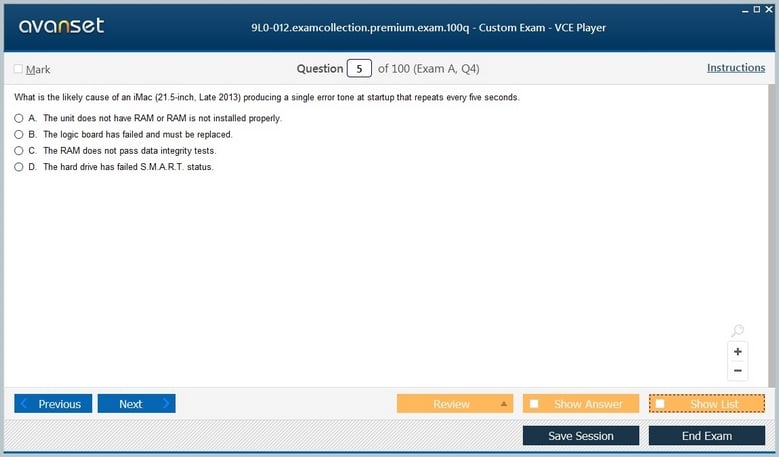
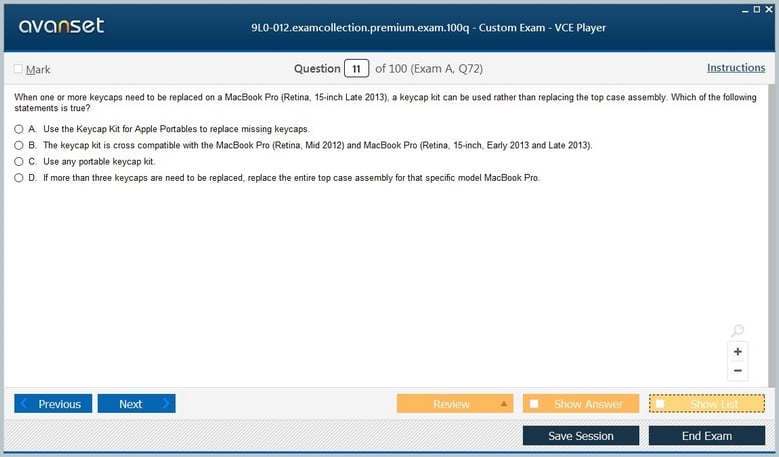
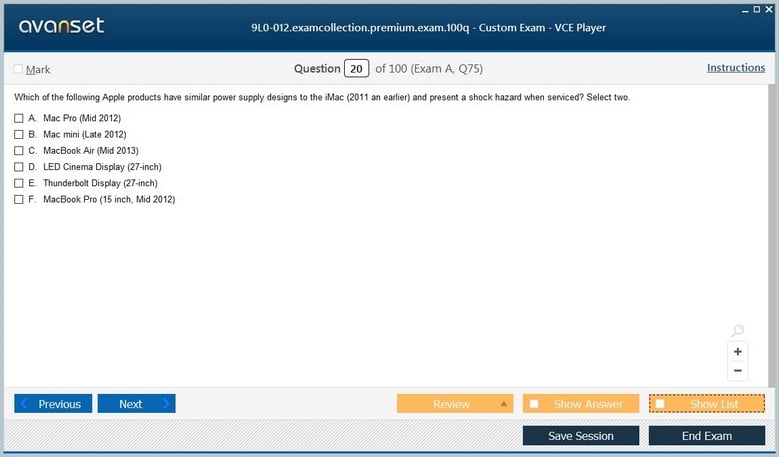
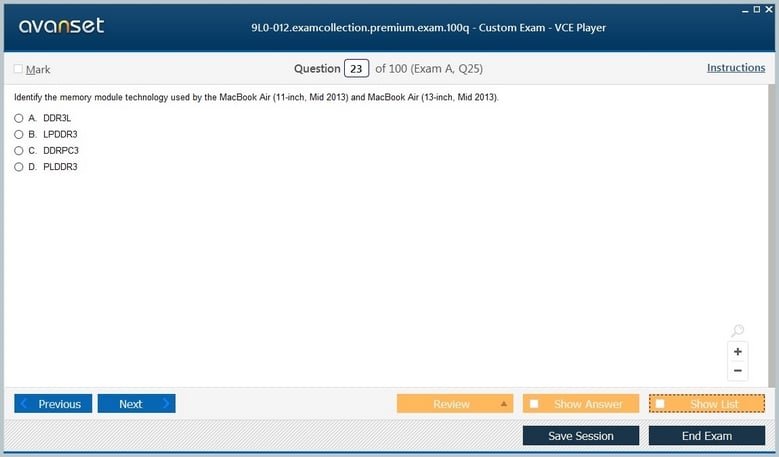
Apple 9L0-012 Exam Screenshots
Apple 9L0-012 Practice Test Questions in VCE Format
| File | Votes | Size | Date |
|---|---|---|---|
File Apple.Testking.9L0-012.v2025-06-29.by.Dumps.52q.vce |
Votes 8 |
Size 148.48 KB |
Date Jun 29, 2025 |
Apple 9L0-012 Practice Test Questions, Exam Dumps
Apple 9L0-012 (Mac Service Certification) exam dumps vce, practice test questions, study guide & video training course to study and pass quickly and easily. Apple 9L0-012 Mac Service Certification exam dumps & practice test questions and answers. You need avanset vce exam simulator in order to study the Apple 9L0-012 certification exam dumps & Apple 9L0-012 practice test questions in vce format.
Apple 9L0-012 was the Mac Service Certification Exam used as the hardware knowledge requirement for Apple Certified Mac Technician (ACMT) 2015. It is a historical exam and should not be presented as part of Apple’s current IT certification path. Apple’s archived support material describes it as an online Pearson VUE knowledge test from the 2015 service-training era, when authorized Mac repair required familiarity with hardware safety, diagnostics, service procedures, and Apple documentation.
The exam belongs in the historical Apple certification inventory. Apple’s archived specification lists 70 total items, a two-hour time limit, an overall 80 percent passing requirement, and separate must-pass sections for ESD precautions and technician safety. Passing 9L0-012 satisfied the hardware requirement for ACMT 2015; it did not by itself describe today’s Apple support credential structure.
For current preparation, Apple now emphasizes the Apple Device Support and Apple Deployment and Management programs. The current Apple Device Support exam page reflects that modern program. That context should be kept separate from this legacy service exam, whose value today is historical and technical rather than as a scheduling target.
Mac repair involves more than identifying a failed component. Technicians work around power supplies, batteries, sharp enclosures, delicate connectors, high-voltage areas, and components vulnerable to electrostatic discharge. Apple therefore treated safety as a must-pass part of the exam rather than a minor percentage that could be offset by stronger scores elsewhere.
ESD control protects devices from damage that may not be immediately visible. Proper grounding, handling, work surfaces, and storage procedures matter because static discharge can weaken or destroy electronic components. Technician safety covers the person performing the work: disconnecting power, following model-specific precautions, and recognizing components that should not be handled casually.
This design is still instructive. A technician who can diagnose hardware but ignores safe service procedure is not competent. The legacy exam made that principle explicit in its scoring.
Apple has released many Mac models that look similar externally while using different internal assemblies, connectors, fasteners, diagnostic procedures, and supported replacement parts. Correct model identification is therefore the first step in service. A repair procedure intended for one generation can be unsafe or simply wrong for another.
Service technicians also relied heavily on Apple documentation. 9L0-012 was described as open-resource, which reflected the real service environment: knowing how to find and apply the correct procedure can be more important than memorizing every screw location. The skill is disciplined reference use, not improvisation.
Historical candidates needed to recognize where specifications, service manuals, troubleshooting information, and part guidance fit into the repair process. That remains a useful professional habit even though the exact systems and portals have changed.
A strong technician starts with the symptom and narrows the possible causes. No power, intermittent shutdown, display artifacts, charging problems, storage errors, thermal behavior, and peripheral failures each suggest different diagnostic paths. Randomly replacing parts is expensive and can introduce new problems.
Isolation can involve known-good components, built-in diagnostics, system information, external peripherals, power checks, and controlled reproduction of the problem. The technician should distinguish hardware faults from software configuration whenever possible. A Mac that appears to have a storage problem may instead have filesystem corruption or an operating-system issue; a display complaint may come from a cable, panel, GPU path, or external device.
The key reasoning pattern is to change one variable at a time. This makes the result interpretable and prevents a successful repair from becoming accidental.
Portable Macs introduce battery and charging behavior that can be confused with logic-board or adapter faults. Service reasoning includes checking the correct power source, connector condition, battery state, and whether the machine behaves differently with external power. Swollen or damaged batteries require special safety treatment rather than ordinary troubleshooting.
Thermal issues can produce shutdowns, fan behavior, performance reduction, or instability. A technician should consider airflow, sensors, fans, heat sinks, environmental conditions, and whether a symptom appears only under sustained load. Cleaning or replacement should follow the model’s service procedure.
These problems illustrate why service certification combined component knowledge with safe workflow. The fastest repair is not necessarily the first part that can be replaced; it is the shortest defensible path from symptom to verified cause.
Memory errors may appear as crashes, startup failures, corruption, or intermittent behavior. Storage faults can cause slow operation, missing files, failed startup, or repeated filesystem errors. Both categories require the technician to separate a physical component problem from operating-system or data corruption.
Diagnostics, logs, startup behavior, and known-good tests can help. When a drive appears unreliable, data protection should become part of the response. A technician should avoid aggressive repair steps that could make recovery harder before the user’s data situation is understood.
Service work therefore includes judgment about when to continue troubleshooting, when to back up, and when to stop and escalate because the risk to data or hardware is increasing.
A symptom at the display does not always mean the panel is defective. The signal path can include the graphics subsystem, cables, connectors, software settings, and external devices. USB, Thunderbolt-era interfaces, audio, cameras, networking, and other peripherals similarly require checking both the physical connection and the system’s recognition of the device.
System Information and diagnostic tools help reveal whether hardware is enumerating correctly. Known-good cables or peripherals can isolate external causes. Visual inspection can identify damage that software tests cannot detect.
These methods are broadly transferable. They teach technicians to follow the complete path from component to operating system rather than treating each symptom as a one-part diagnosis.
Repair verification is a separate step from component replacement. After a service action, the technician should reproduce the original symptom, run the appropriate diagnostics, confirm that related functions still work, and inspect the machine for anything disturbed during reassembly. A replaced display assembly, for example, can affect cameras, sensors, antennas, cables, or enclosure fit even when the display itself appears normal. Verification turns a plausible repair into a demonstrated one.
Documentation matters for the same reason. Recording the reported symptom, tests performed, observed results, parts replaced, and final verification gives the next technician evidence rather than a story reconstructed from memory. In an authorized-service environment, model and serial information also connect the physical machine to the correct service history and procedure. Good notes help distinguish a repeat failure from a new problem and reduce unnecessary repeat work.
Customer data and privacy create another boundary around hardware troubleshooting. A service technician may need to start the Mac, run diagnostics, or verify a repair without browsing unrelated user information. When storage failure or replacement is involved, the technician should establish the data situation before destructive work and follow the service organization’s handling rules. Technical access does not remove the obligation to minimize exposure to personal data.
Apple updated ACMT requirements as hardware and service programs changed. A later historical stage is represented by MAC-16A, the ACMT 2016 Mac Service Certification exam. That page does not imply that 9L0-012 remains active.
Certification records should preserve the code and year that were actually earned. Someone who passed 9L0-012 as part of ACMT 2015 can accurately document that credential. A new technician, however, should not buy old 9L0-012 material expecting it to align with Apple’s current support training.
This distinction protects both historical accuracy and current candidates. Legacy material can still explain what an exam measured without implying current availability.
Apple’s current professional training focuses on supporting and managing devices in organizations. The modern Apple Device Support program covers troubleshooting for current iPhone, iPad, and Mac environments, while deployment training addresses large-scale enrollment, identity, security, and device management. That scope is different from a 2015 technician exam centered on service procedures.
The change reflects how enterprise Apple work has evolved. Hardware repair remains important in appropriate service channels, but many IT professionals now spend more time on configuration, account issues, security, device management, software deployment, and user support than on component replacement.
Candidates researching 9L0-012 should therefore decide whether their goal is historical ACMT knowledge or a current Apple IT credential. The answer determines which training path is relevant.
Parts handling and reassembly deserve the same care as diagnosis. Connectors, flex cables, fasteners, adhesives, shields, and thermal interfaces can be damaged or misplaced during service even when the original fault was correctly identified. A disciplined technician follows the model-specific sequence, keeps hardware organized, and checks that no new symptom was introduced. Historical ACMT study should therefore treat workmanship as part of technical competence: the repair is not finished when the suspected part is swapped, but when the machine is safely reassembled and the original function is verified.
For historical study, organize the material around safety, model identification, documentation, hardware isolation, power, storage, memory, displays, ports, diagnostics, and repair verification. Practice explaining the order in which you would investigate a symptom and why each test reduces uncertainty.
Avoid relying on modern third-party “updated” question counts for an exam whose official Apple specification is historical. The archived Apple details are the appropriate authority for the original 9L0-012 structure, while current Apple training should be used for any new certification plan.
The enduring lesson from 9L0-012 is methodical service work: protect the technician and device, identify the exact hardware, use authoritative procedures, isolate the fault, preserve data, verify the repair, and document what was done. Those habits remain valuable even though the credential itself belongs to an earlier Apple certification era.
Go to testing centre with ease on our mind when you use Apple 9L0-012 vce exam dumps, practice test questions and answers. Apple 9L0-012 Mac Service Certification certification practice test questions and answers, study guide, exam dumps and video training course in vce format to help you study with ease. Prepare with confidence and study using Apple 9L0-012 exam dumps & practice test questions and answers vce from ExamCollection.
Purchase Individually
Site Search:

SPECIAL OFFER: GET 10% OFF

Pass your Exam with ExamCollection's PREMIUM files!
SPECIAL OFFER: GET 10% OFF
Use Discount Code:
MIN10OFF
A confirmation link was sent to your e-mail.
Please check your mailbox for a message from support@examcollection.com and follow the directions.

Download Free Demo of VCE Exam Simulator
Experience Avanset VCE Exam Simulator for yourself.
Simply submit your e-mail address below to get started with our interactive software demo of your free trial.