



Premium File
50 Q&A
$76.99$69.99
Apple MAC-16A Exam Questions & Answers, Accurate & Verified By IT Experts
Instant Download, Free Fast Updates, 99.6% Pass Rate
50 Questions & Answers
Last Update: Oct 27, 2026
$69.99
Apple MAC-16A Exam Screenshots
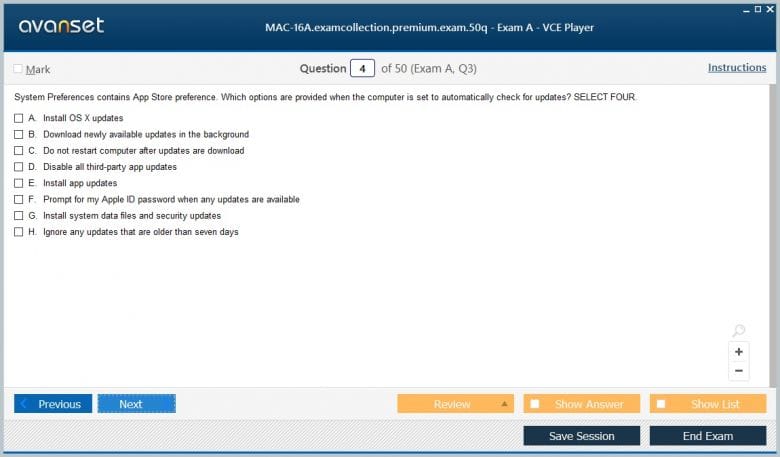
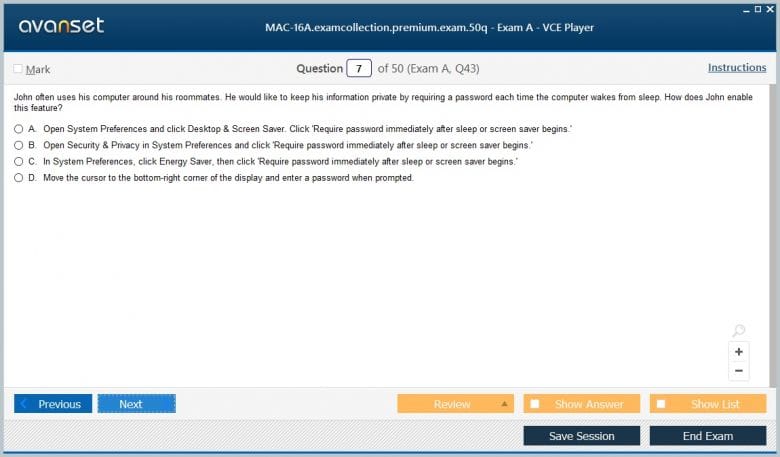
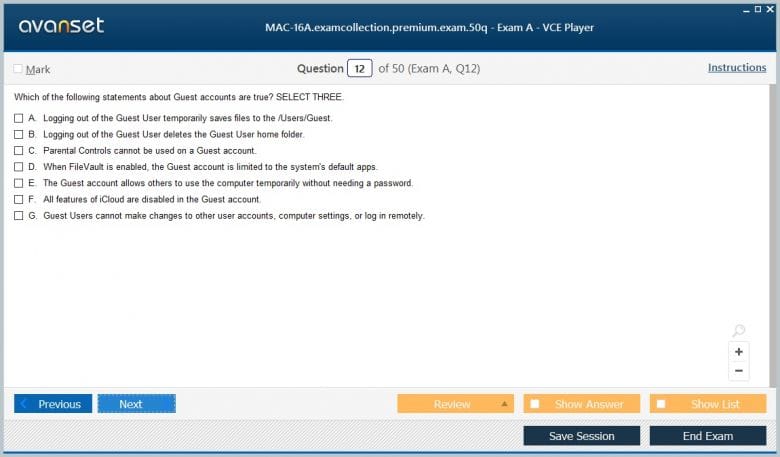
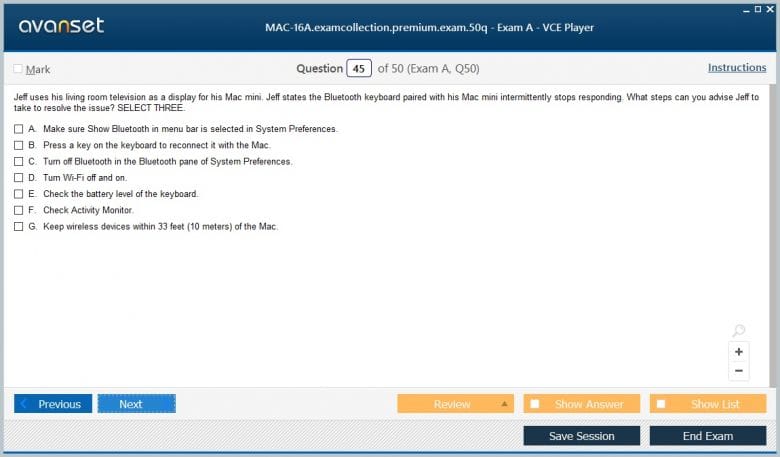
Apple MAC-16A Practice Test Questions in VCE Format
| File | Votes | Size | Date |
|---|---|---|---|
File Apple.Prepaway.MAC-16A.v2026-08-05.by.Gary.31q.vce |
Votes 3 |
Size 43.12 KB |
Date Aug 08, 2026 |
Apple MAC-16A Practice Test Questions, Exam Dumps
Apple MAC-16A (ACMT 2016 MAC Service Certification Exam) exam dumps vce, practice test questions, study guide & video training course to study and pass quickly and easily. Apple MAC-16A ACMT 2016 MAC Service Certification Exam exam dumps & practice test questions and answers. You need avanset vce exam simulator in order to study the Apple MAC-16A certification exam dumps & Apple MAC-16A practice test questions in vce format.
Apple MAC-16A was the ACMT 2016 Mac Service Certification Exam, one half of the historical Apple Certified Mac Technician 2016 requirement. It belongs to Apple’s former service-certification system and should not be presented as a current Apple IT exam. Historical training records describe MAC-16A as a Pearson VUE computer-based knowledge test focused on Mac hardware service, diagnostics, and safe repair practice.
The 2016 structure paired MAC-16A with Apple Service Fundamentals. Historical specifications list 70 total items, a two-hour time limit, an 80 percent overall passing requirement, and a separate safety threshold requiring at least four correct answers in a five-item safety section. The test was open-resource, reflecting a service environment in which technicians were expected to find and apply authoritative Apple procedures.
MAC-16A followed the earlier Mac Service Certification used for ACMT 2015. Later service training changed again, including Apple Service Fundamentals 2017 and Apple Service Fundamentals 2019. Current Apple professional training is now centered on organization-level support through Apple Device Support, not the ACMT 2016 repair exam.
The must-pass safety requirement is one of the clearest signals about what Apple expected from a service technician. Mac repair exposes technicians to batteries, power supplies, sharp enclosure edges, fragile connectors, display assemblies, and components that can be damaged by electrostatic discharge. A technician who diagnoses accurately but works unsafely is not competent.
Preparation should therefore begin with ESD controls, battery handling, disconnecting power, identifying model-specific hazards, and using the correct tools. Lithium batteries deserve particular attention because swelling, puncture, or inappropriate pressure can create a serious hazard. The correct response to damage is controlled handling and escalation, not improvisation.
Safety also includes protecting the product. Work surfaces, grounding, fastener organization, connector handling, and following disassembly sequence all reduce the chance of creating a new fault while fixing the original one. Service speed is valuable only when it does not compromise the device or the technician.
Apple has produced many Macs with similar external designs but different internal layouts, parts, diagnostic requirements, and service steps. MAC-16A candidates needed to recognize that a marketing name such as “MacBook Pro” is not enough. The technician must identify the exact model and configuration before selecting a repair procedure or replacement part.
Model identification can use serial information, hardware details, enclosure characteristics, and service documentation. The reason is practical: a cable location, fastener length, battery design, display attachment method, or logic-board procedure may change between generations. Applying instructions from the wrong model can damage the machine.
This is one reason the historical exam was open-resource. Professional service does not reward memorizing every screw position. It rewards knowing which official reference applies and following it accurately. Candidates should practice navigating documentation quickly and verifying that the document matches the device on the bench.
A strong service workflow starts with the customer’s symptom and attempts to reproduce it. The technician then separates likely causes through observation and controlled tests. No power, no video, unexpected shutdown, slow storage, intermittent wireless behavior, and charging complaints all require different diagnostic branches.
The objective is isolation. Built-in or service diagnostics can identify failed subsystems, but results should be interpreted alongside the symptom. A diagnostic pass does not prove every component is healthy, and a failure code does not remove the need to understand what was tested. Known-good adapters, cables, peripherals, and controlled startup states can reduce uncertainty.
Change one meaningful variable at a time. If the technician resets settings, replaces a cable, updates software, and swaps a part all at once, a successful outcome provides little evidence about the actual cause. Controlled troubleshooting produces a defensible repair and makes recurrence easier to diagnose.
Intermittent faults deserve patience because a single successful startup or short diagnostic run may not reproduce the customer’s experience. Record the conditions that trigger the problem—temperature, movement, battery state, connected peripherals, sleep and wake, or sustained workload—and repeat the test under comparable conditions. A repair decision is stronger when the technician can connect the symptom to a repeatable condition instead of relying on a one-time observation.
Power complaints are not all the same. A Mac that does not start, a Mac that starts only on an adapter, and a Mac that shuts down under load point toward different possibilities. The technician should inspect the power source, charging path, battery condition, connectors, and relevant system behavior before concluding that a major board has failed.
Battery symptoms can be influenced by age, charge state, temperature, and power-management behavior. Physical battery damage requires a safety response, while a healthy-looking battery may still have degraded capacity or an electronic fault. The service decision should combine physical inspection, diagnostic information, and the exact symptom.
Thermal problems belong in the same reasoning model. Fans, sensors, heatsinks, airflow, and sustained workload can affect temperature and performance. If a machine only fails after extended load, reproducing that condition is more useful than a quick idle test that never triggers the symptom.
A display symptom may originate in the panel, cable, graphics path, backlight, logic board, or software configuration. Storage symptoms may reflect media failure, filesystem damage, or software. Memory issues can appear as crashes or startup instability. Ports may fail because of cables, connected devices, software state, or internal hardware.
Candidates should trace the complete path instead of naming the most obvious component. For a display complaint, test internal and external behavior where appropriate. For a peripheral complaint, use a known-good cable and device. For storage, consider data protection before running destructive procedures. The next test should be chosen because it distinguishes between hypotheses.
System information, logs, startup behavior, and diagnostics are evidence. A competent technician combines them with physical inspection and user history. If a symptom began after liquid exposure, impact, a software update, or peripheral connection, that timing may guide the investigation without automatically proving causation.
Replacing the suspected part is only the middle of a repair. Macs may use delicate flex cables, adhesives, shields, antennas, sensors, and fasteners whose location matters. A technician should organize removed hardware, avoid forcing connectors, and follow the sequence for the exact model. Workmanship failures can create secondary symptoms that are harder to diagnose than the original problem.
After reassembly, reproduce the original test. Then verify related functions that could have been affected by the repair. A display replacement may involve cameras, sensors, antenna paths, or enclosure fit. A battery service should be followed by charging and power checks. A logic-board repair may warrant broader functional verification.
Successful service is demonstrated, not assumed. The final condition should match the reported problem, the tests performed, and the repair action. If the original symptom cannot be reproduced before work begins, document that uncertainty instead of claiming that a replaced part definitively caused the problem.
Service records should capture the reported symptom, device identity, observed condition, diagnostic steps, results, parts or actions taken, and verification outcome. Good notes allow another technician to understand the case without reconstructing it from memory. They also help distinguish a repeat repair from a new failure.
Customer data and privacy place boundaries on troubleshooting. A technician may need enough access to verify startup, networking, display, or storage behavior without browsing unrelated personal information. Before destructive storage work, the data situation should be understood and the service organization’s rules followed.
Clear communication matters when a repair has uncertainty. If an intermittent problem cannot be reproduced, if data loss is possible, or if additional damage is found, expectations should be set before proceeding. Technical skill includes knowing when to stop, escalate, or ask for authorization rather than continuing simply because more disassembly is possible.
The historical open-resource format did not make MAC-16A trivial. Service documents can be extensive, and time is limited. Candidates needed to know enough about the hardware and troubleshooting process to locate the right reference quickly. Searching blindly for every answer is inefficient and can produce mistakes when similar models have different instructions.
A useful preparation method is to practice with realistic cases while keeping official service references available. Identify the model, state the safety concerns, choose the first diagnostic step, locate the relevant procedure, and explain how you would verify the result. This reproduces the professional use of documentation much better than memorizing isolated trivia.
Safety topics should be studied until they are immediate, not something that requires searching under pressure. The separate must-pass threshold reflects that priority. Other model-specific details can be looked up, but the technician should already know when a situation demands power isolation, ESD protection, or special battery handling.
MAC-16A remains useful for understanding the expectations placed on Apple hardware technicians in 2016: safe service, exact model identification, disciplined diagnostics, authoritative documentation, careful repair, and verification. Those habits are still professionally valuable even though the credential system has changed.
Current Apple Device Support focuses much more on helping users and organizations with modern iPhone, iPad, and Mac software, accounts, security, recovery, networking, and troubleshooting. It is not a direct continuation of the ACMT hardware-repair exam, and candidates should not use MAC-16A study material as a substitute for the current objectives.
For historical preparation, keep the MAC-16A and SVC-16A pairing explicit and study the 2016 service environment on its own terms. For a new credential, use Apple’s live training. Separating those purposes preserves the value of the legacy exam while preventing outdated service details from being mistaken for current certification requirements.
Go to testing centre with ease on our mind when you use Apple MAC-16A vce exam dumps, practice test questions and answers. Apple MAC-16A ACMT 2016 MAC Service Certification Exam certification practice test questions and answers, study guide, exam dumps and video training course in vce format to help you study with ease. Prepare with confidence and study using Apple MAC-16A exam dumps & practice test questions and answers vce from ExamCollection.
Purchase Individually
Top Apple Certification Exams
Site Search:

SPECIAL OFFER: GET 10% OFF

Pass your Exam with ExamCollection's PREMIUM files!
SPECIAL OFFER: GET 10% OFF
Use Discount Code:
MIN10OFF
A confirmation link was sent to your e-mail.
Please check your mailbox for a message from support@examcollection.com and follow the directions.

Download Free Demo of VCE Exam Simulator
Experience Avanset VCE Exam Simulator for yourself.
Simply submit your e-mail address below to get started with our interactive software demo of your free trial.