



Premium File
80 Q&A
$76.99$69.99
Esri EADA105 Exam Questions & Answers, Accurate & Verified By IT Experts
Instant Download, Free Fast Updates, 99.6% Pass Rate
80 Questions & Answers
Last Update: Sep 11, 2026
$69.99
Esri EADA105 Exam Screenshots
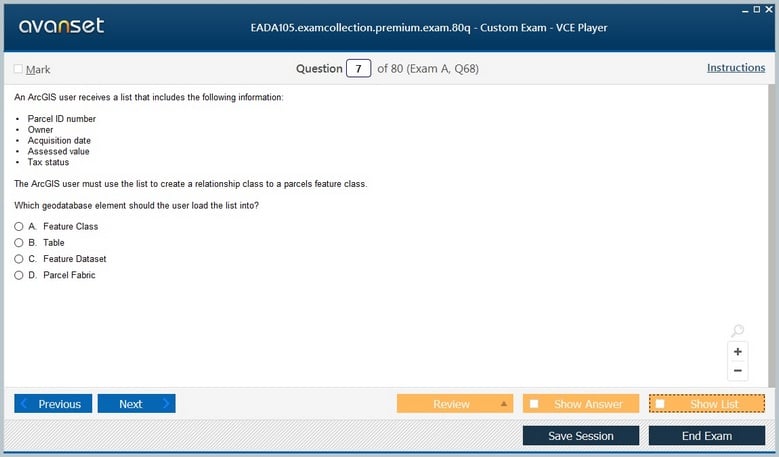
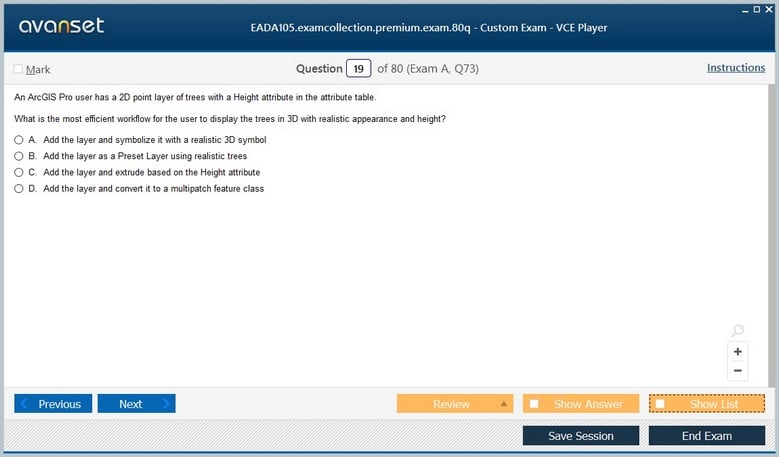
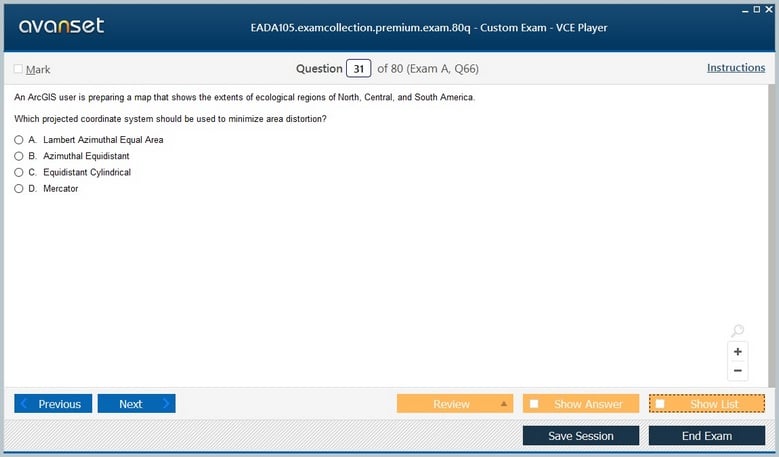
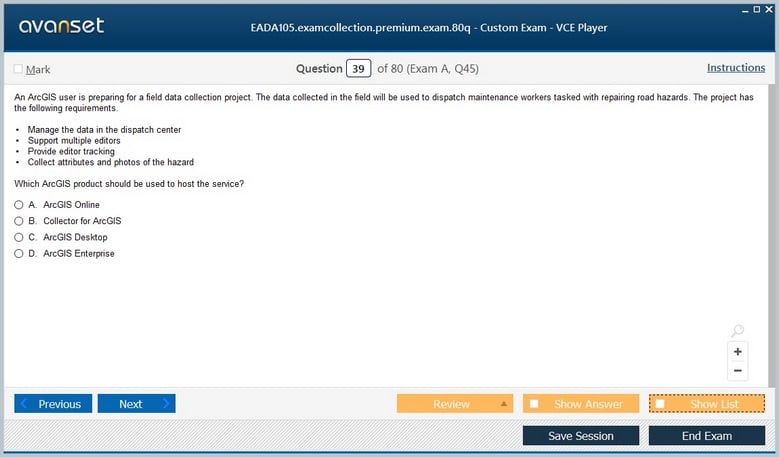
Esri EADA105 Practice Test Questions in VCE Format
| File | Votes | Size | Date |
|---|---|---|---|
File Esri.Test-king.EADA105.v2026-08-27.by.Andrew.39q.vce |
Votes 3 |
Size 311.49 KB |
Date Aug 31, 2026 |
Esri EADA105 Practice Test Questions, Exam Dumps
Esri EADA105 (ArcGIS Desktop Associate 10.5) exam dumps vce, practice test questions, study guide & video training course to study and pass quickly and easily. Esri EADA105 ArcGIS Desktop Associate 10.5 exam dumps & practice test questions and answers. You need avanset vce exam simulator in order to study the Esri EADA105 certification exam dumps & Esri EADA105 practice test questions in vce format.
EADA105 was Esri’s ArcGIS Desktop Associate 10.5 certification exam, an associate-level credential from the ArcGIS 10.5 era. Esri’s retirement schedule shows that the 10.5 generation, including ArcGIS Desktop Associate 10.5, retired on December 31, 2020. The code therefore belongs to a historical certification path rather than Esri’s current exam catalog. It still matters because it captured a transition period when desktop GIS professionals were expected to work across ArcMap, ArcGIS Pro, ArcGIS Online, and selected enterprise workflows instead of treating desktop mapping as an isolated application skill.
Candidates studying the old objective set should keep the historical scope intact and avoid substituting today’s ArcGIS certification blueprint for what EADA105 originally represented. At the same time, the best way to understand the exam is to see the underlying professional skills that remained durable: organizing spatial data, selecting appropriate coordinate systems, editing with quality controls, running geoprocessing tools, designing clear maps, sharing useful outputs, and diagnosing why a workflow gives the wrong result. The broader Esri certifications provide the right vendor context for this legacy exam.
EADA105 sat above an entry-level exam and was aimed at professionals who had enough hands-on experience to make decisions, not merely recognize interface labels. A qualified associate had to understand why a dataset behaved a certain way, which workflow was appropriate, and what consequences a configuration choice could have. The difference matters in preparation: memorizing where a button was located in ArcMap or ArcGIS Pro was less valuable than understanding what the tool changed, what its inputs required, and how to validate its output.
The historical relationship with ArcGIS Desktop Entry 10.5 helps clarify that progression. Entry-level knowledge emphasized foundational navigation and common operations; associate-level work demanded more judgment about data, analysis, editing, visualization, and sharing. A useful study approach is to take each major workflow and ask what decisions an experienced analyst would make before, during, and after the operation. That converts product familiarity into professional reasoning.
ArcGIS 10.5 arrived during a period when ArcMap remained deeply established while ArcGIS Pro was becoming increasingly important. Esri guidance from the time confirms that the 10.5 associate exam included ArcGIS Pro concepts, which means candidates could not treat Pro as an unrelated future product. They needed to understand the shared GIS ideas beneath both interfaces: maps and layers, geodatabases, selection, symbology, layouts, geoprocessing, editing, and publishing.
That dual-product context makes workflow comparison useful. A candidate should be able to explain how a task such as symbolizing a feature class, defining a query, building a layout, or running a geoprocessing model moves from data to decision. The exact ribbon, toolbar, or dialog may differ, but the analytical sequence is stable. Study is strongest when it separates enduring GIS logic from version-specific interface memory, because the exam tested the ability to apply concepts inside Esri software rather than recite a menu map.
GIS analysis can be technically correct and still produce a misleading result if the source data is misunderstood. Associate-level preparation should therefore cover feature classes, shapefiles, tables, rasters, geodatabases, fields, domains, subtypes, relationships, and metadata as more than vocabulary. The key question is how structure affects behavior. A field type constrains values; a domain reduces invalid entries; a relationship preserves connections between records; a raster cell size affects what detail an analysis can reasonably support.
Data lineage is equally important. Before editing or analysis, a practitioner should know the source, date, scale, coordinate system, completeness, and known limitations of the dataset. When two layers disagree, the analyst should investigate whether the problem is geometry, projection, currency, classification, or collection method. These habits prevent a common GIS failure: forcing incompatible datasets into a workflow because they happen to display together on a map.
One of the most durable competencies from the EADA105 era is spatial reference literacy. Candidates should understand the difference between geographic and projected coordinate systems, the role of datums, why projection introduces distortion, and why a coordinate system suitable for continental display may be poor for local measurement. A layer appearing in the correct general location does not prove that its spatial reference is appropriate for accurate distance, area, or overlay work.
Datum transformations deserve special attention because they are easy to overlook when datasets use different geographic coordinate systems. The right transformation depends on the source and target datums and the geographic area. A practical study drill is to take several common operations—buffering, measuring area, overlaying boundaries, and combining GPS data with local datasets—and explain which spatial reference issues could alter the result. This turns projection knowledge into operational judgment rather than abstract terminology.
Professional editing is not just drawing points, lines, and polygons. It includes selecting appropriate snapping behavior, preserving topology, using templates, validating attributes, and understanding when an edit changes neighboring or related features. Candidates should think in terms of data quality: what rules are supposed to remain true after the edit, and how can the editor prove they still hold?
Attribute quality is often as important as geometry. Domains, subtypes, default values, and validation rules reduce inconsistent data entry, while field calculations can correct or standardize large sets of records. An associate should know when automated changes are safe and when they require review. For high-value datasets, an audit trail and controlled editing process are part of the workflow because a geometrically clean feature with incorrect business attributes can be just as damaging as a visibly broken shape.
Buffer, clip, dissolve, intersect, spatial join, select by location, merge, and similar tools are easy to recognize. The harder skill is choosing the right operation and validating whether its assumptions match the analytical question. A buffer distance has units and projection implications. An intersect changes geometry and attributes. A spatial join requires the analyst to understand one-to-one versus one-to-many relationships and the statistical meaning of any field aggregation.
Good preparation uses small scenarios. If a planner needs parcels within walking distance of a transit stop, what does “within” mean and which distance model is appropriate? If service areas overlap census polygons, should the workflow preserve all fragments or summarize by geography? If a tool returns empty output, is the cause an extent, selection, geometry, field type, or coordinate system issue? Scenario practice trains the diagnostic reasoning that makes geoprocessing reliable.
Maps are analytical products, not decoration. Candidates should understand how classification, symbol hierarchy, labeling, scale, color, and layout choices influence what the reader sees. A graduated-color map can overstate differences if the class method is poorly chosen; labels can create false emphasis; excessive detail can bury the feature that matters. Associate-level judgment means matching the visual method to the data type and the decision the map is meant to support.
Scale awareness is central. A layer appropriate at neighborhood scale may become meaningless when displayed nationally, and a label strategy that works on a static map may fail in an interactive web map. The analyst should know when to generalize, filter, cluster, simplify, or change symbols as scale changes. Strong cartography also includes clear titles, legends, units, sources, and visual hierarchy so the final output can be interpreted without the author standing beside it.
EADA105 was not confined to local desktop output. The ArcGIS platform increasingly connected desktop analysis with ArcGIS Online and ArcGIS Enterprise, so candidates needed to understand what happens when content is shared. A map prepared for publishing has dependencies: data sources, layer capabilities, coordinate systems, symbology, pop-ups, scale ranges, and access permissions. A successful publish operation is only the beginning; the result must still behave correctly for its intended audience.
Permissions deserve deliberate review. Sharing an item publicly, to an organization, or to a group changes who can discover and use it. Analysts should also understand the distinction between hosted copies and services that reference authoritative enterprise data. The related ArcGIS Enterprise Administration Professional 2201 represents a much deeper administrative role, but the associate should still recognize the enterprise concepts that affect how desktop work reaches other users.
Because EADA105 retired in 2020, candidates should not assume that an old exam code describes today’s ArcGIS products, licensing, interfaces, or certification options. Esri’s current catalog emphasizes newer ArcGIS Pro and ArcGIS Enterprise credentials. Historical material is most useful when it explains how GIS work was structured in the 10.5 generation and which principles still matter, not when it is presented as a current booking path.
The lasting value of the EADA105 scope is its insistence that an associate-level GIS professional connect data, analysis, cartography, editing, and sharing into one workflow. A strong analyst can explain not only how a result was produced but why each step was chosen, which assumptions could fail, and how quality was checked. That reasoning remains useful long after the specific exam and interface generation have retired.
Historical study is also a useful way to understand how Esri's desktop platform evolved. A learner can compare an old ArcMap-oriented workflow with the equivalent ArcGIS Pro workflow and identify what changed in the interface, what changed in the data model, and what did not change at all. That comparison reveals the professional core behind the software: define the question, inspect the data, choose an appropriate method, document assumptions, validate the result, and communicate it clearly. Those habits are more important than memorizing an obsolete screen layout and make legacy EADA105 material useful without pretending the retired exam is still current.
Go to testing centre with ease on our mind when you use Esri EADA105 vce exam dumps, practice test questions and answers. Esri EADA105 ArcGIS Desktop Associate 10.5 certification practice test questions and answers, study guide, exam dumps and video training course in vce format to help you study with ease. Prepare with confidence and study using Esri EADA105 exam dumps & practice test questions and answers vce from ExamCollection.
Purchase Individually
Site Search:

SPECIAL OFFER: GET 10% OFF

Pass your Exam with ExamCollection's PREMIUM files!
SPECIAL OFFER: GET 10% OFF
Use Discount Code:
MIN10OFF
A confirmation link was sent to your e-mail.
Please check your mailbox for a message from support@examcollection.com and follow the directions.

Download Free Demo of VCE Exam Simulator
Experience Avanset VCE Exam Simulator for yourself.
Simply submit your e-mail address below to get started with our interactive software demo of your free trial.