
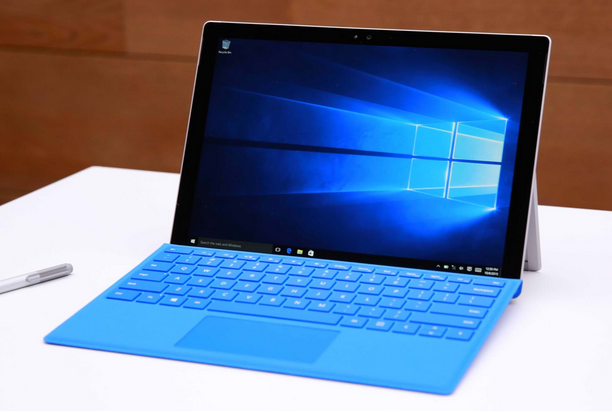
Windows 10 Ceases to Exist…Why?
Windows 10 represented one of Microsoft’s most successful operating system releases, arriving in 2015 with a promise that it would be the last version of Windows users would ever need to install, evolving continuously through updates rather than requiring the kind of disruptive major version transitions that had characterized the Windows release cycle for decades. That promise made the announcement of Windows 10’s end of support on October 14, 2025 feel paradoxical to many users who had internalized Microsoft’s original messaging about the platform’s permanence. Understanding why Microsoft ultimately stepped back from that commitment and allowed Windows 10 to reach its end of life requires examining the business, technical, and strategic forces that shaped the decision and led millions of computers to face an uncertain future without ongoing security support.
The end of Windows 10 was not a sudden reversal but the culmination of a gradual strategic repositioning that Microsoft had been executing for several years before the official end of support date arrived. The introduction of Windows 11 in 2021 signaled clearly that the original Windows as a Service vision had evolved into something different, with Microsoft choosing to draw a more traditional distinction between operating system generations than its original rhetoric had suggested. The hardware requirements that accompanied Windows 11 made explicit what the platform transition meant in practice, leaving a substantial portion of the existing Windows 10 device population without a clear upgrade path and setting the stage for the questions about what would happen to those devices when support eventually concluded.
The Original Promise That Made Windows 10 Different
When Microsoft introduced Windows 10 in 2015, the company made a bold marketing commitment that distinguished the release from every previous Windows version in its history. Windows 10 was described as a service rather than a product, a platform that would receive continuous updates delivering new features and security improvements indefinitely rather than being superseded by a new paid version requiring users to purchase an upgrade or buy new hardware. This framing resonated strongly with consumers and organizations alike, addressing the fatigue that many users felt toward the traditional upgrade cycle and the frustration of managing transitions between incompatible Windows versions across large device fleets.
The Windows as a Service model delivered on its promise of continuous improvement throughout the first several years of Windows 10’s lifecycle, with Microsoft releasing major feature updates twice annually that added capabilities, refined the user experience, and incorporated security improvements reflecting the evolving threat landscape. This delivery model created a fundamentally different relationship between Microsoft and its users than previous Windows versions had established, with the operating system functioning more like a subscription service than a traditional software product. The genuine innovation that the continuous delivery model represented made the eventual decision to introduce Windows 11 as a distinct successor feel like a retreat from commitments that users and organizations had made long-term decisions based on.
Hardware Requirements That Divided the Windows User Base
The hardware requirements Microsoft established for Windows 11 eligibility represented the most consequential technical decision in the Windows 10 end of life story because they determined which devices could follow a supported upgrade path and which would be left behind when Windows 10 support concluded. The requirement for a Trusted Platform Module version 2.0 chip, specific processor generations from Intel and AMD, and secure boot capability excluded a substantial number of devices that remained fully functional for typical computing workloads but lacked the security-oriented hardware features that Microsoft deemed necessary for Windows 11 compatibility. Estimates of the number of devices excluded from Windows 11 eligibility varied, but the scale was clearly significant enough to create a substantial population of computers facing end of support without an official upgrade path.
Microsoft’s rationale for the TPM 2.0 requirement centered on the security improvements that hardware-based security capabilities enable, particularly in areas like credential protection, secure boot verification, and the hardware-backed security features that Windows 11’s security architecture depended on. From a security architecture perspective, the decision to require modern security hardware rather than supporting the full range of hardware that Windows 10 ran on reflected a genuine commitment to raising the security baseline of supported Windows deployments. From the perspective of users with relatively recent but technically ineligible hardware, the requirement felt arbitrary, particularly since many excluded processors were only one or two generations behind the eligible threshold and offered performance capabilities fully adequate for Windows 11’s feature set.
The Security Implications of Running Unsupported Software
The most significant practical consequence of Windows 10 reaching end of support is the security exposure that unsupported operating system users face in an environment where unpatched vulnerabilities are actively exploited by threat actors who specifically target software that no longer receives security fixes. When Microsoft ceased providing security updates for Windows 10 after October 14, 2025, every vulnerability discovered in the operating system from that date forward became a permanent unpatched exposure for users who remained on the platform without either upgrading to Windows 11 or paying for extended security updates. The history of previous Windows end of support transitions provides clear evidence of the risk this creates, with Windows XP remaining a significant attack target for years after its 2014 end of support because its large installed base of unpatched systems provided easily exploitable footholds for malware distribution and network intrusion.
Security researchers and threat intelligence organizations consistently document the acceleration in exploitation attempts that follows operating system end of support dates, as sophisticated attackers who have been holding knowledge of unpatched vulnerabilities wait for the moment when those vulnerabilities become permanently exploitable before deploying them in campaigns. The economics of vulnerability exploitation favor attackers who can target large populations of permanently vulnerable systems, and the size of the Windows 10 installed base that remained beyond upgrade at end of support created exactly the kind of large, permanently vulnerable target population that makes exploitation campaigns economically attractive for well-resourced threat actors. Organizations and individuals who remained on Windows 10 past its end of support date without additional protective measures accepted a security risk profile that would grow worse over time as the unpatched vulnerability inventory accumulated.
Microsoft’s Extended Security Update Program and Its Limitations
Recognizing that not all Windows 10 users would be able to complete migrations to Windows 11 or replacement hardware before the end of support deadline, Microsoft offered an Extended Security Update program that provided continued security patches beyond the standard end of support date for users willing to pay for continued coverage. This program followed the precedent established by similar extended support offerings for Windows 7 and Windows Server versions, providing a paid bridge for organizations and individuals with genuine operational reasons for remaining on the unsupported platform beyond its standard lifecycle conclusion. The Extended Security Update program for Windows 10 consumer users was priced at thirty dollars for the first year of coverage, a relatively accessible price point compared to enterprise extended support pricing from previous Windows end of life transitions.
The limitations of extended security updates as a long-term strategy are significant enough that they represent a bridge solution rather than a permanent alternative to migration. Extended security updates typically cover only critical and important security vulnerabilities rather than the full range of improvements that supported platform users receive, meaning that extended support users gradually fall behind on quality improvements, feature additions, and non-security bug fixes alongside which security patches are normally delivered. The extended support period for Windows 10 was defined as a finite bridge rather than an indefinite continuation, giving users additional time to complete migration planning and execution without providing a permanent solution for remaining on the platform. Organizations and individuals relying on extended security updates needed to treat the additional time as an opportunity to accelerate migration rather than as permission to defer it indefinitely.
The Role of Windows 11 Adoption Challenges in the Transition
Windows 11 adoption proceeded more slowly than Microsoft had likely anticipated during the years following its 2021 introduction, creating a larger population of Windows 10 users approaching end of support without having completed migration than would have been ideal from the perspective of an orderly platform transition. Several factors contributed to the slower than expected adoption rate, beginning with the hardware eligibility requirements that excluded functional devices and created both practical upgrade barriers and a perception among users that Microsoft was using the transition to drive hardware sales rather than genuinely requiring modern hardware for technical reasons. The perception of artificially restrictive requirements, whether accurate or not, created resistance that affected willingness to engage with the upgrade process even among users with eligible hardware.
User interface changes in Windows 11 also generated resistance from Windows 10 users who had become accustomed to the interface conventions that Windows 10 had established over its years of continuous refinement. The repositioned Start menu, modified taskbar behavior, and various workflow changes that accompanied Windows 11 required adjustment from experienced Windows 10 users who valued their existing workflows and saw the disruption of those workflows as a cost without obvious benefit. For organizations managing large device fleets, application compatibility testing requirements for Windows 11 migrations added project complexity and timeline that pushed enterprise migration completions toward or beyond the end of support deadline. The combination of hardware barriers, user resistance, and enterprise migration complexity created the conditions where a substantial Windows 10 population remained at end of support.
Environmental and Economic Arguments Around Hardware Replacement
The hardware requirements for Windows 11 eligibility generated substantial criticism from environmental and sustainability advocates who argued that the artificial exclusion of functional hardware from upgrade eligibility would generate unnecessary electronic waste at a scale with meaningful environmental consequences. A device capable of running Windows 10 effectively and serving its user’s computing needs adequately represented a manufacturing investment and material resource consumption that sustainability considerations argued for maximizing through extended useful life rather than premature replacement. The argument that requiring hardware replacement to continue receiving security updates effectively converted a software end of life decision into a mandate for hardware disposal resonated with users, organizations, and policymakers who had developed heightened sensitivity to electronic waste concerns.
The economic dimension of the hardware replacement argument was equally significant for users without the financial flexibility to treat computer hardware as a frequently replaceable commodity. The suggestion that users purchase new hardware to maintain security support for their computing devices created genuine hardship for individuals and small organizations operating with constrained technology budgets, and the timing of the end of support decision in an economic environment characterized by inflation and reduced technology spending placed the hardware replacement burden at a particularly difficult moment for budget-constrained users. Microsoft’s response to these concerns, which included the Extended Security Update program and various trade-in and recycling programs, acknowledged the legitimacy of the concerns without fully resolving the tension between the security rationale for the hardware requirements and the economic and environmental costs of acting on that rationale.
Enterprise Migration Complexity and Organizational Inertia
Large enterprise organizations faced migration challenges of a scale and complexity that individual consumers did not, with Windows 10 deployments spanning tens or hundreds of thousands of devices running diverse application portfolios with varying compatibility profiles, managed through complex configuration management infrastructure built and refined over years of Windows 10 operation. Planning and executing migrations at enterprise scale required coordinated effort across IT operations, application support teams, procurement, user training, and project management functions that demanded lead times and resource commitments not all organizations had adequately planned for as the end of support deadline approached. Organizations that had underinvested in migration planning found themselves facing difficult choices between accepting continued Windows 10 operation past end of support and accelerating migration programs that risked quality shortcuts creating new operational problems.
Application compatibility represented the most common technical barrier to enterprise Windows 11 migration, as organizations running line of business applications, specialized professional software, or legacy systems developed for earlier Windows versions needed to verify compatibility and in some cases negotiate with vendors for updated software versions before proceeding with operating system upgrades. The cost and timeline associated with resolving application compatibility barriers varied enormously across organizations depending on the age and diversity of their software portfolios, with organizations running modern cloud-connected applications experiencing relatively smooth migrations and those dependent on older specialized software facing potentially extended timelines and significant vendor engagement effort. These real-world migration complexities explained much of the enterprise Windows 10 persistence that characterized the period leading up to and following the end of support date.
How Competitor Platforms Responded to Windows 10’s End
The end of Windows 10 support created an opening that competing platform providers recognized and actively sought to capitalize on, particularly targeting the population of users with hardware excluded from Windows 11 eligibility who needed to make platform decisions about their existing devices. Google’s ChromeOS Flex positioned itself explicitly as an alternative for older hardware that Windows 11 hardware requirements had excluded, offering a cloud-centric operating system that could breathe productive life into devices too old for Windows 11 while providing a supported and maintained platform experience. The pitch was particularly effective for users whose computing needs centered on web-based applications and cloud services rather than locally installed Windows software with no cross-platform alternatives.
Linux distributions similarly experienced renewed attention from users seeking supported alternatives for hardware that Windows 11 had excluded, with distributions oriented toward ease of use and Windows familiarity making accessibility arguments to mainstream users that previous Linux migration advocacy efforts had rarely managed to land effectively with non-technical audiences. Apple’s ecosystem remained an option for users willing to make the financial investment in Mac hardware, with Apple Silicon’s performance and efficiency advantages making the platform increasingly attractive for users whose Windows 10 experiences had been defined by performance limitations on aging hardware. The competitive responses to Windows 10’s end demonstrated that the operating system market remained more dynamic than its apparent Windows dominance suggested, with meaningful alternative platforms available for users motivated to explore them by the disruption of their existing Windows arrangements.
The Broader Lesson About Software Lifecycle Management
The Windows 10 end of life story carries lessons about software lifecycle management that extend well beyond the specific circumstances of this particular operating system transition. Organizations and individuals who had made long-term device and software investment decisions based on Microsoft’s original Windows as a Service rhetoric learned that platform commitments made by technology companies, however sincerely intended at the time, remain subject to revision as business strategies, technical architectures, and market conditions evolve. The practical wisdom of maintaining awareness of software lifecycle dates, planning migrations before end of support deadlines rather than at them, and avoiding excessive dependence on vendor commitments about indefinite support was reinforced by the Windows 10 experience in ways that applied broadly to technology lifecycle planning.
The transition also illustrated the tension between the security imperative of maintaining supported software and the economic reality that hardware replacement cycles cannot always be synchronized with software lifecycle decisions made by platform vendors. Resolving this tension requires either financial flexibility to replace hardware on vendor-driven timelines, technical capability to evaluate and implement alternative platforms when vendor decisions create upgrade barriers, or willingness to accept the security risks of running unsupported software while implementing compensating controls that partially mitigate those risks. None of these options is universally available or costless, making the Windows 10 end of life transition a useful case study in the real-world constraints that complicate the straightforward security advice to always run current supported software.
What Happened to the Windows 10 User Base After Support Ended
The post-end-of-support trajectory of the Windows 10 user base followed patterns that previous Windows end of life transitions had established, with a significant population remaining on the platform past the official deadline while gradually declining as migrations, hardware replacements, and platform changes worked through the installed base over subsequent months and years. Usage statistics from web analytics services that track operating system versions showed Windows 10 maintaining a substantial share of Windows desktop traffic well past its end of support date, consistent with the pattern observed after Windows 7 end of support in 2020 when the platform retained notable usage share for an extended period despite no longer receiving security updates.
The security consequences for users who remained on Windows 10 past end of support began materializing as threat actors incorporated newly discovered Windows 10 vulnerabilities into exploitation frameworks targeting the persistent installed base. Security vendors offering endpoint protection products extended their support for Windows 10 beyond Microsoft’s own end of support date, providing partial risk mitigation for users who maintained current third-party security software even on unsupported operating systems, though the protection these tools could provide was necessarily incomplete compared to the combination of platform security updates and endpoint protection that supported system users received. The Windows 10 post-support period thus became a case study in the practical security consequences of operating system end of life that security researchers, organizational risk managers, and policy makers observed and documented for application to future platform transition planning.
Conclusion
The end of Windows 10 represents a convergence of business strategy, technical architecture evolution, security philosophy, and commercial lifecycle management that ultimately overrode the original vision of a perpetually supported platform. Microsoft’s decision to introduce Windows 11 as a distinct successor rather than a continuous evolution of Windows 10 reflected judgments about the security architecture foundations required for modern computing that carried genuine technical merit, even as the implementation of those judgments through hardware eligibility requirements created legitimate grievances for users with functional devices excluded from the upgrade path.
The story of why Windows 10 ceased to exist is ultimately a story about the limits of vendor commitments in rapidly evolving technology markets, the tension between security imperatives and economic realities in platform lifecycle management, and the complex organizational and individual challenges that major operating system transitions create even when the technical rationale for those transitions is sound. Users and organizations that navigated the transition successfully did so by taking the lifecycle deadline seriously well in advance, developing migration plans that accounted for real constraints around hardware eligibility and application compatibility, and treating the transition as an opportunity to modernize their computing environments rather than merely as a compliance obligation to be satisfied at minimum cost.
The Windows 10 end of life experience will inform how organizations approach software lifecycle planning for years to come, reinforcing the importance of maintaining current supported software as a security baseline, avoiding excessive dependence on vendor commitments about indefinite support, and building the organizational processes for proactive lifecycle management that prevent end of support deadlines from becoming crises. For individual users, the transition served as a reminder that the computing platforms they depend on exist within commercial ecosystems where business decisions ultimately shape what support is available and for how long, making personal technology literacy about lifecycle management as important as any specific technical skill for navigating the continued evolution of the digital environment. Windows 10 may have ceased to exist as a supported platform, but the lessons its lifecycle taught about the relationship between technology vendors, their products, and the users who depend on them will remain relevant for as long as software lifecycle management remains a fundamental challenge of the digital age.
- Category: All Certifications Microsoft
- Tags: Chrome, Lite OS, PC, windows, windows 10
