
Top 10 Free Cloud Storage Services: Store Your Data in a Safe Place!
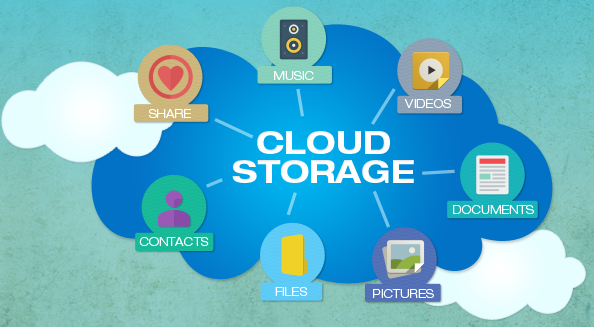
Cloud storage is a technology that allows individuals and businesses to save their files, documents, photos, videos, and other digital data on remote servers maintained by third-party providers rather than on local hard drives or physical devices. When you upload a file to a cloud storage service, it travels over the internet to a data center where it is stored securely and made accessible to you from any device with an internet connection. This fundamental shift from local to remote storage has changed the way people think about data management, making files available anywhere, anytime, without the risk of losing everything to a hardware failure or accidental deletion.
The popularity of free cloud storage services has exploded over the past decade as internet speeds have improved and smartphones have become the primary device for capturing photos and videos. Most providers offer a generous free tier to attract users, with the option to upgrade to paid plans for additional storage capacity or advanced features. Free tiers typically range from 5 gigabytes to 20 gigabytes, which is enough for most casual users who primarily store documents and photos. Understanding what each service offers, how it protects your data, and what its limitations are helps you choose the right platform for your specific needs.
Google Drive Free Storage
Google Drive is arguably the most widely used free cloud storage service in the world, offering 15 gigabytes of free storage shared across Google Drive, Gmail, and Google Photos. This generous allocation covers most everyday users who store documents, spreadsheets, presentations, and moderate amounts of photos. What makes Google Drive particularly powerful is its deep integration with Google Workspace applications including Docs, Sheets, Slides, and Forms, all of which allow real-time collaboration with other users at no cost. Files created natively in Google Workspace formats do not count toward your storage quota, which effectively extends your usable free storage considerably.
The platform is accessible through a web browser, dedicated desktop applications for Windows and macOS, and mobile apps for Android and iOS. Google Drive’s search functionality is exceptionally capable, using Google’s core search technology to locate files by name, content, and even text within images and scanned documents. Sharing options are flexible, allowing you to share files with specific individuals, anyone with a link, or keep them private. One consideration worth noting is that Google’s business model involves data analysis for advertising purposes, which means privacy-conscious users may prefer alternatives that offer stronger data confidentiality commitments. Despite this, Google Drive remains the default choice for most users due to its reliability, speed, and ecosystem integration.
Microsoft OneDrive Storage Option
Microsoft OneDrive offers 5 gigabytes of free cloud storage to anyone with a Microsoft account, making it the natural choice for Windows users since it is built directly into the Windows operating system. Files saved to the OneDrive folder on your desktop automatically sync to the cloud, providing seamless backup without requiring any additional steps. OneDrive integrates tightly with Microsoft Office applications including Word, Excel, and PowerPoint, enabling real-time co-authoring and version history that makes collaboration straightforward for teams and individuals alike. The mobile apps for Android and iOS are polished and reliable, and the web interface provides full access to all stored files from any browser.
One of OneDrive’s standout features is Personal Vault, a protected area within your storage that requires additional identity verification such as fingerprint, face recognition, or a one-time code to access. This makes it particularly suitable for storing sensitive documents like passports, tax records, and financial statements. OneDrive also offers automatic camera roll backup on mobile devices, which keeps your photos safe without manual intervention. The 5 gigabyte free tier is more modest than Google Drive’s offering, but users who subscribe to Microsoft 365 receive 1 terabyte of OneDrive storage as part of their subscription, making the upgrade path attractive for those already in the Microsoft ecosystem.
Dropbox Basic Free Plan
Dropbox pioneered the modern cloud storage experience and remains one of the most recognizable names in the industry despite offering a relatively modest 2 gigabytes of free storage on its Basic plan. What Dropbox lacks in free storage quantity it compensates for in reliability, sync speed, and ease of use. The Dropbox desktop client is widely regarded as one of the most stable and efficient sync engines available, consistently delivering fast and accurate file synchronization across devices. The user interface is clean and intuitive, making it accessible even for users who are not particularly tech-savvy.
Dropbox’s strength lies in its collaboration features and third-party integrations. The platform connects with hundreds of applications including Slack, Zoom, Google Workspace, Microsoft Office, and Adobe Creative Cloud, making it a central hub for productivity workflows. Dropbox Paper, a collaborative document editor built into the platform, allows teams to write, comment, and organize work directly within their storage environment. While the 2 gigabyte free limit is a significant constraint for users with large file libraries, Dropbox has historically offered referral bonuses that allow users to earn additional free storage by inviting friends to the platform. Users who need more space will find the paid plans competitively priced and feature-rich.
Apple iCloud Free Storage
Apple iCloud offers 5 gigabytes of free storage to anyone with an Apple ID, providing automatic backup for iPhone and iPad settings, app data, messages, and photos. For users who live within the Apple ecosystem across iPhone, iPad, Mac, and Apple Watch, iCloud delivers an exceptionally seamless experience that requires virtually no configuration. Photos taken on an iPhone appear automatically on a connected Mac within seconds, documents created in Pages or Numbers on one device are instantly available on others, and device backups happen silently in the background whenever the device is connected to Wi-Fi and charging.
The iCloud Drive component of the service functions as a traditional file storage system accessible through the Files app on iOS and iPadOS, the Finder on macOS, and a web browser on any platform at icloud.com. Shared Albums and iCloud Photo Library make it easy to organize and share photos with family members. The primary limitation is that 5 gigabytes fills up quickly when it is shared between device backups, photos, and documents, which is why Apple frequently prompts users to upgrade to paid iCloud+ plans. For non-Apple users, iCloud access through a web browser is functional but lacks the polished integration that makes the service exceptional for Apple device owners.
Amazon Drive Photo Storage
Amazon Drive offers unlimited free photo storage and 5 gigabytes of free storage for other file types to all Amazon account holders, making it an excellent option specifically for photographers and anyone who takes a large volume of photos on their smartphone. The unlimited photo storage applies to full-resolution images in common formats including JPEG, PNG, BMP, and TIFF, which means you can back up your entire photo library without worrying about running out of space. Amazon Prime members receive additional benefits including unlimited photo storage confirmed as part of their membership, reinforcing the value of the service for the hundreds of millions of Prime subscribers worldwide.
The Amazon Photos app on Android and iOS provides automatic camera roll backup, and the web interface allows you to organize photos into albums, create slideshows, and share collections with family members. A Family Vault feature allows up to five family members to contribute photos to a shared storage space, making it useful for collaborative family photo archiving. The non-photo file storage is limited to 5 gigabytes on the free tier, which restricts its usefulness as a general-purpose storage solution. However, for users whose primary cloud storage need is photo backup, Amazon Drive’s unlimited photo storage makes it one of the most generous free offerings available from any major provider.
Box Free Cloud Account
Box is a cloud storage service with strong roots in enterprise and business use, but it also offers a free personal plan with 10 gigabytes of storage and a maximum individual file upload size of 250 megabytes. The platform is known for its robust security features, compliance certifications, and administrative controls, which have made it popular in regulated industries like healthcare, finance, and legal services. For individual users, Box provides a clean and organized interface for storing and sharing files, with collaboration features that allow external parties to view, comment on, or edit shared documents without needing a Box account themselves.
Box integrates with a wide range of productivity applications including Microsoft Office, Google Workspace, Slack, Salesforce, and over 1,500 other tools through its app marketplace. Notes, Box’s built-in note-taking tool, allows users to create simple formatted documents directly within their storage environment. The free plan’s 250 megabyte file size limit is a meaningful restriction for users who need to store large video files or software archives, but for document-heavy workflows it is rarely a problem. Box’s emphasis on security and access controls makes it a particularly good choice for freelancers and small business owners who share sensitive files with clients and need confidence that those files are handled responsibly.
pCloud Lifetime Free Storage
pCloud is a Swiss-based cloud storage provider that offers 10 gigabytes of free storage with the option to earn additional space through referrals and completing onboarding tasks, potentially reaching up to 20 gigabytes at no cost. What makes pCloud distinctive among free cloud storage services is its focus on privacy and security, including an optional client-side encryption feature called pCloud Crypto that ensures files are encrypted before they leave your device, making them inaccessible even to pCloud’s own staff. This zero-knowledge encryption approach positions pCloud as one of the more privacy-respecting options in the free storage market.
pCloud also offers a unique lifetime storage plan as a paid option, which allows users to pay a one-time fee for permanent storage rather than an ongoing subscription. This makes pCloud financially attractive for users who plan to use cloud storage for many years and prefer to avoid recurring charges. The free tier does not include the Crypto feature, but it does provide reliable sync across devices, a media player for streaming audio and video files stored in the cloud, and a virtual drive that mounts your pCloud storage as a local disk on your computer. The mobile apps are well-designed and support automatic photo backup, making pCloud a strong contender for users who prioritize privacy alongside usability.
Mega Secure Cloud Service
Mega is a New Zealand-based cloud storage provider that offers an impressive 20 gigabytes of free storage, making it one of the most generous free tiers available among mainstream cloud storage services. The platform was founded with a strong emphasis on privacy and end-to-end encryption, meaning all files are encrypted on your device before being uploaded and can only be decrypted by you or people you explicitly share them with. This encryption-first approach means that even Mega itself cannot access the content of your stored files, which is a significant privacy advantage over services like Google Drive and Dropbox that can technically access your data.
The Mega desktop app creates a synced folder on your computer that automatically keeps your files updated across all connected devices, and the mobile apps provide automatic camera backup for photos and videos. The web interface is modern and responsive, with a built-in media player and document previewer that allows you to interact with files directly in the browser without downloading them. One consideration with Mega’s free plan is that it has historically applied transfer quotas that limit how much data you can download or share within a given time period, which can be restrictive for users who access large files frequently. Despite this limitation, Mega’s combination of generous free storage and strong encryption makes it a top recommendation for privacy-conscious users.
Internxt Private Storage Platform
Internxt is a newer cloud storage provider built entirely around privacy and open-source principles, offering 10 gigabytes of free storage with end-to-end encryption applied to all files by default. The platform is built on a decentralized storage architecture that breaks files into encrypted fragments and distributes them across multiple nodes, making it theoretically more resistant to data breaches than centralized storage systems. Internxt’s commitment to open-source development means its encryption code is publicly auditable, allowing security researchers and technically sophisticated users to verify that the privacy claims are backed by real implementation rather than marketing language.
The service offers desktop clients for Windows, macOS, and Linux, making it one of the few cloud storage providers to fully support Linux users with a native application. Mobile apps for Android and iOS provide photo backup and file access on the go. Internxt’s interface is straightforward and easy to use, avoiding the complexity that sometimes accompanies privacy-focused tools. The platform is relatively young compared to established players like Dropbox and Google Drive, which means its ecosystem of third-party integrations is less developed, but for users whose primary concern is private and secure file storage rather than broad application connectivity, Internxt represents a compelling and ethically aligned free option worth serious consideration.
Sync.com Canadian Privacy Service
Sync.com is a Canadian cloud storage provider that offers 5 gigabytes of free storage with end-to-end encryption included as a standard feature on all plans, including the free tier. Canadian data privacy laws are among the most stringent in the world, and Sync.com stores all data in Canadian data centers, which provides an additional layer of legal protection for users who are concerned about government data access requests. The zero-knowledge encryption model means that Sync.com employees cannot access your files under any circumstances, and even in the event of a data breach, encrypted files would be unreadable without your private decryption key.
The platform offers a clean web interface, desktop sync clients for Windows and macOS, and mobile apps for Android and iOS. Shared links can be password-protected and set to expire after a specified date, giving you precise control over who can access shared files and for how long. The free plan includes basic version history, which allows you to recover previous versions of files that have been modified or accidentally overwritten. While 5 gigabytes is a modest allocation compared to some competitors, the combination of strong encryption, Canadian data residency, and thoughtful sharing controls makes Sync.com an excellent choice for users who store sensitive personal or professional documents and want confidence that their privacy is genuinely protected.
Choosing Right Storage Service
Selecting the right free cloud storage service depends on several factors including how much storage you need, what types of files you plan to store, how important privacy is to you, and which devices and applications you use most frequently. If you are deeply embedded in Google’s ecosystem and use Gmail, Google Docs, and Android, then Google Drive is the obvious first choice. Windows users who rely on Microsoft Office will find OneDrive to be the most integrated and convenient option. Apple users get the best experience from iCloud, while Amazon Prime members should take advantage of the unlimited photo storage that comes with their existing membership.
For users who prioritize privacy above all else, Mega, pCloud, Internxt, and Sync.com all offer end-to-end encryption with free tiers, each with slightly different strengths in terms of storage size, platform support, and additional features. For business-oriented users who need reliable sharing and collaboration tools, Box offers strong security controls and enterprise-grade integrations even on its free plan. Most users will find that using two or more of these services in combination provides the best overall coverage, for example pairing Google Drive for everyday document work with Mega for private sensitive file storage gives you both convenience and privacy without paying for either service.
Conclusion
Free cloud storage services have become an essential part of modern digital life, offering a safety net for your most important files and a bridge that keeps your data accessible across every device you own. The ten services covered in this guide represent the best options currently available at no cost, each with its own strengths, limitations, and ideal use cases. Google Drive leads in ecosystem integration and usability, Mega leads in free storage capacity, and Internxt along with Sync.com lead in privacy and security. Microsoft OneDrive and Apple iCloud serve their respective platform ecosystems exceptionally well, while Dropbox remains a gold standard for sync reliability and third-party integrations.
The most important thing to remember about free cloud storage is that no single service covers every need perfectly, and the smartest approach is to understand what you are storing and choose accordingly. Sensitive documents deserve encryption-first services like pCloud or Sync.com. Large photo libraries benefit from Amazon Drive’s unlimited photo storage or Mega’s generous free tier. Collaborative work flows naturally through Google Drive or Box. Combining services strategically means you can get more total free storage, better privacy where it matters, and better integration where convenience is the priority, all without spending a single penny.
As cloud storage technology continues to evolve, providers are consistently raising the bar on what free tiers offer in terms of storage capacity, security features, and cross-platform support. The competition between providers ultimately benefits users, driving improvements in encryption standards, sync performance, and collaborative tools across the entire market. Whether you are a student keeping lecture notes safe, a professional archiving important client documents, a photographer backing up years of memories, or a small business owner managing shared files across a team, there is a free cloud storage service on this list that fits your situation. Take the time to evaluate your actual storage habits, test two or three of these services with your real files, and build a cloud storage strategy that keeps your data safe, accessible, and under your control for years to come.
- Category: All Certifications Cloud
- Tags: cloud, cloud storage services, data, free storage space, storage
